

Amazon listings can feel invisible unless you know exactly how to stand out. Some sellers pour hours into their listings but still get buried on page ten. Yet the most successful brands unlock visibility using a handful of powerful techniques. For example, using the right keywords can push your product from obscurity up to the top search results, and Amazon allows up to 200 characters in product titles. Most people fixate on images or price, but it’s search optimization that really drives clicks. Small tweaks to your listing can create a surge in sales you never saw coming.
Table of Contents
- Step 1: Conduct Keyword Research For Your Products
- Step 2: Optimize Product Titles With Key Terms
- Step 3: Enhance Bullet Points And Descriptions
- Step 4: Utilize High-Quality Images And Reviews
- Step 5: Monitor And Adjust Based On Search Performance
Quick Summary
| Key Point | Explanation |
|---|---|
| 1. Conduct thorough keyword research | Use Amazon search suggestions and tools to identify keywords that match customer intent and maximize visibility. |
| 2. Optimize product titles effectively | Craft titles with relevant keywords, focusing on clarity and readability to attract buyers and increase search rankings. |
| 3. Create compelling bullet points and descriptions | Write engaging points that highlight unique benefits and address customer pain points, making the product appealing. |
| 4. Use high-quality images | Provide professional images that clearly showcase product features and usage, enhancing visual appeal and trustworthiness. |
| 5. Monitor and adjust listings regularly | Track performance metrics and refine your listing based on data-driven insights to continuously enhance visibility and conversion. |
Step 1: Conduct Keyword Research for Your Products
Keyword research forms the critical foundation for optimizing your Amazon product visibility. Understanding how potential customers search for products like yours determines whether your listing will appear in relevant search results. The process requires strategic analysis and deliberate selection of search terms that align with customer intent and marketplace dynamics.
Begin your keyword research by exploring multiple sources that reveal authentic customer language. Amazon’s own search bar provides immediate insights when you start typing product-related terms. Watch how autocomplete suggestions appear. These suggestions represent actual search patterns real customers use. Pay attention to the specific phrases and variations that emerge. Some sellers overlook these organic suggestions, but they represent genuine consumer search behavior.
discover advanced keyword strategies by examining your product from multiple perspectives. Consider the problem your product solves. What language might customers use when seeking a solution? For example, if you sell a kitchen gadget, customers might search using terms like “quick meal prep tool” or “easy chopping device” instead of generic product categories.
Utilize specialized Amazon keyword research tools that provide search volume and competition metrics. Tools like Helium 10, Jungle Scout, and MerchantWords can reveal search frequencies for specific terms. When analyzing these metrics, look beyond raw search volume. Consider the competition level and relevance to your specific product. A keyword with moderate search volume but low competition might be more valuable than a high-volume term saturated with competing listings.
The following table summarizes popular Amazon keyword research tools discussed in the article, along with their primary purpose and value to your listing optimization process.
| Tool Name | Main Purpose | Key Value Provided |
|---|---|---|
| Helium 10 | Keyword research and analysis | Reveals search volume and competition |
| Jungle Scout | Product and keyword data insights | Offers search frequency and trends |
| MerchantWords | Amazon customer search term discovery | Provides authentic keyword suggestions |
| Amazon Autocomplete | Real user search phrase discovery | Highlights organic customer language |
Verify your keyword selections by checking actual Amazon search results. Search each potential keyword and examine the top-ranking products. Do your product features and benefits align with what appears? This validation step ensures your chosen keywords genuinely represent your product’s unique value proposition. Successful keyword research transforms your product from an anonymous listing into a discoverable solution for potential customers.
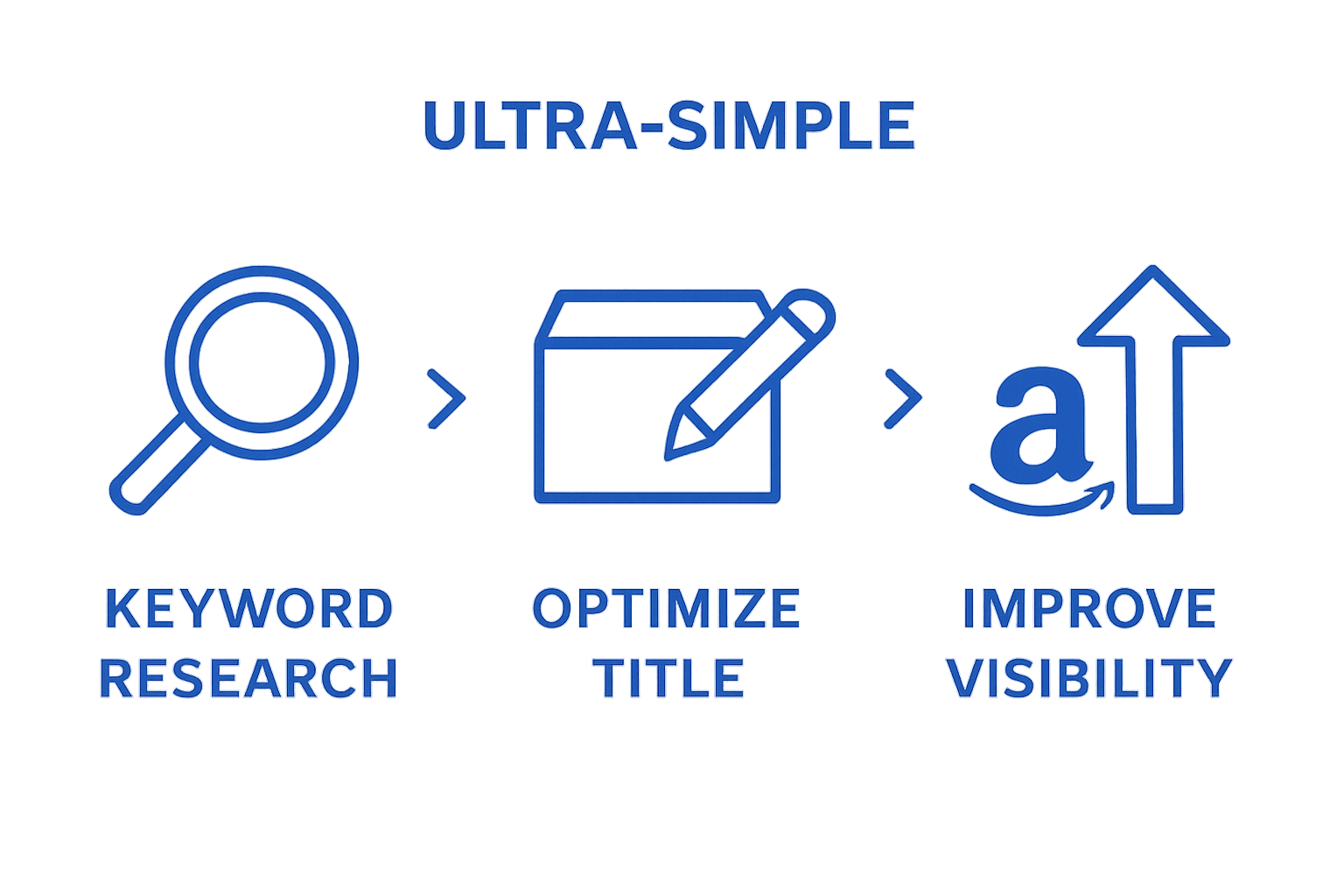
Step 2: Optimize Product Titles with Key Terms
Product titles represent your Amazon listing’s first critical touchpoint with potential customers, serving as a powerful gateway to increase search visibility and attract buyer attention. Amazon allows up to 200 characters in product titles, making every word strategic real estate for communicating product value and searchability.
Construct your title using a precise formula that balances keyword relevance with readability. Start with your brand name, followed by the most important product characteristics. For instance, instead of a generic title like “Kitchen Knife”, craft something more descriptive: “ChefPro Stainless Steel 8-Inch Chef’s Knife Professional Cooking Blade Ultra Sharp Ergonomic Handle”. This approach incorporates multiple searchable terms while maintaining clarity.
learn more about advanced listing optimization by prioritizing the most important information at the beginning of your title. Position primary keywords early to maximize search algorithm recognition. Buyers and Amazon’s search engine typically pay most attention to the first 50-80 characters, so frontload your most compelling product attributes.
Avoid common title optimization mistakes that can harm your listing’s performance. Never use all capital letters, which appears unprofessional. Exclude promotional language like “best seller” or “amazing deal”. Instead, focus on descriptive, factual terms that directly communicate your product’s unique value. Include specific details such as size, color, quantity, or technical specifications that help customers quickly understand what makes your product distinct.
Verify your title’s effectiveness by checking several key criteria. Read it aloud to ensure natural language flow. Test its searchability by performing Amazon searches using the terms you’ve included. Confirm that your title appears in relevant search results and accurately represents your product. A well-optimized title transforms from mere text into a powerful marketing tool that bridges customer search intent with your specific product offering.

Step 3: Enhance Bullet Points and Descriptions
Bullet points and product descriptions serve as your digital sales team, communicating critical product information that transforms casual browsers into committed buyers. Strategically crafted content can significantly influence purchase decisions, making this optimization step crucial for Amazon search success.
Approach your bullet points as concentrated value propositions. Each point should address a specific customer pain point or highlight a unique product benefit. Instead of generic statements, create narrative-driven descriptions that help customers visualize using your product. For example, rather than writing “Comfortable shoes”, elaborate with “Ergonomically designed memory foam insoles provide all-day comfort for professionals who spend hours on their feet”.
explore advanced product description techniques by understanding the psychology of customer decision making. Prioritize the most compelling features in the first three bullet points, as many customers will only read these before making a purchasing decision. Integrate relevant keywords naturally, ensuring each point reads smoothly and provides genuine insight into your product’s capabilities.
When crafting product descriptions, think beyond simple feature listing. Create a narrative that connects emotional and practical benefits. Explain how your product solves specific problems or improves the customer’s life. Use clear, conversational language that speaks directly to your target audience. Avoid technical jargon that might confuse potential buyers. Break complex information into digestible segments, using paragraph formatting that makes the description easy to scan.
Verify your optimized content by asking critical questions: Does each bullet point provide unique value? Can a customer understand the product’s key benefits within seconds? Read your description from a customer’s perspective. If it sounds like a genuine recommendation from a trusted friend, you’re on the right track. Remember, your goal is not just to describe a product, but to create a compelling story that motivates customers to click “Add to Cart”.
Below is a checklist table to help you verify if your Amazon product listing is fully optimized based on the key verification steps mentioned in the article.
| Verification Step | What to Check | Outcome |
|---|---|---|
| Title Optimization | Does the title use relevant keywords and flow naturally? | Title is clear, keyword-rich, and easy to read |
| Search Result Presence | Does your listing appear in search results for chosen keywords? | Appears in relevant searches |
| Bullet Points Value | Do bullet points highlight unique product benefits? | Each bullet provides specific value |
| Description Clarity | Is the description engaging and easy to scan for customers? | Description is engaging and concise |
| Image Quality | Are all product images high-quality and show product details? | Images are professional and zoomable |
| Review Credibility | Do reviews look authentic and address product pros/cons? | Reviews are genuine and balanced |
| Performance Tracking | Are you monitoring search and sales metrics regularly? | Listing performance is reviewed monthly |
Step 4: Utilize High-Quality Images and Reviews
Visual content and social proof represent powerful conversion drivers in Amazon’s competitive marketplace. High-quality images and authentic customer reviews dramatically increase your product’s perceived value and credibility, transforming potential browsers into confident buyers.
Prepare product images that tell a comprehensive visual story. Amazon allows up to 9 images per listing, so leverage this opportunity strategically. Your primary image should feature a clean, professional product shot against a pure white background. Subsequent images can demonstrate product usage, highlight unique features, provide size comparisons, and showcase different angles. Ensure each image is at least 1000 pixels wide to enable zoom functionality, which helps customers examine product details more closely.
discover advanced sales optimization techniques by understanding the psychological impact of visual presentation. Professional photography is an investment that pays significant dividends. If budget allows, consider hiring a product photographer who understands Amazon’s specific image requirements. Each image should communicate a distinct aspect of your product’s value proposition, from technical specifications to lifestyle context.
Customer reviews function as digital word-of-mouth marketing. Encourage genuine feedback by providing exceptional product quality and responsive customer service. Include a professional insert with each product that politely requests customer reviews. Follow Amazon’s guidelines carefully to avoid any perception of review manipulation. Consider implementing a follow-up email strategy that gently reminds customers about leaving honest feedback. Respond professionally to both positive and negative reviews, demonstrating your commitment to customer satisfaction.
Verify your image and review strategy by critically examining your listing from a customer’s perspective. Would these images make you feel confident about purchasing? Do the reviews provide a balanced, trustworthy representation of the product? Remember that transparency builds trust. Authentic images and genuine reviews transform your listing from a simple product page into a compelling purchasing experience that resonates with potential buyers.
Step 5: Monitor and Adjust Based on Search Performance
Optimizing your Amazon product listing is an ongoing process that requires consistent tracking and strategic refinement. Performance monitoring transforms raw data into actionable insights, enabling you to continuously improve your product’s visibility and conversion potential.
Utilize Amazon’s native analytics tools to track critical performance metrics. The Amazon Seller Central dashboard provides comprehensive data about your listing’s search performance, including click-through rates, conversion rates, and search ranking positions. Pay close attention to how changes in your title, bullet points, or images correlate with shifts in these key indicators. Some metrics might show immediate impact, while others require several weeks of consistent observation.
explore advanced optimization strategies by implementing a systematic review process. Set a recurring monthly calendar reminder to conduct a comprehensive performance audit. During these reviews, compare your current listing’s performance against previous periods. Look for trends in customer search behavior, identify which keywords are driving the most traffic, and note any seasonal variations that might affect your product’s visibility.
Professional Amazon sellers understand that search optimization is not a one-time task but a dynamic, iterative process. Experiment with subtle modifications to your listing, such as adjusting keyword placement, refining image descriptions, or updating product features based on customer feedback. Small, incremental changes can yield significant improvements in search ranking and conversion rates. Consider A/B testing different approaches, changing one element at a time to understand its specific impact on performance.
Verify the effectiveness of your optimization efforts by establishing clear performance benchmarks. Track metrics like search ranking, organic traffic, conversion rate, and total sales volume. A successful optimization strategy should show consistent improvement across these indicators. Remember that patience and persistent, data-driven adjustments are key to achieving long-term success in Amazon’s competitive marketplace. Your goal is to create a listing that not only attracts potential customers but effectively converts their interest into actual sales.
Ready to Turn Amazon Search into Real Results?
You have just learned how small adjustments to keywords, product titles, and bullet points can drive your listings higher in Amazon search and transform browsers into buyers. Yet the reality is that optimizing every detail takes expertise and ongoing effort. Maybe you have tried updating your listings and found the process overwhelming, or perhaps your product is still buried among competitors despite your hard work. If you want those long hours spent researching keywords and analyzing listings to finally pay off, you need a proven path forward. For proven strategies and actionable insights, explore our E-commerce Tips & Strategies to Grow Your Online Business today.

Stop letting your products get lost in a crowded marketplace. Trust the experts at Searchoneers to deliver tailored Amazon Listing Optimization and data-driven Amazon SEO strategies that keep your sales moving up. Every minute you wait is a missed sale. Let us help you unlock lasting visibility and growth.
Frequently Asked Questions
How can I conduct effective keyword research for my Amazon products?
Begin by using Amazon’s search bar to identify autocomplete suggestions and understand authentic customer language. Additionally, leverage specialized keyword research tools like Helium 10 or Jungle Scout to analyze search volume and competition metrics.
What should I include in my Amazon product title for better visibility?
In your product title, include your brand name, key product characteristics, and relevant keywords. Prioritize the most important information at the beginning and avoid promotional language or all capital letters.
How do I enhance bullet points and descriptions on my Amazon listing?
Craft bullet points as concise value propositions that address specific customer pain points, and create a narrative-driven product description that highlights how your product benefits the customer. Use clear, conversational language and integrate relevant keywords naturally.
What role do images and reviews play in optimizing an Amazon listing?
High-quality images provide a visual representation of your product, increasing perceived value, while authentic customer reviews act as social proof that enhances credibility. Use professional photos and encourage genuine feedback to boost your listing’s effectiveness.

Comments
4 responses to “Optimize for Amazon Search: Boost Your Product Visibility”
[…] opportunity to naturally integrate relevant keywords while maintaining readability. When crafting SEO-optimized product descriptions, sellers must balance technical optimization with genuine, customer-focused […]
[…] Learn how to optimize your Amazon search strategy to maximize your product’s visibility and potential sales. […]
[…] not standalone numbers but interconnected insights that reveal marketplace performance dynamics. Discover advanced product visibility strategies to transform these metrics into actionable optimization […]
[…] Optimize for Amazon Search, sellers must think like their potential customers. AWS Marketplace documentation recommends […]