

Scrolling through Amazon search results can feel like a battle for attention. For American and Canadian sellers aiming for growth, your click-through rate measures how many shoppers truly engage with your listing compared to everyone who sees it. Improving your CTR means attracting more qualified visitors, which directly helps your product climb search rankings. This guide breaks down what CTR means on Amazon and highlights proven strategies to turn browsers into buyers using clear metrics and data-driven listing upgrades.
Table of Contents
- What Click Through Rate Means on Amazon
- How CTR Is Calculated and Tracked
- Why CTR Matters for Your Rankings
- Top Strategies to Improve CTR
- Common CTR Mistakes Amazon Sellers Make
Key Takeaways
| Point | Details |
|---|---|
| Understand CTR Significance | Click-through rate (CTR) reflects how well your Amazon listing attracts shoppers, directly influencing your search ranking. A higher CTR signals relevance to Amazon’s algorithm, driving more visibility. |
| Optimize Listing Elements | Focus on enhancing your product title, main image, and price to improve CTR. A compelling title with relevant keywords and a standout image can significantly increase clicks. |
| Regularly Track and Test | Monitor CTR weekly using Seller Central reports and conduct A/B testing on your title and images. This will help identify effective strategies and improve organic visibility. |
| Address Common Mistakes | Avoid keyword stuffing in titles and utilize high-quality images. Ensure price visibility to enhance CTR, as shoppers are drawn to clear, attractive listings. |
What Click Through Rate Means on Amazon
Click-through rate (CTR) is simply the percentage of people who see your Amazon listing and actually click on it. Think of it as your listing’s ability to catch someone’s attention in the search results. When a shopper searches for a product, Amazon shows them multiple listings on the search results page. Your CTR measures how many of those shoppers click your listing versus how many just scroll past it.
Here’s the practical breakdown: if your listing appears in front of 1,000 shoppers and 50 of them click on it, your CTR is 5 percent. Amazon calculates this as the ratio of clicks to impressions, giving the platform a clear measure of how well your listing resonates with searchers. A higher CTR tells Amazon (and you) that your product title, thumbnail image, and price are compelling enough to make people want to learn more.
Why does this matter? CTR is one of the strongest signals Amazon uses to rank your listing higher in search results. When your CTR improves, Amazon notices that shoppers find your listing more relevant than competitors’, so it starts showing your product to more people. This creates a snowball effect where better rankings lead to more visibility, which leads to more clicks, which leads to even better rankings. On the flip side, a weak CTR signals to Amazon that your listing isn’t resonating with your target audience, and the algorithm will push it lower in the rankings, making it harder to get discovered.
For sellers with 1-3 years of experience, understanding CTR is foundational because it sits at the top of the conversion funnel. You can’t convert shoppers who never click your listing in the first place. Your main lever here is optimizing how your listing appears in search results: a compelling title that includes the right keywords, a high-quality main image that stands out against competitors, and a price point that looks competitive. The better you optimize these elements, the more clicks you’ll earn, and the faster Amazon’s algorithm will push your product up the rankings. This is why CTR is often the first metric sellers should focus on before worrying about conversion rates or advertising spend.
Pro tip: _Monitor your CTR weekly using Amazon Seller Central’s search term reports, and compare your CTR against competitors ranking in the same top-10 positions. If your CTR is significantly lower than competitors’, your listing’s visibility in search results is the bottleneck, not your conversion rate.
How CTR Is Calculated and Tracked
The math behind CTR is straightforward, but understanding it helps you interpret what your numbers actually mean. CTR equals clicks divided by impressions, then multiplied by 100 to express it as a percentage. So if your listing received 2,400 impressions last week and 180 people clicked on it, your CTR would be (180 ÷ 2,400) × 100 = 7.5 percent. This simple formula gives you a normalized metric that you can compare across different time periods and products, regardless of how much total traffic each one gets.
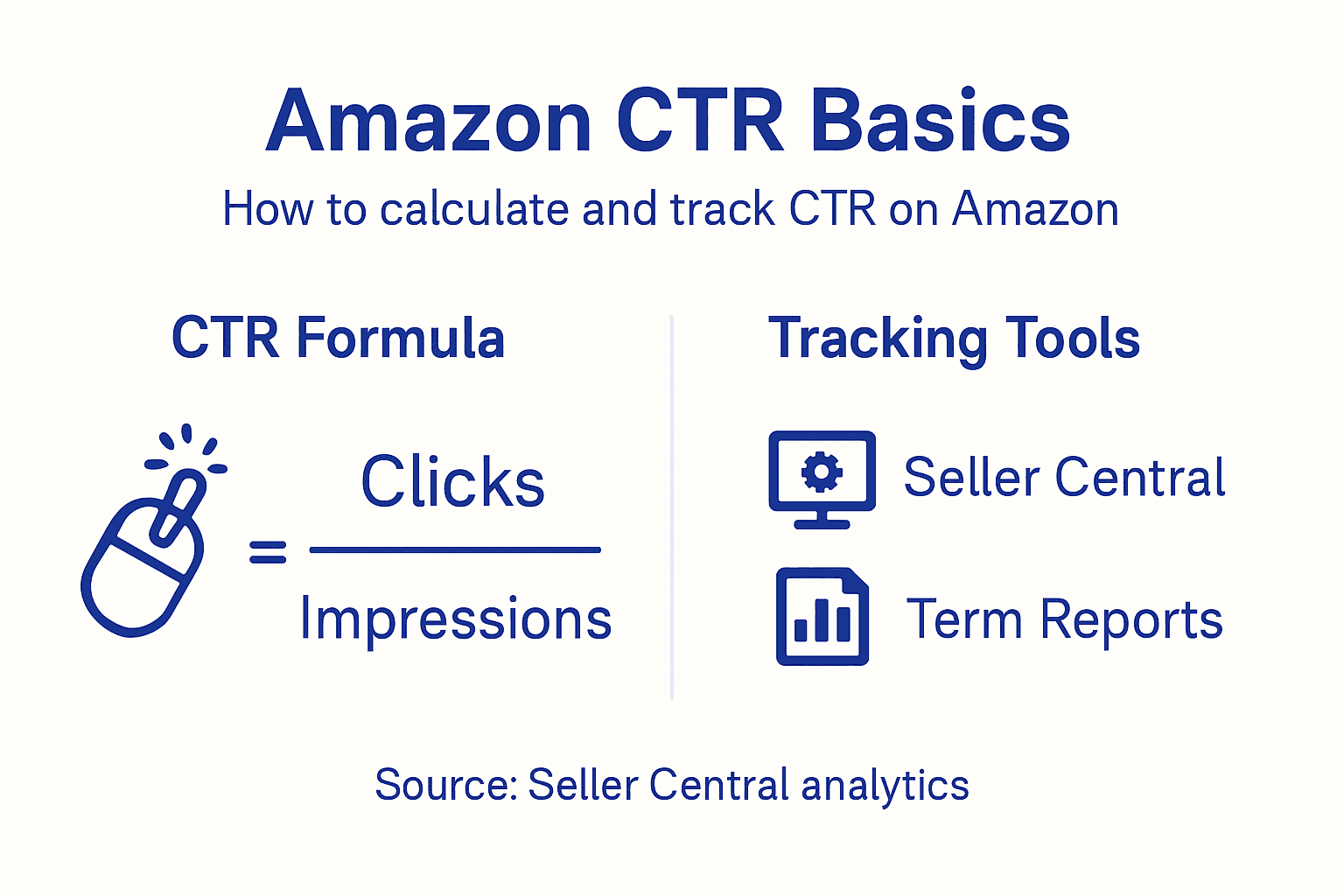
On Amazon, tracking your CTR happens automatically through Seller Central. Navigate to the Reports section and pull up your search term report or brand analytics dashboard (if you’re registered as a brand). These reports show you impressions and clicks broken down by search keyword, product ASIN, and date range. You’ll see your CTR calculated for each search term, which is invaluable because it reveals which keywords are driving clicks and which ones aren’t. For instance, you might discover that “organic coffee beans” generates 500 impressions but only 12 clicks (2.4 percent CTR), while “fair trade coffee beans” gets 300 impressions with 45 clicks (15 percent CTR). This tells you exactly where searchers are finding you compelling and where your listing is falling flat.
The power of tracking CTR comes from seeing patterns over time. If you optimize your product title on a Thursday and your CTR jumps from 5.2 percent to 6.8 percent by the following week, you’ll have proof that your change worked. Conversely, if you make a change and your CTR drops, you know to revert it. Many sellers miss this because they only look at total sales volume, but CTR gives you a leading indicator of what’s actually happening in the marketplace before it impacts your bottom line. When CTR starts declining, that’s your warning sign to investigate your listing or competitive landscape before sales follow suit.
One critical nuance for newer sellers: Amazon’s reports can have a 24 to 48 hour delay, so don’t expect real-time data. Also, CTR calculations only include traffic from Amazon’s organic search results and browse features. They don’t include clicks from sponsored ads, external traffic, or repeat visitors on your detail page. This means your actual total clicks might be higher, but the CTR metric specifically measures how well your organic listing presence converts browsers into clickers.
Pro tip: _Set up a weekly tracking spreadsheet where you record your CTR by top search term, then create a simple line graph to visualize trends. You’ll spot optimization opportunities faster than most sellers because you’ll see the exact moment your changes take effect.
Why CTR Matters for Your Rankings
Amazon’s algorithm treats CTR as a direct signal of relevance. When your listing has a higher CTR than competitors ranking nearby, Amazon interprets that as proof that shoppers prefer your product. A higher CTR indicates that users find the listing appealing, which can positively influence your search rankings. Think of it like this: if Search Term X shows 10 listings and yours gets clicked 8 percent of the time while competitors average 3 percent, Amazon notices that imbalance. Over the next few days and weeks, the algorithm responds by pushing your listing higher in the results for that keyword, giving it more visibility. This creates a self-reinforcing cycle where better rankings lead to more impressions, which lead to more clicks, which push you even higher.
The reason CTR matters more than you might initially think is that it happens before conversion. Your conversion rate, sales velocity, and review ratings are all important, but they only matter if someone clicks on your listing first. A seller with a 2 percent CTR and a 20 percent conversion rate will always lose to a seller with a 6 percent CTR and a 10 percent conversion rate, assuming similar impression volumes. Amazon knows this. The platform prioritizes showing products that shoppers actually want to learn more about, and CTR is the most direct measure of that intent. When you improve your CTR, you’re not just getting more clicks; you’re signaling to Amazon’s ranking system that your listing deserves prime real estate in the search results.
Here’s where many sellers get stuck: they focus heavily on conversion optimization (button color, shipping speed, reviews) without first optimizing their listing’s ability to attract clicks. It’s backward. You could have the best product on Amazon with a flawless conversion funnel, but if nobody clicks on you in the search results, none of that matters. Your ranking determines your visibility, and CTR determines your ranking. This is why experienced sellers obsess over title optimization, image quality, and keyword placement long before they worry about checkout page friction or return rates.
Another critical angle: CTR affects your competition visibility. Amazon runs millions of micro tests daily, comparing how products perform against each other. When your CTR climbs, you’re not just improving your own position; you’re pushing competitors down. If you move from position 5 to position 3 for a high-volume search term, that traffic shift directly impacts the seller who was in position 3. This competitive dynamic is why CTR improvement compounds so quickly. One optimization that lifts your CTR by 1.5 percentage points could shift your ranking position dramatically within 7 to 14 days.
Pro tip: _Focus on optimizing your CTR for your top 10 search terms first, not your entire keyword list. A 2 percent CTR improvement on a high-volume term worth 500 weekly impressions beats a 5 percent improvement on a low-volume term worth 50 impressions every single time.
Top Strategies to Improve CTR
Your product title is the single biggest lever for improving CTR, and it’s also the first thing shoppers see in search results. A weak title gets lost among 10 competing listings. A strong title jumps out. The best titles include your primary keyword at the beginning, follow it with secondary keywords that add specificity, and end with a benefit or key attribute that makes shoppers want to click. Instead of “Coffee Beans,” try “Fair Trade Organic Whole Bean Coffee, Single Origin Ethiopian, Fresh Roasted, 1 lb Bag.” The second version tells a shopper exactly what they’re getting and why they should care. Optimizing titles and descriptions with relevant keywords directly increases relevance to shoppers searching for those exact products, making clicks more likely.
Your main product image is the second critical factor. This image appears in search results and often determines whether a shopper clicks or scrolls. Amazon sellers who win on CTR use images that stand out visually while clearly showing the product. Avoid cluttered backgrounds or tiny products that don’t stand out against the white background. Use a high-quality camera or hire a photographer. Zoom in and show the product at a size where it fills 70 to 85 percent of the frame. Consider adding a lifestyle element if it adds context without creating confusion. A coffee seller might show the bag on a beautiful wooden table with a cup of brewed coffee nearby, but keep the bag as the clear focal point. Price visibility matters too. If your price is significantly lower than competitors and visible in the search results, that’s a CTR magnet.
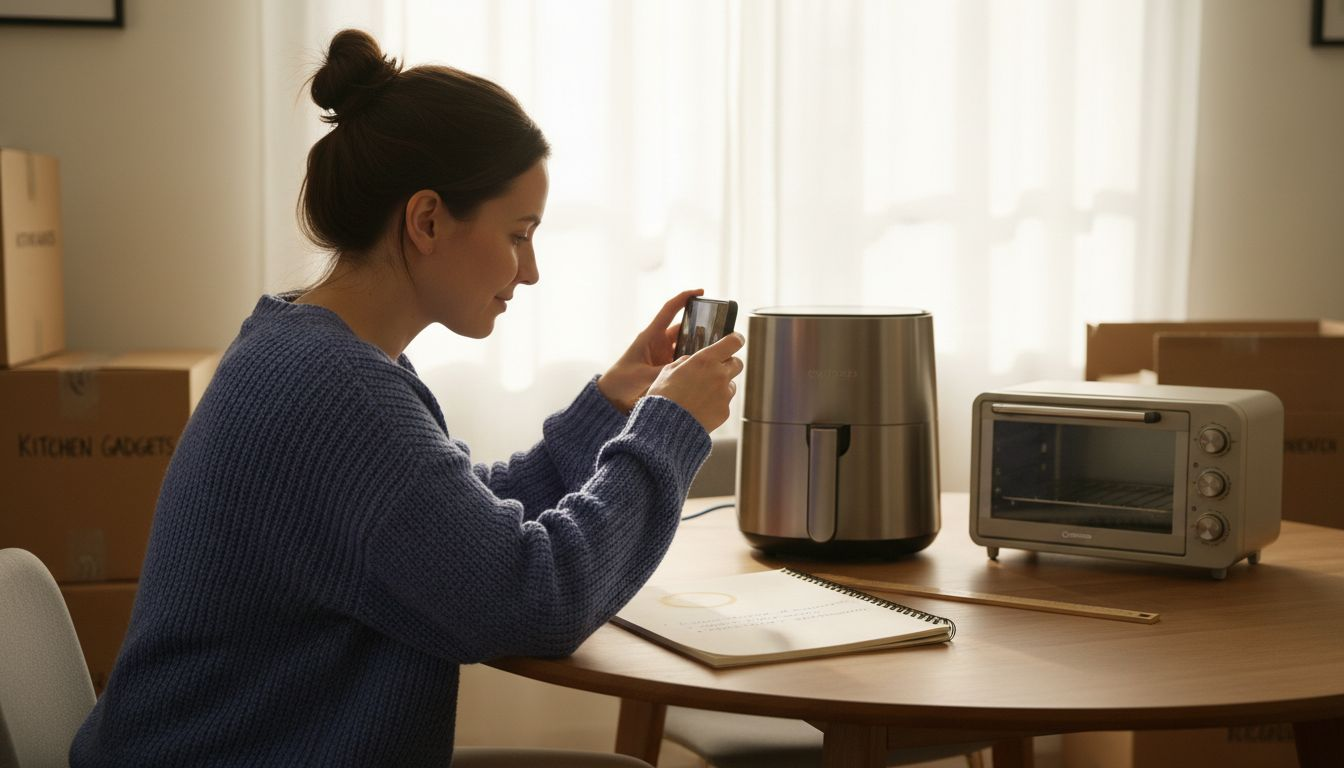
Your secondary images and bullet points work together to build confidence that clicking your listing will lead to a purchase. While these don’t directly appear in search results, they influence your conversion rate, which indirectly affects your ranking and CTR over time. Lead with your best photos, then add lifestyle shots, detail shots, and infographics showing product dimensions or benefits. Your bullet points should answer the questions shoppers are asking: “Is this durable?”, “Will it fit my space?”, “How fast does it ship?”, “What makes this better than the alternative?” Address objections directly. If your product is slightly heavier than competitors, don’t hide it; explain why that weight means quality and durability.
One more tactical layer: your price positioning affects CTR directly. A product priced 15 percent below competitors will almost always get more clicks, all else equal. But you don’t always need to compete on price. Instead, compete on perceived value. Offer free expedited shipping, include bonus items, or emphasize unique features. Run A/B tests on your main image and title separately, measuring CTR changes over 7 to 10 days. Change only one variable at a time so you know exactly what moved your numbers. Track results in a spreadsheet and keep what works.
Pro tip: _Test your product title and image on friends or family who match your target customer profile before finalizing. Show them your listing thumbnail alongside three competitor thumbnails and ask which one they’d click. Their natural reaction reveals what’s working in your visual presentation before Amazon’s algorithm does.
Common CTR Mistakes Amazon Sellers Make
The most damaging mistake sellers make is cramming their product title with too many keywords without considering readability. A title that reads like a keyword dump repels shoppers before they even click. Titles like “Coffee Beans Organic Fair Trade Whole Bean Fresh Roasted Arabica Ethiopian Single Origin 1lb” are painful to read and don’t convert clicks into purchases because they confuse more than they clarify. A shopper scanning search results needs to instantly understand what the product is and why they should care. Failing to optimize content for the target audience means your listing speaks at shoppers instead of to them. The fix is simple: write your title for humans first, keywords second. Include your primary keyword early, add 1-2 secondary keywords that add context, then stop. A well-written title drives higher CTR than a keyword-stuffed one every single time.
Another critical error is using a weak or generic main product image. Many sellers photograph their product on a plain white background without considering how it appears as a tiny thumbnail in search results. When 10 listings are stacked vertically, each as a small image, yours might be invisible. Successful sellers use contrast, zoom in on the product so it fills the frame, and sometimes add subtle design elements that draw the eye. A common miss is using a lifestyle image as your main image when a clean, direct product shot performs better. Test both approaches on your listing. You can also fail by not pricing competitively relative to your actual quality. If competitors offer similar products for 20 percent less, you will lose clicks regardless of how good your title is. Pricing signals value, and shoppers use price as a quality indicator when they don’t have other information.
Many sellers neglect A/B testing entirely. They launch a listing, assume their choices were correct, and never revisit them. The problem is that what feels right to you as a seller is often wrong for your target customer. You might think a blue product background looks professional, but your shoppers might find it distracting. Run split tests on your main image first because that’s your highest-impact variable. Test your title second. Give each test at least 7 to 10 days and 500 to 1,000 impressions before drawing conclusions. Track your CTR weekly and compare test versions objectively. Sellers who obsess over testing outrank sellers who guess, even when those guesses seem obviously correct.
Price visibility in search results is another overlooked lever. If your price doesn’t display prominently in the search results view, shoppers can’t quickly assess whether you’re a good deal. Make sure your price is clearly visible and consider offering free shipping, which displays in search results and can dramatically improve CTR. Finally, many sellers forget that their bullet points and description matter to CTR indirectly through conversion rate. If someone clicks but then immediately bounces because your listing doesn’t match their expectations, Amazon notes that behavior and lowers your ranking, which hurts future CTR.
The following table summarizes typical CTR mistakes and how to solve them:
| Common Mistake | Effect on CTR | Solution |
|---|---|---|
| Keyword-stuffed title | Reduces readability | Write for humans, use relevant keywords only |
| Weak main image | Listing overlooked | Show product clearly, use quality photos |
| No regular A/B tests | Missed optimization chances | Test one variable at a time, track results |
| Hidden price in results | Fewer immediate clicks | Ensure price is visible and competitive |
Here is a comparison of key factors affecting Amazon CTR impact and their direct business outcomes:
| Factor | Influence on CTR | Impact on Business |
|---|---|---|
| Product Title | Drives initial clicks | Boosts ranking priority |
| Main Image | Catches browser eye | Increases shopper trust |
| Price Visibility | Attracts bargain seekers | Enhances conversion potential |
| Bullet Points | Adds decision detail | Reduces bounce risk |
| A/B Testing | Refines optimization | Maximizes listing value |
Pro tip: _Pull your bottom 20 percent of search terms by CTR from your Seller Central reports and analyze what’s different about those listings. Often, one weak image or confusing title is dragging down multiple keywords, and fixing that one issue lifts CTR across all of them simultaneously.
Boost Your Amazon Click-Through Rate With Expert Listing Optimization
Struggling with low click-through rates that keep your Amazon listings buried in search results? This article highlights how a weak product title, unclear images, and hidden prices hold back your product visibility and ranking. Your goal is simple yet critical: capture shoppers’ attention with compelling titles and standout images that boost CTR and trigger Amazon’s algorithm to reward your listing with higher placement and increased traffic.
Take control of your Amazon growth today by leveraging our specialized services at SearchOneers. From enhanced titles and bullet points to smart Amazon SEO and analytics strategies, we tailor solutions that make your listings irresistible to buyers and algorithm-friendly for Amazon’s ranking system. Discover proven E-commerce Tips & Strategies to Grow Your Online Business that translate CTR improvements into real sales spikes. Don’t wait until your click rate declines takes a toll on revenue. Visit SearchOneers now and start transforming your Amazon presence with data-backed optimization that delivers measurable impact.
Frequently Asked Questions
What is Click-Through Rate (CTR) on Amazon?
CTR on Amazon is the percentage of shoppers who click on your listing after seeing it in search results. It measures how effectively your listing captures attention among competing products.
How is CTR calculated for Amazon listings?
CTR is calculated by dividing the number of clicks your listing receives by the number of impressions (views), then multiplying by 100 to express it as a percentage. For example, if you get 180 clicks from 2,400 impressions, your CTR is 7.5%.
Why is a high CTR important for my Amazon listing?
A high CTR indicates that shoppers find your listing appealing, which can improve your ranking in Amazon search results. Higher rankings lead to more visibility, further increasing your CTR and potential sales.
What are some effective strategies to improve my CTR on Amazon?
To improve your CTR, optimize your product title with relevant keywords, use a high-quality main image that stands out, ensure your price is competitive, and regularly conduct A/B tests to find the best combination of elements that attract clicks.
Recommended
- What Is Amazon Conversion Rate? Definition, Benchmarks & Tips
- Amazon Listing Enhancement Guide for Higher Sales – Searchoneers
- How to Optimize Amazon Listings: Complete Guide
- How to Drive Amazon Traffic for Maximum Sales Growth – Searchoneers
- Why Online Visibility Is the New Runway for Fashion Brands – Prima Dons & Donnas
