Enhanced Brand Content, or EBC, is Amazon’s tool for replacing plain product description text with rich, visual layouts built from images, text modules, and comparison charts. If you’ve ever landed on a product page that felt like a magazine spread rather than a wall of bullet points, you were looking at EBC in action. Amazon now officially calls this feature A+ Content, but the term EBC has stuck firmly in the seller community, and both names refer to the same thing.
Here’s what EBC gives you at a glance:
- Rich visual modules: lifestyle photos, close-up images, branded text placements
- Comparison charts: shoppable tables that let buyers compare your products side by side
- Brand Story module: a dedicated section to share your mission across every listing
- Two content tiers: Basic (free for eligible sellers) and Premium (advanced modules including video and interactive hotspots)
- Proven sales impact: Basic A+ Content can lift sales by up to 8%, while Premium can push that figure to 20%
The prerequisite is enrollment in Amazon Brand Registry, which unlocks A+ Content Manager inside Amazon Seller Central. Once you’re in, your listings stop being static text blocks and start doing real selling work.
Who can use Amazon EBC and A+ Content?
Not every seller on Amazon gets access. The eligibility rules are specific, and understanding them upfront saves you from chasing a feature you’re not yet qualified for.
To use A+ Content, you need:
- A Professional selling account on Amazon Seller Central (Individual accounts are not eligible)
- Enrollment in Amazon Brand Registry, which requires an active registered trademark for your brand name
- A Brand Representative or Reseller role assigned to your account by the brand’s rights owner
- Products linked to your registered brand in your catalog
Vendors selling wholesale directly to Amazon can also access A+ Content through Vendor Central, though the workflow differs slightly from the Seller Central path. Generic product sellers may qualify in some cases, but the core path runs through Brand Registry. If your trademark is pending, you can apply for Brand Registry’s IP Accelerator program to get provisional access while your application processes.
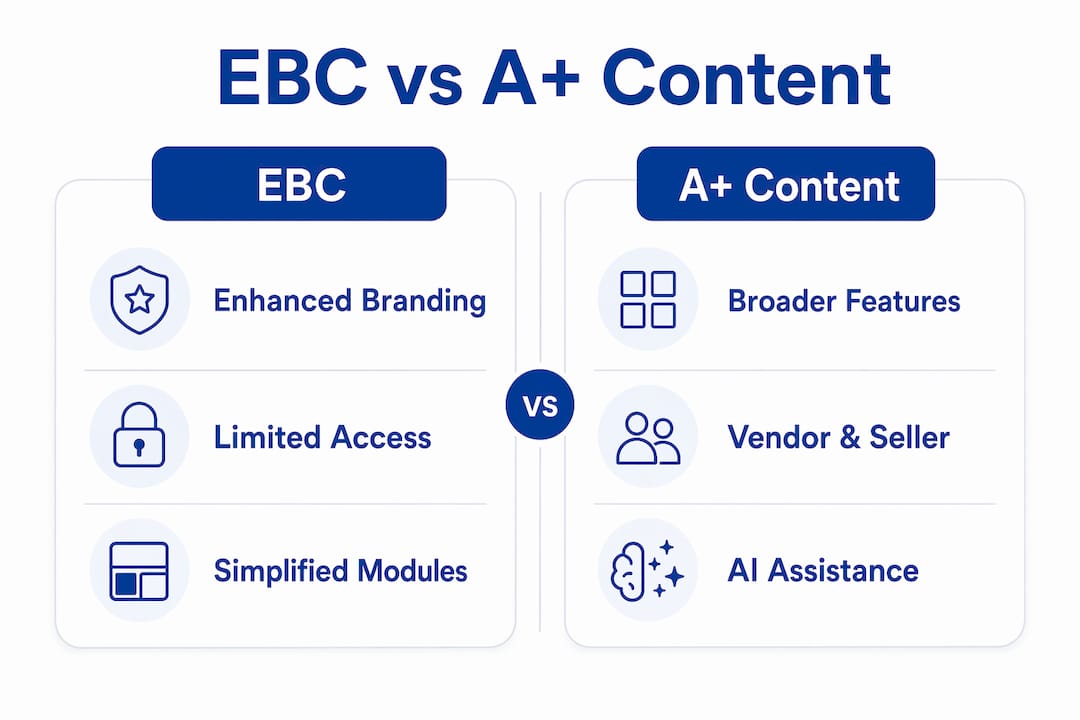
EBC vs. A+ Content: what’s actually different?
The short answer: not much anymore. The longer answer explains why sellers still use both terms.
Originally, EBC was the seller-side name for enhanced product pages, while A+ Content referred to the vendor-side equivalent used by brands selling wholesale to Amazon. They were functionally the same tool with different labels depending on which portal you used. Amazon eventually merged both under a single interface called A+ Content Manager inside Seller Central, making the distinction mostly historical.
What does differ is the content tier:
- Basic A+ Content: image and text modules, comparison charts, Brand Story; free for eligible sellers
- Premium A+ Content (sometimes called A++): larger images, videos, interactive hotspots, clickable carousels, Q&A modules; access is earned, not requested
Getting Premium access requires having a published Brand Story on all ASINs in your catalog and at least 15 approved Basic A+ Content projects in the past 12 months. Amazon grants access automatically once you hit those thresholds. Premium modules include videos and interactive hotspots that can make a product page look like a custom-built website, which is a real differentiator in crowded categories.
The real benefits of EBC for your Amazon listings
The case for A+ Content goes well beyond aesthetics. The numbers and the mechanics both point in the same direction.
Sales impact: Basic A+ Content lifts sales by up to 8%, and Premium A+ Content can increase sales by up to 20%, according to Amazon’s official data.
Beyond the headline figures, EBC works on several levels at once:
- Higher conversion rates: Visual storytelling answers buyer questions before they can hesitate. A shopper who understands exactly what they’re getting clicks “Add to Cart” faster.
- Fewer returns: EBC reduces return rates by giving customers a clearer picture of the product before purchase, cutting the gap between expectation and reality.
- Better organic rank: More conversions mean higher sales velocity, which feeds Amazon’s A9 algorithm. That velocity signals relevance to the algorithm, pushing your listing up in organic search results and creating a compounding growth loop.
- Brand differentiation: Every product page on Amazon shares the same basic structure. EBC is one of the few places where you can break that mold and make your brand genuinely memorable.
- Longer page engagement: Buyers spend more time on visually rich pages, which reduces bounce rates and gives your listing more opportunity to convert.
Think of well-crafted A+ Content as a 24/7 salesperson for your listing. It proactively handles objections, builds confidence, and guides the buyer toward a decision without you lifting a finger.
How to create EBC and A+ Content on Amazon
Getting your first A+ Content live is a straightforward process once your account is set up correctly.
Prerequisites:
- Active Professional selling account on Amazon Seller Central
- Brand enrolled in Amazon Brand Registry with a registered trademark
- Products in your catalog linked to that brand
Step-by-step creation process:
- Log in to Seller Central and hover over the “Advertising” menu.
- Select A+ Content Manager from the dropdown.
- Click “Start creating A+ Content” and choose your content type (Basic or Brand Story).
- Add modules using the drag-and-drop builder. Pick from image-text combos, comparison charts, lifestyle photo modules, and more.
- Upload your images and copy. Use high-resolution photos and concise, benefit-focused text. Avoid keyword stuffing in the text fields.
- Apply ASINs by selecting the products you want this content to appear on.
- Review and submit. Amazon’s moderation team reviews submissions, typically within a few business days. Approved content goes live automatically on the selected product pages.
- Check status anytime inside A+ Content Manager.
Pro Tip: Use the “AI Ready” badge on select modules to generate content suggestions based on your ASIN’s existing data. It won’t replace your brand voice, but it speeds up the drafting process significantly.
A few pitfalls to avoid: don’t include pricing, promotional claims, or competitor references in your EBC. Amazon will reject content that violates these guidelines, and repeated rejections can slow your approval timeline. Also, make sure your images meet Amazon’s minimum resolution requirements before uploading.

Advanced strategies for getting the most from A+ Content
Most sellers treat EBC as a one-time setup. The sellers who actually win with it treat it as a living asset.

Top sellers update their A+ Content regularly to reflect seasonal demand, customer feedback, and new product features. If your reviews consistently mention a specific concern or question, your next content revision should address it directly in the visuals or text modules. That kind of responsiveness is what separates a listing that converts at 12% from one stuck at 6%.
Advanced practices worth building into your workflow:
- Storytelling modules first: Lead with your brand’s “why” before diving into product specs. Buyers connect with purpose, not just features.
- Use comparison charts strategically: Don’t just compare your own product variants. Structure the chart to highlight the attributes where your product genuinely wins.
- Prioritize mobile layout: A large portion of Amazon shoppers browse on mobile. Preview every module on a mobile screen before submitting.
- Track performance in Seller Central: Monitor your listing’s conversion rate (CVR) and unit session percentage before and after publishing A+ Content. Those two metrics tell you directly whether the content is doing its job.
- Refresh after major reviews: When a wave of customer feedback reveals a recurring question, update your content to answer it visually. This reduces returns and lifts conversion at the same time.
The rebranding from EBC to A+ Content wasn’t just cosmetic. It reflected Amazon’s push toward higher content standards across the platform. Sellers who treat A+ Content as a premium marketing channel, rather than a checkbox, are the ones who capture the compounding benefits over time. For a deeper look at listing optimization strategies, Searchoneers covers the full picture.
Key Takeaways
Amazon A+ Content (formerly EBC) is the single most accessible tool brand-registered sellers have to lift conversion rates, reduce returns, and build lasting brand recognition on Amazon.
| Point | Details |
|---|---|
| EBC and A+ Content are the same | Amazon rebranded EBC as A+ Content; both terms refer to the same Seller Central feature. |
| Eligibility requires Brand Registry | You need a Professional account and an active trademark enrolled in Amazon Brand Registry. |
| Sales lift is documented | Basic A+ Content can increase sales by up to 8%; Premium A+ Content can increase sales by up to 20%. |
| Two tiers with different access rules | Basic is free for eligible sellers; Premium requires 15 approved projects and a published Brand Story. |
| Treat it as a dynamic asset | Updating A+ Content based on customer feedback and seasonal trends drives ongoing conversion gains. |
Ready to turn your listings into high-converting pages? Searchoneers’ Amazon listing enhancement guide walks you through every element, from A+ Content to backend keywords, with strategies built for 2026.