

Finding high-converting keywords can feel like searching for treasure in a crowded market. For every E-commerce entrepreneur or small Amazon seller, standing out depends on more than just a great product. Success starts with strategic keyword research, compelling copy, and data-driven refinements that speak to both Amazon’s algorithm and real customer behavior. This guide will show you how to master keyword relevance and conversion-driven optimization so your listings earn more clicks, sales, and positive reviews—even in highly competitive niches.
Table of Contents
- Step 1: Research Target Keywords For Amazon Listings
- Step 2: Optimize Titles, Bullets, And Descriptions Effectively
- Step 3: Enhance Backend Keywords And Listing Images
- Step 4: Implement Data-Driven Amazon Seo Tactics
- Step 5: Monitor Metrics And Refine Sales Performance
Quick Summary
| Key Point | Explanation |
|---|---|
| 1. Conduct thorough keyword research | Use Amazon’s search bar and competitor listings to find the most relevant keywords customers use when searching for products. |
| 2. Optimize listing components strategically | Place target keywords in titles, bullet points, and descriptions to enhance visibility and appeal, ensuring natural integration. |
| 3. Utilize backend keywords effectively | Fill backend keyword space with long-tail variations and common misspellings to capture additional search traffic. |
| 4. Monitor performance metrics closely | Regularly track click-through rates, conversion rates, and sales velocity to identify areas for improvement in listings. |
| 5. Refine your strategy based on data | Adjust listings systematically based on performance data, testing one element at a time to understand the impact of changes. |
Step 1: Research Target Keywords for Amazon Listings
Keyword research is where every successful Amazon listing begins. Your goal here is to find the words and phrases that real customers use when searching for products like yours. This foundation determines whether your listing gets discovered or buried in search results.
Start by understanding how Amazon’s algorithm works. Amazon’s search algorithm ranks products based on keyword relevance, reviews, conversion rate, and sales history. This means finding the right keywords is only half the battle. You also need keywords that indicate buying intent and convert browsers into buyers.
Here’s your research process:
- Use Amazon’s search bar to see autocomplete suggestions. Type your product category and watch what appears. These suggestions reflect actual customer searches.
- Check competitor listings in your category. Look at their titles, bullet points, and backend keywords to identify patterns. Tools like ASIN research guides can help you analyze competitor listings systematically.
- Identify high-converting keywords that customers actually use when ready to buy, not just generic terms everyone targets.
- Look for keyword variations that competitors might be missing. Long-tail keywords (3-5 word phrases) often have less competition and higher conversion rates.
You’ll want to gather 50 to 100 target keywords during this phase. Don’t worry about perfection yet. Just collect variations and related terms.
Focus on keywords with decent search volume and realistic conversion potential, not just popularity metrics.
Once you have your keyword list, organize them by category. Group keywords by product features, benefits, and use cases. This organization makes it easier to distribute them strategically across your title, bullet points, description, and backend search terms.
Pay attention to search volume where available. High-volume keywords sound attractive, but they often have fiercer competition. Mid-range keywords frequently deliver better results for sellers with smaller budgets. Look for the balance between search frequency and achievable ranking.
Pro tip: Create a spreadsheet with columns for keyword, search volume, competition level, and placement strategy. Update it monthly as you gather performance data from your listings.
Step 2: Optimize Titles, Bullets, and Descriptions Effectively
Now that you have your target keywords, it’s time to place them strategically across your listing. Your title, bullet points, and description work together to convince shoppers that your product solves their problem.
Start with your product title. This is prime real estate for both customers and Amazon’s algorithm. Strategic keyword placement in titles matters because Amazon weighs title keywords heavily. Front-load your primary keyword and key features early in the title so customers see them immediately. Keep it under 200 characters, but use the space wisely.
Your bullet points are where you balance keywords with benefits. Here’s how to structure them effectively:
- Lead with the main benefit, not just a feature. Customers want to know what the product does for them, not just what it is.
- Use natural keyword integration in each bullet without forcing keywords that sound awkward. If a keyword doesn’t fit naturally, skip it.
- Focus on one idea per bullet point so readers can scan quickly. Dense bullets lose customers.
- Address pain points your target customer actually experiences. Show how your product solves real problems.
- Include specific details like materials, dimensions, or certifications that build trust and answer common questions.
Your description should expand on bullet points with persuasive storytelling, not simply repeat them word-for-word.
The description section is your chance to tell a story. After customers read your bullets, they want more context. Explain why your product exists, what makes it different, and how it improves daily life. Use storytelling techniques to create emotional connection while naturally incorporating secondary keywords.
Test different messaging approaches. Some customers respond to technical specifications, while others want lifestyle benefits. Review your competitor listings to see what resonates in your category.
Pro tip: A/B test different title and bullet variations monthly by monitoring click-through rates and conversion metrics in your Seller Central dashboard to identify winning combinations.
Step 3: Enhance Backend Keywords and Listing Images
Backend keywords and high-quality images are the hidden weapons that separate thriving sellers from struggling ones. Your backend keywords are invisible to customers but visible to Amazon’s algorithm, giving you another chance to rank for relevant search terms. Meanwhile, compelling images convert browsers into buyers.
Start with backend keywords. These are search terms that don’t appear in your visible listing but help Amazon understand your product better. Amazon backend search terms give you space for keywords that didn’t fit naturally in your title or bullets. You typically have 250 bytes to work with, so make every character count.
Here’s how to fill your backend keywords effectively:
- Add long-tail keyword variations that you couldn’t fit elsewhere. These capture specific searches with less competition.
- Include common misspellings or alternate names for your product. If customers search for it differently, capture those queries.
- Skip keywords already in your title or bullets to avoid wasting space with repetition. Focus on new keywords.
- Use singular and plural forms strategically. Sometimes plurals get different search volume than singular versions.
- Separate keywords with spaces, not commas. Amazon’s algorithm processes space-separated terms more effectively.
High-quality images convert 26% to 44% better than mediocre ones, making visual optimization worth the investment.
Now for your images. Your main image is the first impression shoppers get. It needs to be clear, well-lit, and show your product from the most appealing angle. Use a clean white background if possible to match Amazon’s style guidelines and increase professionalism.

Create a sequence that tells a story. Your first image should show the complete product. The next few images should demonstrate use cases, show details, display dimensions for scale, or highlight special features. Include lifestyle images if relevant so customers visualize your product in their life.
Optimize image dimensions and file size without sacrificing quality. Larger images load faster and display better on mobile devices where most Amazon shoppers browse.
Pro tip: Include text overlays on 2-3 images highlighting your top benefits or unique selling points, but keep text minimal so it doesn’t feel cluttered or unprofessional.
This table compares the functions and strategic use of keywords in different listing areas:
| Location | Primary Purpose | Keyword Strategy |
|---|---|---|
| Title | Visibility and ranking | Front-load primary keywords |
| Bullet Points | Communicate benefits | Blend secondary keywords naturally |
| Backend Keywords | Capture hidden search terms | Use long-tails, synonyms, variants |
| Description | Persuade with context | Intersperse supporting keywords |
Step 4: Implement Data-Driven Amazon SEO Tactics
Optimization doesn’t end when your listing goes live. The real work begins when you start analyzing performance data and making strategic adjustments. Amazon’s algorithm constantly evolves, and your approach must too.
Understand what drives Amazon’s ranking algorithm. Amazon’s A10 algorithm prioritizes relevance and performance metrics like click-through rate, conversion rate, and sales velocity. This means your listing success depends on actual customer behavior, not just keyword density. You need to monitor these metrics obsessively.
Start tracking these key performance indicators in your Seller Central dashboard:
- Click-through rate shows how often shoppers click your listing when they see it in search results. Higher rates signal relevance.
- Conversion rate reveals the percentage of visitors who actually buy. This directly impacts your ranking.
- Sales velocity measures how fast your product sells. Strong sales signal quality to Amazon’s algorithm.
- Customer reviews and ratings build trust and influence purchasing decisions. Encourage satisfied customers to leave reviews.
- Return rate affects your account health. High returns suggest product issues that damage your ranking.
Data tells the story of what’s working. Without analyzing it, you’re essentially guessing.
Review your analytics weekly to spot trends. Is traffic coming but conversion rates dropping? Your product images or description might need work. Are impressions low? Your keywords might need refinement or your title needs optimization. Each metric points to specific problems.
Test changes systematically. Modify one element at a time so you know exactly what caused performance shifts. If you change your title and bullet points simultaneously, you won’t know which adjustment moved the needle.
Leverage customer reviews as content. Positive reviews validate your claims and provide social proof that convinces hesitant shoppers. Address negative reviews promptly and professionally to show potential buyers you care.
Pro tip: Set up a monthly analytics review ritual where you compare performance against the previous month, identify your top and bottom performers, and document which listing elements correlate with sales increases.
Step 5: Monitor Metrics and Refine Sales Performance
Your listing is live, but the optimization journey doesn’t stop there. Real success comes from continuous monitoring and refinement based on actual performance data. You need to track the right metrics to understand what’s working and what needs adjustment.
Focus on the metrics that directly impact your bottom line. Key Amazon KPIs like ACOS, TACOS, and ROAS measure your advertising efficiency and return on investment. ACOS (Advertising Cost of Sale) shows how much you spend on ads to generate each sale. TACOS (Total Advertising Cost of Sale) includes all your marketing expenses. ROAS (Return on Ad Spend) reveals your profit relative to ad spend.
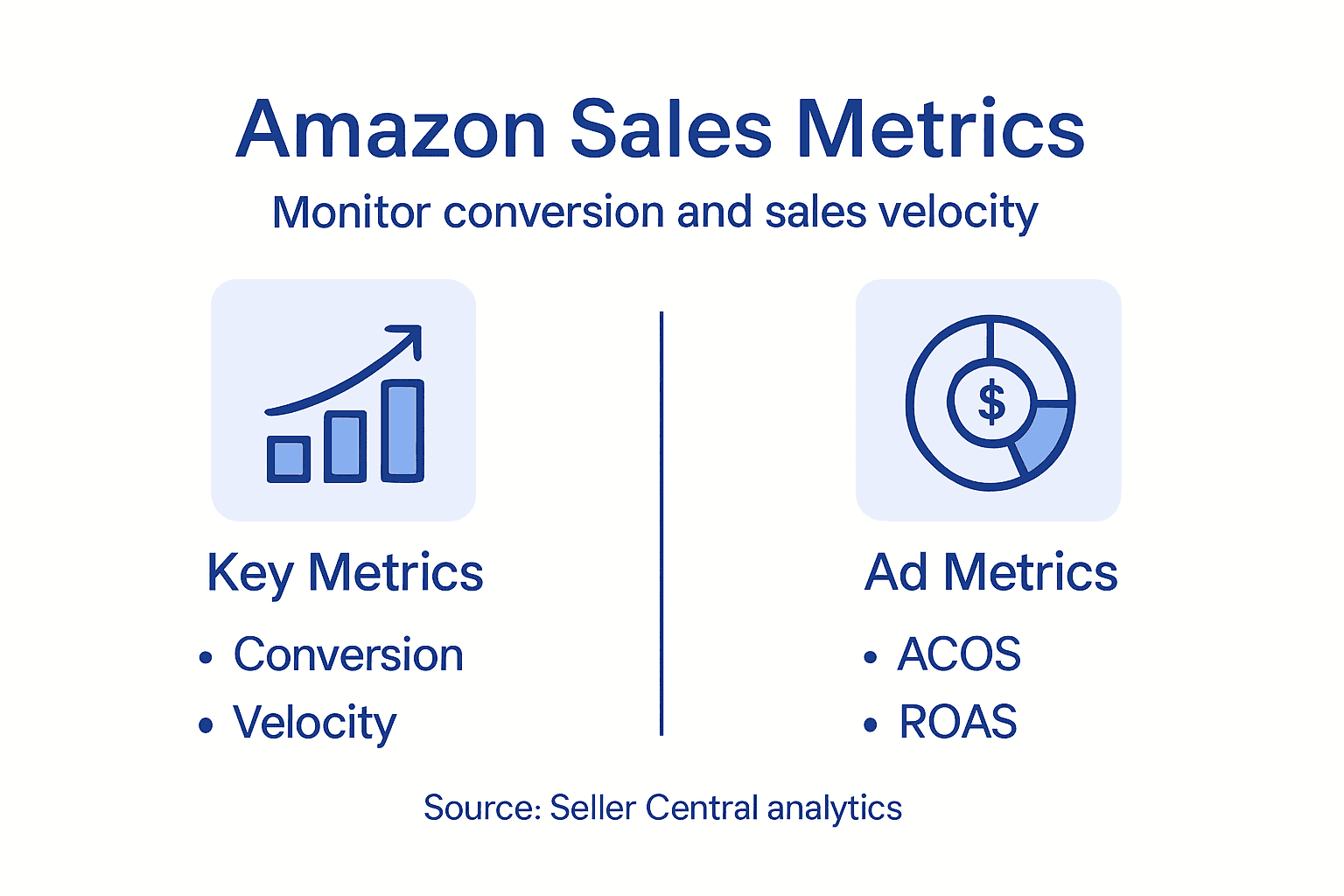
Here’s what you should monitor consistently:
Here is a quick summary of key Amazon listing metrics, their meaning, and the business impact:
| Metric | What It Measures | Business Impact |
|---|---|---|
| Click-Through Rate | Listings’ search visibility | Higher rate means more interest |
| Conversion Rate | Percentage of visitors who buy | Direct effect on revenue |
| Sales Velocity | Rate of product sales | Signals demand and boosts ranking |
| Inventory Turnover | Speed of stock turnover | Affects cash flow and ranking |
| Return Rate | Percentage of items returned | High values can hurt reputation |
| ACOS | Ad spend per sale | Shows advertising cost efficiency |
| ROAS | Revenue earned per ad dollar | Gauges overall ad profitability |
| TACOS | Total marketing spend per sale | Measures holistic cost performance |
- Conversion rate tells you the percentage of visitors who buy. A rising rate means your listing is convincing shoppers.
- Click-through rate shows how often your listing gets clicked in search results. Higher rates indicate relevance.
- Inventory turnover reveals how quickly your stock sells. This affects both cash flow and Amazon’s ranking algorithms.
- Customer feedback and reviews provide qualitative insights alongside quantitative metrics. Patterns in feedback point to product or listing issues.
- Sales velocity tracks how many units you’re moving daily or weekly. Accelerating sales signal strong product-market fit.
Metrics without action are just numbers. Use data to identify specific changes that will improve results.
Set up a weekly review process. Pull your reports from Seller Central and look for trends. Did you implement a new keyword last week? Check if traffic increased. Did you adjust your price? Monitor how that affected conversion rates.
Understanding marketplace analytics involves tracking product performance and customer behavior across multiple dimensions. Use this information to refine your strategy systematically.
Don’t chase every metric equally. Prioritize conversion rate and sales velocity over vanity metrics like impressions. A listing with fewer impressions but higher conversion rates will generate more revenue than one with high traffic and low sales.
Test pricing adjustments carefully. Small price decreases can sometimes increase total revenue by driving higher sales volume. Track the revenue impact, not just the sale count.
Pro tip: Create a simple spreadsheet tracking weekly metrics for each product, highlighting month-over-month changes in red or green so you can spot trends immediately and act faster than your competitors.
Boost Your Amazon Sales with Expert Listing Strategies
Struggling to make your Amazon listings stand out amid fierce competition may feel overwhelming. This article highlights key challenges like mastering keyword research, perfectly balancing titles and bullet points, and leveraging backend keywords to improve your product visibility and conversion rates. The goal is clear: attract real buyers with data-driven optimizations that spark trust and sales growth.
Don’t let your hard work go unnoticed on the marketplace. At SearchOneers, we specialize in Amazon Listing Optimization and Amazon SEO & Analytics to deliver enhanced titles, bullet points, descriptions, and backend keywords that put your products in front of eager customers. Our smart, evolving strategies ensure you stay ahead of algorithm changes while turning analytics into actionable improvements. Explore proven techniques and detailed advice in our E-commerce Tips & Strategies to Grow Your Online Business to keep refining your sales approach.
Take control of your Amazon success today with expert guidance tailored to your unique challenges. Visit SearchOneers now to discover how our comprehensive solutions can elevate your listings and drive more sales.
Frequently Asked Questions
How can I find the right keywords for my Amazon listing?
To find the right keywords, start by using Amazon’s search bar for autocomplete suggestions related to your product. Analyze competitor listings to identify commonly used keywords and gather 50 to 100 keywords, focusing on variations with buying intent.
What should I include in my Amazon product title for better visibility?
Your product title should include primary keywords and key features to capture attention. Aim to front-load these elements and keep the title under 200 characters, ensuring it is descriptive yet concise to optimize for search performance.
How do I effectively use bullet points in my Amazon listing?
Use bullet points to highlight the main benefits and features of your product. Each bullet should focus on one idea and include natural keyword integration, avoiding awkward phrasing to maintain readability and engage potential buyers.
What are backend keywords and how can they enhance my listing?
Backend keywords are hidden search terms that do not appear in your product listing but help improve search visibility. Optimize this section by including long-tail keywords, common misspellings, or alternate names that can capture relevant searches without repeating keywords already in your title or bullet points.
How can I monitor the performance of my Amazon listing post-launch?
Regularly track key metrics such as click-through rates, conversion rates, and sales velocity using your Seller Central dashboard. Conduct thorough weekly reviews to identify trends and make targeted adjustments, like optimizing keywords or images, to boost your listing performance.
What steps can I take to improve my product images for better sales?
Invest in high-quality images that clearly showcase your product with clean backgrounds and attractive angles. Use a sequence of images that tells a story about the product, including details, dimensions, and lifestyle shots, to enhance customer understanding and drive conversions.
Recommended
- 10 Effective Ways to Increase Amazon Sales in 2025
- Complete Guide to Product Listing Strategies – Searchoneers
- How to Optimize Amazon Listings: Complete Guide
- Copywriting for Amazon Listings: Tips & Best Practices
- Why Buy Jewelry Online: Key Benefits In 2026
- Luxury Consignment Explained: Ensuring Authentic Value
- Role of Branding Stamps: Impact on UK Businesses – Stamp Design 4U

Comments
3 responses to “How to Improve Sales in Amazon: Proven Listing Strategies”
[…] How to Improve Sales in Amazon: Proven Listing Strategies – Searchoneers […]
[…] How to Improve Sales in Amazon: Proven Listing Strategies – Searchoneers […]
[…] How to Improve Sales in Amazon: Proven Listing Strategies – Searchoneers […]