

Tracking product rankings can feel confusing for sellers working to stand out on Amazon. Understanding your Best Sellers Rank is more than a numbers game. It reveals how your pricing, promotion, and category choices shape your results across the entire marketplace. This guide offers practical steps to set up and refine your own Amazon rank tracker, helping you use real data to make smarter decisions and spot growth opportunities before your competition.
Table of Contents
- Step 1: Set Up Your Amazon Best Sellers Rank Tracker
- Step 2: Input Target Products For Monitoring
- Step 3: Analyze Rank Changes Over Time
- Step 4: Optimize Listings Based On Data Insights
- Step 5: Verify Ranking Improvements And Adjust Strategy
Quick Summary
| Essential Insight | Description |
|---|---|
| 1. Start with a Focused Product List | Track 5 to 15 key products to manage insights without data overwhelm, leading to better decision-making. |
| 2. Choose an Appropriate Tracking Method | Use Google Sheets or specialized software based on your comfort level and the number of products to streamline tracking processes. |
| 3. Analyze Rank Changes Over Time | Examine rank trends weekly to identify genuine momentum and correlation with marketing actions for optimized strategies. |
| 4. Optimize Listings Based on Data | Prioritize improving listings for products showing rank declines by analyzing elements like pricing and imagery to enhance visibility. |
| 5. Document and Adjust Strategy Regularly | After verifying improvements, maintain a monthly review process to apply successful strategies and adapt based on performance results. |
Step 1: Set Up Your Amazon Best Sellers Rank Tracker
Setting up your tracker means choosing the right approach for your selling strategy. You’ll start by identifying which products you want to monitor and then selecting a tracking method that fits your workflow. The good news is you don’t need expensive software to get started. Many sellers find success with simple tools that integrate seamlessly into their existing routines.
Begin by deciding what you’re tracking. Select between 5 and 15 products initially rather than trying to monitor your entire catalog at once. This focused approach lets you spot patterns without overwhelming yourself with data. Once you’ve chosen your products, understand that each product’s Best Sellers Rank lives within a specific category or subcategory. A product ranked 2,000 in “Home and Kitchen” performs quite differently than a product ranked 2,000 in “Specialty Foods,” so you’re tracking category-specific metrics for accurate insights.
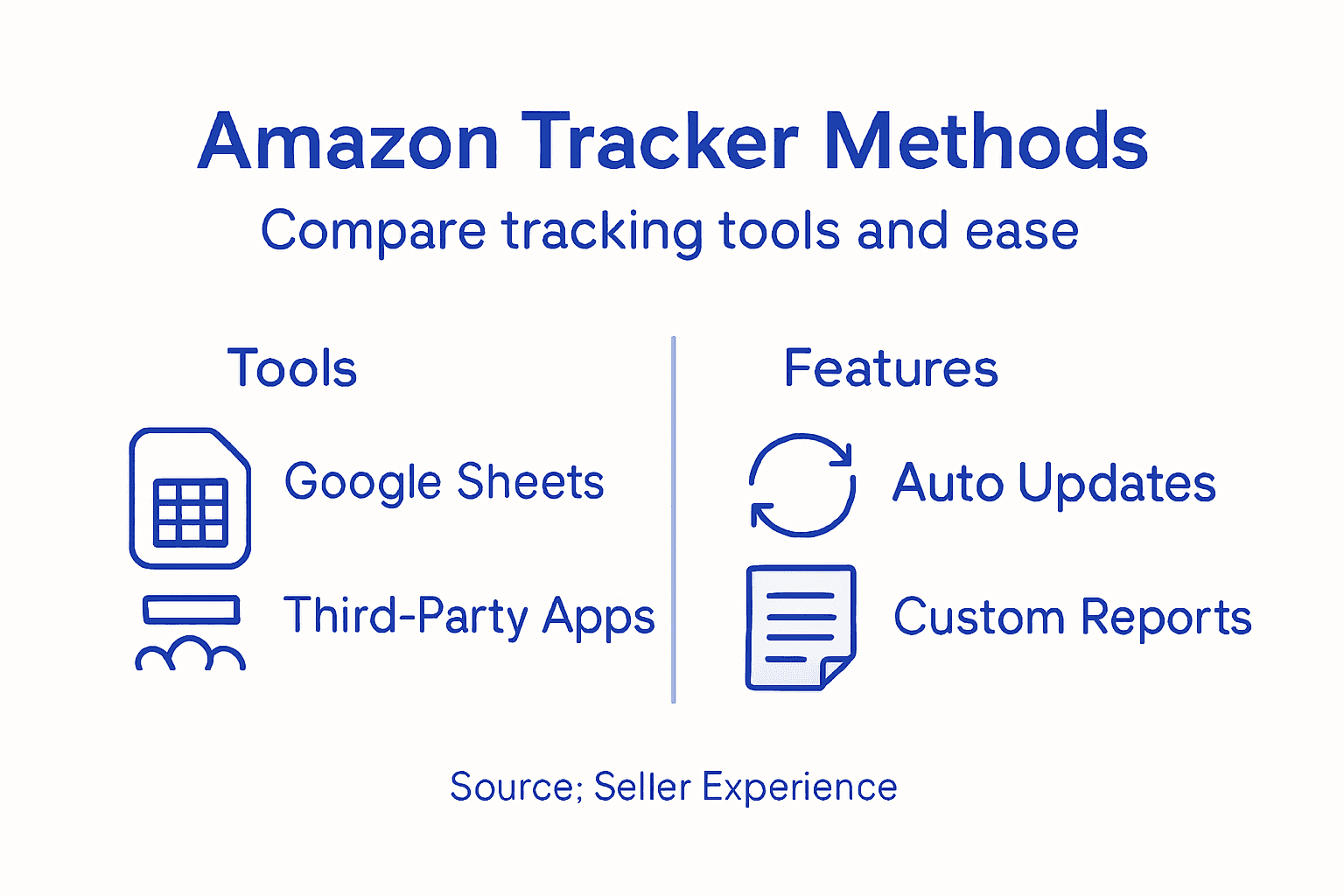
Next, determine your tracking method. Some sellers use Google Sheets with automated formulas to pull rank data, while others prefer dedicated Amazon ranking software. Google Sheets offers flexibility and cost savings if you’re comfortable with spreadsheets, while specialized tools typically provide dashboards and alerts without manual updates. Consider your technical comfort level and how much time you can dedicate to manual data entry. If you’re monitoring more than 10 products, automated solutions usually save significant time. Think about what matters most for your strategy right now. Are you comparing your rank against competitors, or primarily tracking your own product’s movement over time? This decision shapes whether you need a complex system or something simple. Understanding the fundamentals of how Amazon’s ranking system works will help you interpret the numbers you collect and make smarter inventory and marketing decisions.
Here’s a comparison of popular tracking methods for Amazon Best Sellers Rank and their business impacts:
| Tracking Method | Ease of Use | Features Provided | Impact on Seller Workflow |
|---|---|---|---|
| Google Sheets | High (manual) | Customizable formulas | Saves cost, time-consuming upkeep |
| Ranking Software | Moderate to high | Dashboards, alerts | Automation, fast data analysis |
| Manual Recordkeeping | Low | Basic tracking only | Very flexible, prone to errors |
Pro tip: Start tracking your top 3 to 5 products immediately to establish a baseline, then expand your tracker once you see how the data directly influences your pricing and promotional decisions.
Step 2: Input Target Products for Monitoring
Now that you’ve chosen your tracking method, it’s time to populate it with your target products. This step involves entering your product information into your tracking system so you can start collecting real rank data. Getting this right from the start saves you headaches later and ensures your data is accurate and actionable.
Start by gathering your product ASINs (Amazon Standard Identification Numbers). Your ASIN is that unique 10-character code Amazon assigns to every product, and it’s the most reliable identifier for tracking. You’ll find your ASIN on your product detail page or in your seller central dashboard. Write down or copy each ASIN for the products you want to monitor. Next, identify the primary category for each product. This matters more than you might think because products can appear in multiple categories, and each one has its own separate Best Sellers Rank. A single product could be ranked 500 in its primary category but 2,000 in a secondary category. When you input ASINs and category information into your tracking tool, you’re capturing the specific performance metrics that actually reflect what customers see when browsing. Take time to verify you’re tracking the right category, especially if your products fit into multiple categories naturally.
Once your product data is entered, organize your spreadsheet or tool logically. Add columns for product name, ASIN, primary category, current rank, and date tracked. Some sellers also add a column for their competitor’s ASIN if they’re doing competitive analysis. The structure you create now becomes your foundation for weeks of data collection, so think about what information matters most for your decision making. Will you be comparing your rank to a specific competitor? Do you need to track price changes alongside rank movement? These details shape how you organize your input. After you’ve entered everything, run a quick manual check to verify one or two of your products are showing the correct current rank on Amazon. This validation step takes five minutes but catches data entry errors before they mess up your entire tracking system.

Below is a summary of key data points to track for effective Amazon product rank monitoring:
| Data Point | Why It Matters | Insights Provided |
|---|---|---|
| Product ASIN | Unique product ID | Ensures accurate tracking |
| Primary Category | Defines competitors | Reveals relevant rank comparisons |
| Current Rank | Measures performance | Tracks sales progress over time |
| Date Tracked | Enables trend analysis | Identifies seasonal deviations |
Pro tip: Create a separate sheet or section for each of your main product categories, making it easier to spot seasonal rank patterns and category-specific trends without wading through mixed data.
Step 3: Analyze Rank Changes Over Time
With your data collection underway, the real insights emerge when you start spotting patterns. This step transforms your raw rank numbers into actionable intelligence about what’s working and what needs adjustment. You’ll examine how your products move through the rankings and what those movements reveal about market conditions, competition, and customer demand.
Start by looking at your data across weekly intervals rather than daily fluctuations. Daily rank changes can be noisy and misleading because Amazon’s algorithm processes sales data with a lag, and a single sale can swing your rank significantly. When you examine how rank changes reflect recent sales patterns over time, you’ll notice that sustained upward movement signals genuine momentum, while sharp spikes followed by drops suggest temporary demand rather than lasting traction. Plot your rank data on a simple line graph, whether in Google Sheets or your tracking tool. The visual pattern tells stories that raw numbers cannot. An upward slope means your sales are accelerating relative to your category competitors. A downward slope indicates you’re losing ground or facing increased competition. Flat lines suggest stagnant performance that requires intervention through pricing changes, enhanced marketing, or listing optimization. Look for correlations between your rank movements and actions you took. Did your rank improve after you adjusted your price downward? Did it drop after you paused advertising? These connections help you understand what actually drives results in your specific category.
Beyond individual product trends, compare your rank stability to your competitor’s movement. A competitor climbing steadily while you remain flat tells you they’re gaining market share. Meanwhile, consistent sales and sustained rank improvement indicate long-term success, so aim for gradual, stable improvement rather than aggressive spikes that collapse quickly. Look for seasonal patterns if you’ve collected data across several months. Many product categories show predictable seasonal swings that repeat yearly. Understanding these patterns helps you anticipate slow periods and prepare accordingly. After analyzing your data, document your findings. Note which products show positive trends, which ones are struggling, and what factors seem to influence movement. This documentation becomes your strategy guide for the next phase of optimization.
Pro tip: Create a simple scorecard that flags products as “improving,” “stable,” or “declining” based on their 30-day rank trend, so you can prioritize your marketing and pricing efforts on products with the most momentum.
Step 4: Optimize Listings Based on Data Insights
Your rank data now tells you exactly what’s working and what isn’t. This step moves you from observation to action, using your insights to refine your product listings and capture more visibility. The changes you make here should be informed by real patterns in your data, not guesswork or trends you’ve heard about.
Start with your products showing the steepest rank declines. These are your problem children, and they need attention first. Look at what might be causing the drop. Is your price significantly higher than competitors in the same rank range? Are your product photos unclear or outdated compared to what customers see in search results? Is your title missing high-volume search terms that competitors are ranking for? Your rank decline often points directly to the listing element that needs fixing. If a competitor is outranking you with similar products, study their listing closely. Compare their title, bullet points, and description against yours. What keywords do they emphasize that you don’t? Your tracking data should show you which competitors consistently beat you, so focus your analysis there first. Next, focus on optimizing your listing’s core elements including titles, bullet points, and descriptions to better match the search terms driving traffic in your category. Pay special attention to your backend keywords and make sure you’re capturing search variations your competitors miss.
For products showing positive rank movement, analyze what you might have done right so you can replicate it. Did you run a promotion that boosted sales? Did you recently refresh your images? Did you adjust your pricing? Understanding your winners helps you apply similar strategies to struggling products. Implement your changes gradually, one element at a time. If you change your title, bullet points, and description simultaneously, you won’t know which change drove any improvement or decline. Make one significant change per week, then monitor how your rank responds. After making changes, your rank data becomes your feedback mechanism. If your title modification doesn’t move your rank within two weeks, that change may not have been effective. Keep tracking consistently because it’s the only objective measure of whether your optimizations are actually working in the marketplace.
Pro tip: When updating listings, prioritize changes to products ranked between 1,000 and 5,000 in your category, since these are most responsive to optimization efforts and can move into top rankings with the right adjustments.
Step 5: Verify Ranking Improvements and Adjust Strategy
You’ve made changes to your listings and tracked the results. Now comes the critical part: confirming that your improvements are real and adjusting your approach based on what the data actually shows. This verification step separates sellers who get lucky from those who build sustainable growth.
Wait at least two to three weeks after making listing changes before assessing their impact. Amazon’s algorithm needs time to process the changes and reflect them in ranking movements. During this period, continue tracking your rank data consistently without making additional changes. When two or three weeks have passed, compare your current rank against where you started. If your rank improved by 200 positions or more, your changes likely had a positive effect. If your rank stayed flat or worsened, something in your optimization approach needs adjustment. However, don’t rely on rank movement alone. You should also monitor your sales metrics and conversion rates alongside BSR trends to get the full picture. A product might improve rank but show declining sales if your price increase was too aggressive. Conversely, strong sales combined with improving rank signals you’re moving in the right direction. Track changes in your organic search visibility too. Are you appearing higher for your target keywords than you were before? Use Amazon’s search bar autocomplete and competitor rank tracking to verify that your organic visibility is genuinely improving, not just your BSR.
Once you’ve confirmed improvements, document what worked. Did raising your price while improving your images result in better rank? Did adding specific keywords to your title drive search traffic? Create a playbook of winning strategies so you can apply them to other products. If your optimizations didn’t move the needle, don’t just try the same approach again. Adjust your pricing strategy, enhance your product content further, and refine your inventory management based on what you learned. Many sellers focus too heavily on paid advertising to boost rank, but organic optimization produces lasting results. Your goal is sustainable rank improvement driven by genuine customer preference, not temporary sales boosts that collapse when you stop advertising. This iterative cycle of tracking, analyzing, optimizing, and verifying becomes your competitive advantage. Other sellers guess. You know.
Pro tip: Set a monthly review date to compare your current rankings against the previous month’s baseline, then make one strategic adjustment per month to avoid making too many variables at once.
Take Control of Your Amazon Best Sellers Rank with Expert Optimization
Tracking and analyzing your Amazon Best Sellers Rank is only the first step toward stronger sales and lasting growth. If you have spotted declining ranks, inconsistent data, or challenges optimizing your listings based on deep insights, we can help you turn those frustrating patterns into measurable success. Our services specialize in Amazon Listing Optimization and Amazon SEO & Analytics, designed precisely to enhance titles, bullet points, descriptions, and backend keywords for maximum visibility and sustainable ranking improvements.
Ready to move beyond tracking and start improving your product rank with data-backed strategies that evolve alongside Amazon’s marketplace? Visit E-commerce Tips & Strategies to Grow Your Online Business to discover actionable advice. Then partner with us at SearchOneers for tailored solutions that sharpen your competitive edge and unlock your listings full potential. Don’t wait for fleeting rank spikes—build lasting momentum today.
Frequently Asked Questions
What is the Amazon Best Sellers Rank Tracker?
The Amazon Best Sellers Rank Tracker is a tool that helps sellers monitor the rank of their products within specific Amazon categories. To set it up, choose a tracking method, such as Google Sheets or specialized software, and input the relevant product data.
How many products should I track initially with the Amazon Best Sellers Rank Tracker?
Start by tracking between 5 and 15 products to avoid data overload. This focused approach allows you to analyze trends and make informed decisions without being overwhelmed by too much information.
What are the key data points I should monitor in my Amazon Best Sellers Rank Tracker?
Essential data points include the product ASIN, primary category, current rank, and date tracked. Organizing these data points effectively will help you interpret trends and make data-driven decisions.
How can I analyze rank changes over time using my tracker?
Examine rank changes weekly instead of daily to identify genuine trends. Plot your rank data on a line graph, which helps visualize patterns and correlations between your actions and rank movements.
When should I make changes to my product listings based on rank data?
You should wait at least two to three weeks after implementing changes to assess their impact on your rank. Monitor your rank alongside sales metrics to ensure the adjustments contribute to overall performance.
How do I identify which products need immediate optimization in my tracking system?
Focus on products with the steepest rank declines, as they require attention first. Analyze potential issues, such as pricing discrepancies or outdated images, to determine what adjustments can improve their visibility.

Comments
One response to “Amazon Best Sellers Rank Tracker: Accurate Tracking Guide”
[…] Amazon Best Sellers Rank Tracker: Accurate Tracking Guide – Searchoneers […]