

TL;DR:
- Most Amazon sellers treat Sponsored Products as a quick fix for visibility, but effective results require strategic management.
- Sponsored Products are CPC ads that target shopper intent, with ad delivery dependent on bids, eligibility, and stock availability.
- Success depends on optimizing listings, inventory, and targeting alongside campaign monitoring and iterative improvements.
Plenty of Amazon sellers treat Sponsored Products like a magic visibility switch: turn it on, watch sales roll in. That’s not how it works, and that gap in understanding costs real money. Knowing what is a sponsored product on Amazon means understanding a precise advertising system built around shopper intent, bidding mechanics, and product eligibility. This guide breaks it all down, from how the cost-per-click model works to what actually determines whether your ad shows up, so you can run campaigns that deliver results instead of draining your budget.
Table of Contents
- What is a sponsored product on Amazon and how does it work?
- Key benefits and ad formats of Amazon Sponsored Products
- Eligibility criteria and how to launch your first Sponsored Products campaign
- Monitoring and optimizing your Sponsored Products campaigns for best results
- What most sellers miss about Sponsored Products and how to master them
- How Searchoneers can help you maximize Sponsored Products success
- Frequently asked questions
Key Takeaways
| Point | Details |
|---|---|
| Sponsored Products definition | Sponsored Products are pay-per-click ads that promote individual Amazon listings and link shoppers directly to those product pages. |
| Cost and control | You only pay when shoppers click your ads, and you control bids, budgets, and targeting for performance optimization. |
| Eligibility importance | Ads only run on in-stock, eligible products that have the Featured Offer, so inventory and Buy Box status matter. |
| Ad formats | Sponsored Products include image and interactive video ads that can increase engagement and click-through rates. |
| Monitoring & iteration | Regularly track key metrics and adjust targeting, bids, and listings early to maximize campaign effectiveness. |
What is a sponsored product on Amazon and how does it work?
At its core, an Amazon Sponsored Product is a cost-per-click (CPC) ad that promotes an individual product listing, sending shoppers directly to that product’s detail page when clicked. You are not paying for impressions or brand awareness in the traditional sense. You pay only when someone clicks. That distinction matters enormously for budget control.
Here is how the bidding and delivery system works in practice. You set a maximum bid, which is the most you are willing to pay per click. Amazon’s ad auction then evaluates your bid against competing advertisers targeting the same keywords or product categories. The CPC basis means no upfront fees, no monthly minimums, and no commitment beyond your daily budget. Your ad delivery depends directly on how competitive your bid is relative to others in the same auction.
Where do these ads actually appear? Sponsored ads on Amazon show up in several high-visibility locations:
- Search results pages, both at the top and within organic results
- Product detail pages, where they appear as “Sponsored” listings below the main product
- Desktop, mobile browsers, and the Amazon app, giving you reach across every shopping surface
Eligibility is where many sellers run into trouble. Not every product or account qualifies. Sponsored Products require an active professional seller or vendor account, in-stock products in eligible categories, and crucially, your product must qualify for the Featured Offer, which is the Buy Box with the “Add to Cart” or “Buy Now” button. No Buy Box eligibility means no ad delivery, full stop.
For a deeper look at how this system fits into your broader selling strategy, the Amazon sponsored product guide covers the mechanics in detail. Keeping your product availability consistent is equally critical, since stockouts immediately pause your ad delivery.
Key benefits and ad formats of Amazon Sponsored Products
Understanding what Amazon sponsored products are is only half the equation. Knowing why they work for sellers is what drives smart investment decisions.
The core benefit is intent-based reach. Shoppers on Amazon are not browsing passively. They are searching with purchase intent. Sponsored Products connect you with those shoppers at exactly the right moment. The CPC model connects sellers with actively searching shoppers through keyword targeting or Amazon’s automatic targeting systems, while giving you precise control over spend and the ability to measure performance in real time.

Beyond the standard image ad format, Amazon now offers a newer format worth knowing: Sponsored Products video. Sponsored Products ads may appear as images or include the video format, which supports multiple product feature videos and enhances shopper interaction. This is a significant upgrade for products that benefit from demonstration, think kitchen gadgets, fitness equipment, or anything with a learning curve.
The performance data on video is compelling. Campaigns with video saw a 9% uplift in click-through rate compared to campaigns without video, with an 8x boost for shoppers who watched more than 5 seconds. That is not a marginal improvement.
Here is a quick summary of what makes Sponsored Products worth your attention:
- Cost efficiency: You only pay when someone clicks, so every dollar is tied to active shopper interest
- Flexible targeting: Choose your own keywords (manual campaigns) or let Amazon’s algorithm find relevant searches (automatic campaigns)
- Scalable budgets: Start small, test, and scale what works without financial risk
- Measurable results: Track clicks, sales, and cost-per-sale at the campaign and keyword level
- Video format advantage: Showcase product features dynamically to increase engagement and education
Pro Tip: If you are launching a new product, start with automatic targeting to let Amazon identify which search terms convert. After two weeks, mine that data and build a manual campaign around your best performers.
Learn how to boost sales with Sponsored Products by pairing these ad formats with a well-optimized listing.
Eligibility criteria and how to launch your first Sponsored Products campaign
Before you spend a dollar on ads, confirm you meet the requirements. Many sellers launch campaigns only to see zero impressions, not because of poor bids, but because their products are not eligible.
Account and product eligibility checklist:
- Active professional seller account or vendor account on Amazon
- Products listed in eligible categories (most categories qualify, but some require approval)
- Products must be in stock at the time the ad runs
- Products must be eligible for the Featured Offer (Buy Box)
- Products cannot be adult items, used or refurbished goods, or in restricted categories
To advertise with Sponsored Products you must have an active professional seller or vendor account, products in eligible categories, and product eligibility for the Featured Offer. If your product rotates between multiple sellers and you do not consistently win the Buy Box, your ad delivery will be inconsistent even with a strong bid.
Sponsored Products ads only show when advertised items are in stock and include trusted Amazon shopping attributes. Thin listings with missing details can hurt eligibility indirectly by reducing your Buy Box win rate.
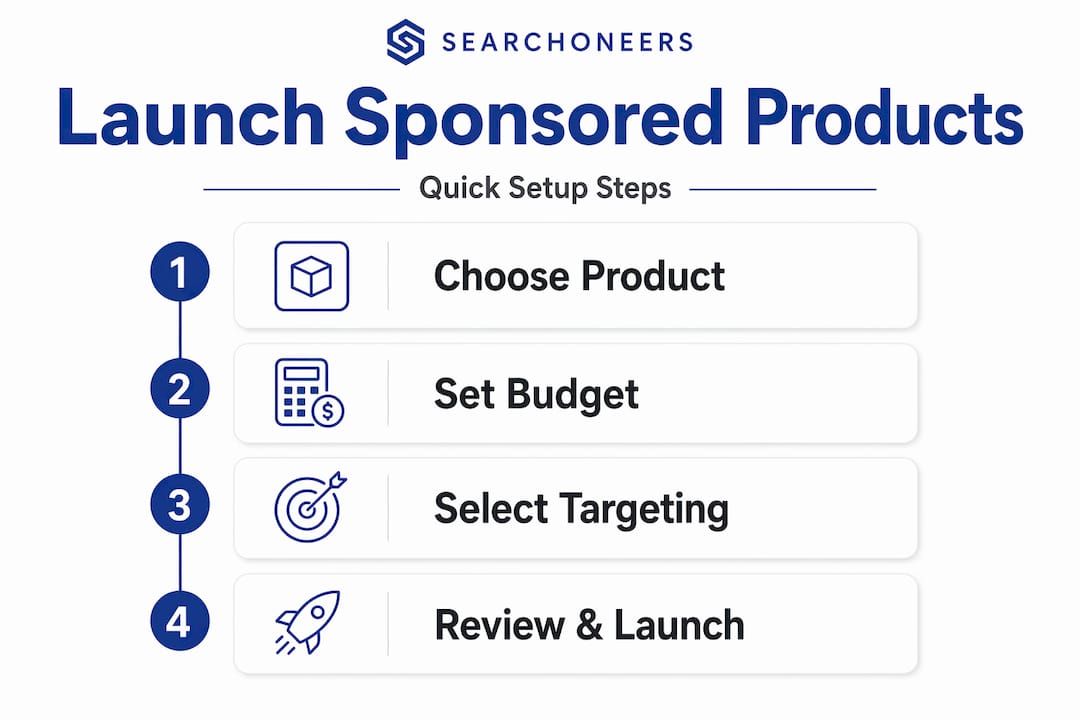
The good news? Setup is genuinely fast. You can create a Sponsored Products campaign in just a few minutes, even without prior advertising experience. Here is the basic process:
- Go to your Amazon Seller Central or Amazon Ads console
- Select “Sponsored Products” as your campaign type
- Choose the products you want to advertise
- Select automatic targeting (Amazon finds relevant searches) or manual targeting (you choose keywords or product targets)
- Set your daily budget and your default bid
- Launch and monitor
Pro Tip: For your first campaign, set a daily budget of at least $10 to generate enough data to make meaningful optimization decisions. Too low a budget means your ads stop showing mid-day, and you never get a true read on performance.
The essentials for Sponsored Products walk you through each setup step, and if you want to go further, maximizing Sponsored Products campaigns covers advanced bid and targeting strategies.
Monitoring and optimizing your Sponsored Products campaigns for best results
Launching a campaign is the beginning, not the finish line. The sellers who get the best return from Amazon product advertising are the ones who treat it as an ongoing process, not a set-it-and-forget-it tool.
In the first week, monitor performance at least twice weekly, tracking impressions, clicks, sales, CPC, and reviewing search term and targeting reports. This frequency is not overkill. Early data reveals which keywords are burning budget without converting and which are quietly driving sales.
A common frustration for new advertisers is low impressions despite reasonable bids. Low impressions or poor ad delivery are often due to stock status or Featured Offer eligibility rather than just bids or keywords. Check your inventory and Buy Box status before assuming your bids are too low.
Here is a reference table for the key metrics to monitor and what they tell you:
| Metric | What it measures | Action trigger |
|---|---|---|
| Impressions | How often your ad is shown | Low impressions: check stock and Buy Box eligibility |
| Clicks | Shoppers who clicked your ad | Low clicks: review ad relevance and bid competitiveness |
| CTR (click-through rate) | Clicks divided by impressions | Below 0.3%: test different targeting or product images |
| CPC (cost per click) | Average cost per click | Rising CPC: review bid strategy and competition |
| Sales | Revenue attributed to the ad | Low sales: audit your product detail page quality |
| ACoS (ad cost of sales) | Ad spend divided by ad revenue | High ACoS: reduce bids on low-converting keywords |
Since Sponsored Products ads click through directly to the product detail page, conversion improvements must focus on listing quality and Buy Box dynamics. A compelling ad that lands on a weak listing with blurry images and a vague title will not convert, no matter how much you bid.
Key optimization habits to build:
- Add negative keywords weekly to stop wasting spend on irrelevant searches
- Increase bids on keywords with strong sales and low ACoS
- Pause keywords with high spend and zero conversions after 2 weeks
- Review competitor pricing if your conversion rate drops suddenly
Pro Tip: Your search term report is the most valuable document in your advertising account. Download it weekly and look for search terms that are converting but not yet in your manual campaign. Add them as exact match keywords with a strong bid.
For sellers who want to connect ad performance with listing and inventory health, optimize inventory and listings is a practical resource. You can also explore tracking and improving ad campaigns for additional performance management frameworks.
What most sellers miss about Sponsored Products and how to master them
Here is the uncomfortable truth: most sellers who struggle with Sponsored Products are not losing because of bad bids. They are losing because they treat advertising as a separate activity from their core merchandising.
Think about what happens when someone clicks your ad. The click sends shoppers to your product detail page, not a custom landing page. Your listing is your landing page. If your title is vague, your images are weak, or your price is uncompetitive, the ad spend is wasted. You paid to bring someone to a store with empty shelves.
The second thing most sellers miss is the Buy Box dependency. Ad delivery issues usually stem from out-of-stock inventory or lack of Featured Offer eligibility rather than bid or keyword problems. Sellers pour time into keyword research and bid adjustments while their real problem is a pricing or fulfillment issue that has knocked them off the Buy Box entirely.
Our perspective, built from working with Amazon sellers across categories, is this: Sponsored Products are not a marketing channel. They are a sales amplifier. They take whatever your listing and operations can do and multiply it. A strong listing with healthy inventory and Buy Box ownership will see dramatically better returns from the same ad spend than a weak listing with the same budget.
The sellers who master Amazon product advertising treat it as one layer in a system that includes listing optimization, competitive pricing, inventory management, and review generation. They check campaigns multiple times a week in the early stages, iterate fast, and never assume that a poor ACoS is purely a bidding problem.
The boost sales and visibility insights resource captures this integrated approach well. Start there if you want to connect your advertising decisions to your broader Amazon strategy.
How Searchoneers can help you maximize Sponsored Products success
Applying these strategies consistently takes time, expertise, and the right tools. That is where Searchoneers comes in.

Our listing enhancement guide gives you a structured workflow for improving titles, bullet points, descriptions, and backend keywords, all the elements that determine whether your ad spend converts into actual sales. If you want hands-on campaign management, our PPC services strategies are built specifically for Amazon sellers who want to grow efficiently without overspending. And for sellers dealing with stock and eligibility challenges, our inventory optimization services help you stay in stock, win the Buy Box, and keep your ads running when it matters most.
Frequently asked questions
What exactly is an Amazon Sponsored Product?
An Amazon Sponsored Product is a cost-per-click ad that promotes an individual product listing on Amazon, directing shoppers to its detail page when clicked. It is one of the most direct ways to increase product visibility in search results.
Do I have to pay upfront fees for running Sponsored Products ads?
No. Sponsored Products have no monthly or upfront fees. You are charged only when a shopper clicks your ad, making it a low-risk entry point for new advertisers.
Can I run Sponsored Products ads for out-of-stock products?
No. Amazon only displays Sponsored Products for items that are in stock and eligible for the Featured Offer. Stockouts immediately pause your ad delivery.
How quickly can I create my first Sponsored Products campaign?
You can create a campaign in just a few minutes, even without prior advertising experience. The setup process in Seller Central or Amazon Ads is straightforward and beginner-friendly.
What metrics should I track to optimize my Sponsored Products campaigns?
Track impressions, clicks, sales, and CPC at minimum, and review your search term report regularly. These metrics together tell you what is working, what is wasting budget, and where to focus your next optimization.
