

Every Amazon seller chasing measurable growth has likely asked how to connect their marketing efforts across Facebook, Google, and email to real Amazon sales. Achieving true clarity on which ads drive customers is no longer guesswork thanks to Amazon Attribution, a tool that reveals exactly how off-platform campaigns influence every stage of your buyer’s journey. Understanding how to set up, refine, and interpret this data is key to making smarter ad investments and scaling your business profitably.
Table of Contents
- Amazon Attribution Defined And Debunked
- How Amazon Attribution Tracking Works
- Key Metrics And Supported Ad Channels
- Setting Up And Managing Attribution Tags
- Common Mistakes And Best Practice Strategies
Key Takeaways
| Point | Details |
|---|---|
| Understanding Amazon Attribution | It tracks ad campaign impacts across channels, but does not provide complete sales data. Proper setup is essential for accurate insights. |
| Common Seller Misconceptions | Many sellers mistakenly treat attribution as a comprehensive sales tool; it only shows partial influence and requires careful interpretation. |
| Importance of Tag Management | Effective tagging is critical for tracing campaigns; failing to manage and test tags can lead to data loss and poorly informed decisions. |
| Metrics to Focus On | Prioritize key metrics related to conversions and customer behavior, analyzing data consistently to optimize marketing strategies. |
Amazon Attribution Defined and Debunked
Amazon Attribution is Amazon’s native tool that tracks how your ad campaigns drive purchases across channels. It connects your advertising spend directly to sales results, showing exactly which campaigns influenced customer behavior.
Here’s what the tool actually does:
- Tracks conversions from your ads across Amazon and external sites
- Measures both immediate and delayed conversions
- Provides insights into customer purchase journeys
- Helps you understand which touchpoints matter most
Unlike traditional last-click attribution, Amazon Attribution reveals the full path. A customer might see your ad on Facebook, click a search result later, then purchase from your storefront. This tool shows all three interactions, not just the final click.
Why Sellers Get Attribution Wrong
Many Amazon sellers misunderstand what this tool can and cannot do. The biggest mistake? Treating it like a complete sales view when it actually shows only partial data.
Common misconceptions include:
- Believing it tracks all your sales (it doesn’t)
- Assuming it measures organic search (it measures ads only)
- Expecting real-time data (there’s a processing delay)
- Thinking it replaces Amazon analytics for deeper insights
Amazon Attribution shows campaign influence, not complete sales attribution. It’s one layer of data, not the whole picture.
The tool works specifically for brand campaigns and unbranded campaigns running on Amazon Ads. If you run campaigns through other platforms, you won’t see those external channel data unless you connect them directly.
Another critical detail: Attribution requires proper setup. You need conversion pixels installed, UTM parameters configured, and attributed sales enabled on your campaigns. Skipping these steps means missing crucial data.
Many sellers also assume higher attribution numbers equal higher profitability. That’s backwards. A campaign might show strong attribution but poor return on ad spend because the cost per conversion exceeds profit margins.
Setting Up Attribution Correctly
Proper implementation changes everything. Start by defining what conversions matter for your business. Is it revenue? Units sold? New customers? Your answer determines how you measure success.
Then verify your campaigns are eligible. Brand campaigns, category campaigns, and unbranded campaigns all support attribution. Product-targeted campaigns do not.
Make sure you’re reading the data correctly. Look beyond total attributions and examine:
- Conversion rate by campaign
- Average order value attributed
- Return on ad spend by channel
- Cross-channel attribution patterns
Pro tip: Start with your highest-spend campaigns when implementing attribution. This gives you meaningful data fastest and helps you identify quick wins before optimizing lower-volume campaigns.
How Amazon Attribution Tracking Works
Amazon Attribution tracks customer journeys from external ads back to Amazon purchases using a straightforward system. When you run campaigns on Facebook, Google, email, or other channels, Amazon assigns each campaign a unique tracking tag that gets added to your links.
Here’s the basic flow:
- Create a campaign and assign a unique tracking tag
- Append the tag to your external marketing URLs
- Customer clicks the tagged link from your ad
- Amazon records the click and tracks their behavior
- If they purchase within the tracking window, attribution credits your campaign
The Tracking Window Matters
Amazon uses a 14-day last-touch attribution model, meaning it credits the final non-Amazon advertising touchpoint before a purchase. If a customer sees your Facebook ad on Monday but doesn’t click until Thursday, that Thursday click gets the credit.

This matters because attribution only tracks external channels. Tracking tags assigned to campaigns help Amazon record impressions, clicks, detail page views, cart additions, and actual purchases. Without proper tagging, you lose visibility into this data entirely.
The 14-day window is important for planning. A customer who clicks your email campaign on day 10 won’t be attributed if they purchase on day 15. Understanding this window prevents you from misinterpreting attribution gaps.
The 14-day window resets with each customer interaction. Plan your campaigns knowing this limitation affects slower conversion cycles.
What Gets Measured
Amazon Attribution captures specific metrics at each step of the customer journey. You’ll see:
- Impressions: How many times your ad appeared
- Clicks: How many people clicked your tagged link
- Detail page views: How many clicked through to your product listing
- Add-to-carts: How many added items to their cart
- Purchases: Actual completed transactions attributed to your campaign
This granular data reveals where customers drop off. If you have high clicks but low detail page views, your landing page or link setup needs adjustment. High views but low add-to-carts suggests listing optimization issues.
You can also track how conversion rate improvements impact attributed sales. When you optimize your listing and see conversion rate increase, those changes directly affect how many attributed clicks convert to purchases.
Real-Time Insights
Amazon Attribution provides near real-time data, allowing you to spot problems quickly. If a campaign is underperforming, you see it within hours, not weeks.
This speed lets you test and adjust faster. Run a campaign, check attribution data the next day, then refine your approach for the following day’s spend. Over a 30-day month, that means multiple optimization cycles instead of one.
Pro tip: Start with one high-budget campaign to test your tracking setup. Verify that impressions, clicks, and purchases all flow correctly before tagging multiple campaigns—this prevents wasted spend from measurement errors.
Key Metrics and Supported Ad Channels
Amazon Attribution tracks performance across the entire customer journey, from first impression to final purchase. Understanding which metrics matter and which channels are supported helps you build a complete picture of your off-Amazon marketing impact.
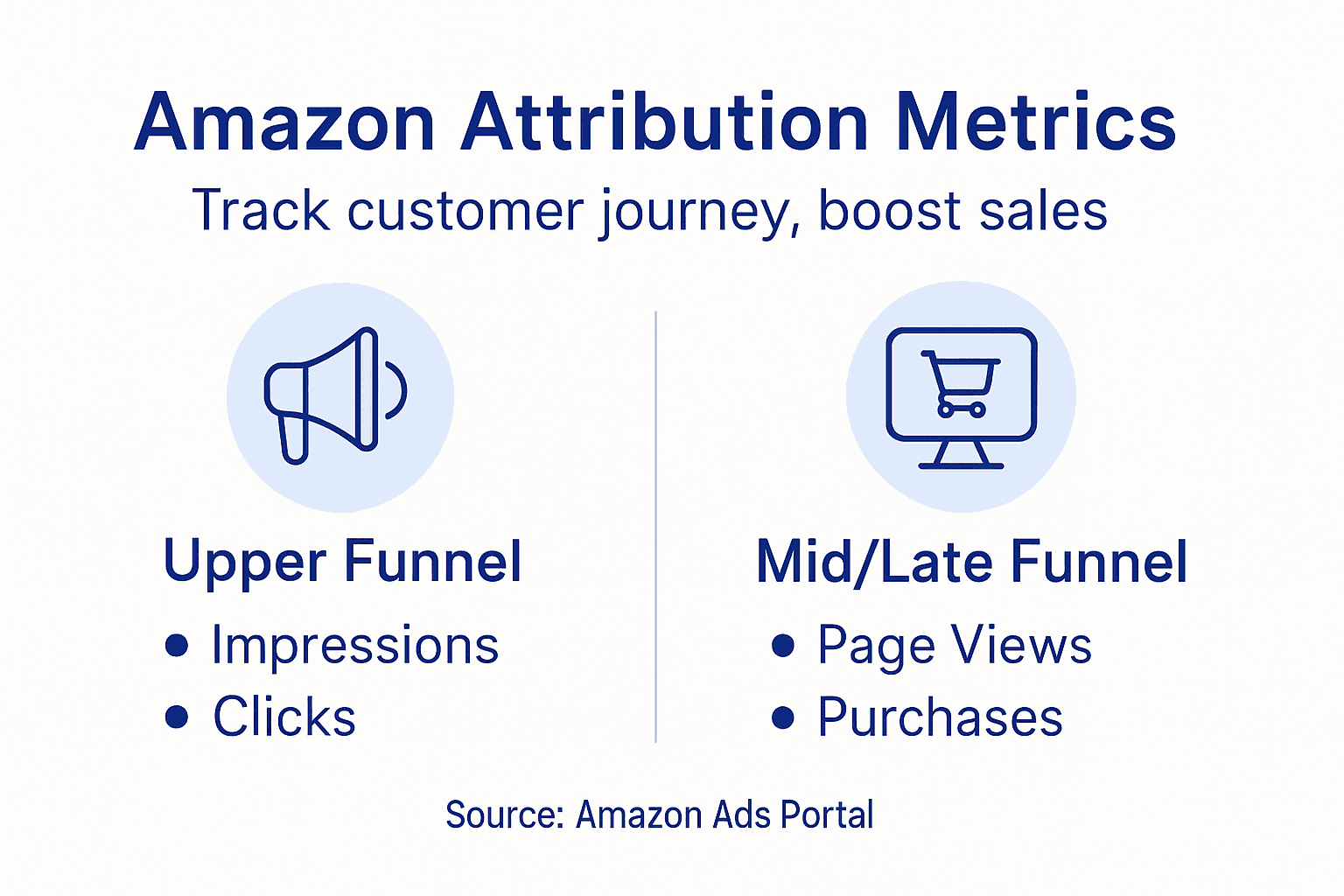
The tool captures data across three distinct funnel stages. Each stage reveals different insights about customer behavior and campaign effectiveness.
Upper Funnel Metrics
These metrics measure initial awareness and engagement. Impressions show how many times your ads appeared across channels, while clicks reveal how many people actually clicked through to Amazon.
These numbers matter because they establish your baseline reach. If you’re getting high impressions but low clicks, your ad creative or messaging needs adjustment. If clicks are strong, your ads resonate with the audience.
Mid-Funnel Metrics
Once customers click, things get interesting. Amazon tracks detail page views showing how many clicked through to your product listing, and add-to-cart actions revealing conversion intent.
This is where listing optimization pays off. A customer who views your detail page but doesn’t add to cart might be turned off by your images, pricing, or description. These metrics pinpoint where friction exists.
You’ll also see click-through rates calculated from this data. A high detail page view rate with low add-to-cart rate suggests your listing needs work.
Lower Funnel Metrics
Bottom-line metrics are what actually matter to your bottom line. These include:
- Sales and conversions: Actual purchases attributed to your campaigns
- Units sold: How many items customers bought
- ACOS (Advertising Cost of Sales): How much you spent per dollar earned
- New-to-brand metrics: Customers purchasing from you for the first time
New-to-brand metrics deserve special attention. Key metrics tracking customer acquisition helps you understand if you’re building a loyal customer base or just getting one-time buyers.
Lower funnel metrics reveal profitability. High sales with high ACOS means you’re losing money, even with attribution success.
Supported Ad Channels
Amazon Attribution works across multiple platforms. You can track campaigns from:
- Search engines (Google, Bing)
- Social media (Facebook, Instagram, TikTok, LinkedIn)
- Display advertising networks
- Video platforms (YouTube)
- Email marketing campaigns
- Affiliate and influencer partnerships
Each channel has different strengths. Email typically converts higher but reaches fewer people. Social media drives volume but with lower conversion rates. Search traffic often shows highest intent.
The key is tracking all channels together. When you evaluate Amazon data for sales performance, comparing metrics across channels shows which deserves more budget.
Here’s a comparison of popular ad channels supported by Amazon Attribution:
| Ad Channel | Typical Conversion Rate | Audience Reach | Key Business Benefit |
|---|---|---|---|
| Google Search | High | Broad | Captures ready-to-buy shoppers |
| Facebook Ads | Moderate | Very broad | Increases brand awareness |
| Email Campaign | Highest | Targeted, smaller | Drives repeat purchases |
| Influencer | Variable | Niche/Social | Expands trust and loyalty |
| YouTube | Low to moderate | Broad, visual | Demonstrates product detail |
Pro tip: Start tracking only your top three channels to avoid overwhelming yourself with data. Once you optimize those, expand to additional channels. This prevents data paralysis while building attribution expertise.
Setting Up and Managing Attribution Tags
Attribution tags are the foundation of tracking. Without them, Amazon has no way to connect your external campaigns to Amazon purchases. Getting this right prevents wasted marketing spend and lost data.
A tracking tag is essentially a unique identifier appended to your campaign URLs. When a customer clicks, Amazon reads that tag and knows which campaign brought them in. It’s that simple in theory, but execution matters.
Creating Your First Tag
Start in your Amazon Ads account under Attribution. You’ll find a section to create new tags with fields for campaign name, channel, and campaign type.
Choose your tag naming structure carefully. Use a system that makes sense to you, like “facebook-june-shoes” or “email-summer-sale.” Avoid vague names like “campaign1” because you’ll forget what they mean.
Here’s the basic process:
- Navigate to Amazon Attribution dashboard
- Select “Create Tag” or similar option
- Enter campaign details and name your tag
- Amazon generates a unique tracking URL
- Copy that URL to use in your ad platforms
- Test the link before launching campaigns
Tagging Across Channels
Different channels require slightly different approaches. Understanding smarter campaign strategies helps you implement tags consistently across all platforms.
For Facebook and Instagram, add the tracking URL as your destination link in your ad setup. The platform passes the tag through when users click.
For Google Ads, use the tracking URL in your final destination URL field. Google’s tracking appends its own parameters, but Amazon’s tag still flows through.
For email campaigns, insert the tracking URL as your product link or button destination. Some email platforms let you track clicks separately, which is fine—Amazon only cares about the final click before purchase.
For influencer campaigns, provide the tracking URL to the influencer and have them use it in their posts or bio links.
Tags only work when customers actually click them. An unclicked ad generates impressions but zero attribution data.
Managing Multiple Tags
As you scale, you’ll create dozens of tags. Organization becomes critical. Create a spreadsheet tracking:
- Tag name
- Channel used
- Campaign dates
- Budget allocated
- What you’re testing
This prevents duplicate tags and helps you remember which campaigns ran when. You’ll reference this data when analyzing performance.
Regularly audit unused tags. If a campaign ended three months ago, archive that tag to keep your dashboard clean and focused on active campaigns.
Common Setup Mistakes
Missing one detail breaks the entire tracking chain. Common errors include:
- Using the same tag across multiple campaigns
- Not testing the link before launching
- Forgetting to enable “attributed sales” on campaigns
- Changing tags mid-campaign
- Using special characters Amazon doesn’t support
Test your tracking URL by clicking it yourself before spending money. You should land on your Amazon product page with the tracking parameter visible in the URL.
Pro tip: Create a separate tag for each major campaign variation you test. If you run three different Facebook ads simultaneously, use three different tags so you can see which creative performs best—not just aggregate results.
Common Mistakes and Best Practice Strategies
Most Amazon sellers make predictable mistakes with attribution that cost them thousands in wasted ad spend. The good news? They’re easy to avoid once you know what to watch for.
The biggest mistake is setting attribution up and then ignoring it. Data only helps if you actually look at it and act on what you find. Many sellers treat attribution as a setup-and-forget tool.
Common Mistakes to Avoid
The first major error is improper tag implementation. You create a tag, use it for two weeks, then change the URL midway through a campaign. This splits your data across two tags, making analysis impossible.
Another costly mistake is using the same tag for multiple campaigns. One tag for all your Facebook ads means you can’t tell which ad creative actually works. You see aggregate performance, not individual campaign strength.
Many sellers also fail to track across all channels. They tag Facebook campaigns but ignore Google, email, and influencer partnerships. You end up with incomplete data that leads to wrong budget decisions.
Here are common pitfalls to prevent:
- Changing tags mid-campaign
- Reusing tags across different campaigns
- Not testing tags before launch
- Ignoring data after campaigns end
- Setting goals that don’t align with business metrics
- Using confusing tag names you can’t remember later
Proper tagging protocols and testing prevent measurement gaps that hide your best-performing campaigns.
Best Practices That Actually Work
Start by setting clear campaign goals before launch. Know whether you’re optimizing for new customers, units sold, or revenue. Your goal determines which metrics matter most.
Use consistent tagging protocols across all campaigns. If you name tags “channel-product-date,” stick with that format always. Consistency makes analysis faster and reduces errors.
Test tags before spending serious money. Click your tracking URL yourself. Verify it lands on the right product page. Check that the tracking parameter appears in your browser URL bar. Five minutes of testing prevents weeks of bad data.
Analyze data regularly, not just at campaign end. Check performance every three to four days. If a campaign underperforms on day two, you can pause it and redirect budget before wasting half your monthly spend.
This summary highlights crucial Amazon Attribution setup best practices:
| Best Practice | Why It Matters | Impact on Campaigns |
|---|---|---|
| Consistent tag naming | Prevents confusion in analysis | Makes comparing results easier |
| Separate tags for each campaign | Enables granular performance tracking | Identifies winning creatives |
| Regular tag testing | Avoids broken links and lost data | |
| Ensures accurate measurement | ||
| Monthly performance review | Spots trends and problems early | |
| Saves ad spend and improves ROI |
Optimization Through Analysis
Look for patterns in your data. If email consistently converts higher than social media, allocate more budget to email. If certain creatives drive clicks but low add-to-cart rates, revise your product photography or pricing.
Compare ACOS across channels. Amazon SEO mistakes and fixes often stem from not recognizing that high-performing campaigns sometimes expose listing weaknesses. High clicks with low conversions means your listing needs optimization.
Track new-to-brand metrics separately. A campaign bringing new customers at higher ACOS might still be profitable long-term if those customers make repeat purchases.
Pro tip: Create a simple monthly scorecard tracking top three metrics by channel. Review it every month to catch trends early. A channel trending downward for three months signals a problem before it becomes catastrophic.
Unlock Your Amazon Sales Potential with Precision Data and Optimization
Many sellers struggle to turn Amazon Attribution insights into actionable growth because they lack the optimized listings and data-driven strategies that make those numbers translate into profits. The article highlights critical challenges like setting up proper tagging, interpreting attribution metrics such as ACOS and new-to-brand conversions, and avoiding common pitfalls that waste ad spend. If you want to convert those nuanced attribution insights into higher visibility and better sales, mastering Amazon SEO and listing optimization is essential.
At Search Oneers, we specialize in enhancing your product listings with strategically crafted titles, bullet points, descriptions, and backend keywords that amplify your presence in search results. Paired with smart attribution-informed strategies, our solutions close the gap between data and real revenue gains. Discover how to align your case-specific attribution data with listing improvements and ad analytics in Amazon SEO & Analytics. Take control of your sales funnel today with proven expert support.
Elevate your campaigns beyond just tracking clicks and impressions — turn them into sales and loyal customers now.
Ready to make Amazon Attribution data work harder for you? Visit Search Oneers and start optimizing your listings and analytics for measurable results.
Frequently Asked Questions
What is Amazon Attribution and how does it work?
Amazon Attribution is a tool that tracks how your advertising campaigns drive purchases on Amazon. It connects your ad spend to sales results, showing how various campaigns influence customer behavior by tracking conversions from both Amazon and external sites.
How do I set up Amazon Attribution correctly?
To set up Amazon Attribution, you need to create and name tracking tags in your Amazon Ads account. Make sure to append these unique tags to your external marketing URLs. Proper configuration of conversion pixels and UTM parameters is crucial for accurate tracking of attributed sales.
What metrics can I track with Amazon Attribution?
With Amazon Attribution, you can track various metrics such as impressions, clicks, detail page views, add-to-carts, and actual purchases. These metrics help you understand customer engagement at every stage of the purchase journey.
How does the 14-day attribution window impact my campaigns?
The 14-day attribution window means that Amazon credits the last non-Amazon advertising touchpoint before a purchase. This affects how you analyze customer interactions, as a click on an external ad that leads to a purchase two weeks later will still get attributed to your campaign within this timeframe.
Recommended
- Amazon Analytics: Unlocking Sales Growth Globally – Searchoneers
- How to Evaluate Amazon Data for Stronger Sales Results – Searchoneers
- Why Monitor Amazon Analytics: Data-Driven Growth – Searchoneers
- Amazon Attribution Explained: Unlocking Smarter Campaigns – Searchoneers
- Data-Driven Marketing Strategies Guide to Boost AOV – Affinsy Blog | Affinsy
