

TL;DR:
- Amazon offers three recurring purchase tools: Subscribe & Save for scheduled auto-shipment, Scheduled Actions for AI-assisted cart additions, and Auto Buy for price-triggered automatic buying. Each tool caters to different needs, from predictable consumption to deal hunting, requiring active management to prevent overstocking or budget surprises. Regularly reviewing and adjusting these subscriptions ensures savings and control in recurring purchasing.
Amazon recurring orders are defined as automated repeat purchases that deliver essential items on a set schedule, removing the need to reorder manually every time. Three native tools power this system: Subscribe & Save, Scheduled Actions, and Auto Buy. Each one serves a different purchasing style, from budget-focused households to inventory-driven businesses. Understanding which tool fits your needs is the fastest way to cut reorder time, protect your budget, and keep stock levels steady without constant attention.
How do Amazon recurring orders work with Subscribe & Save?
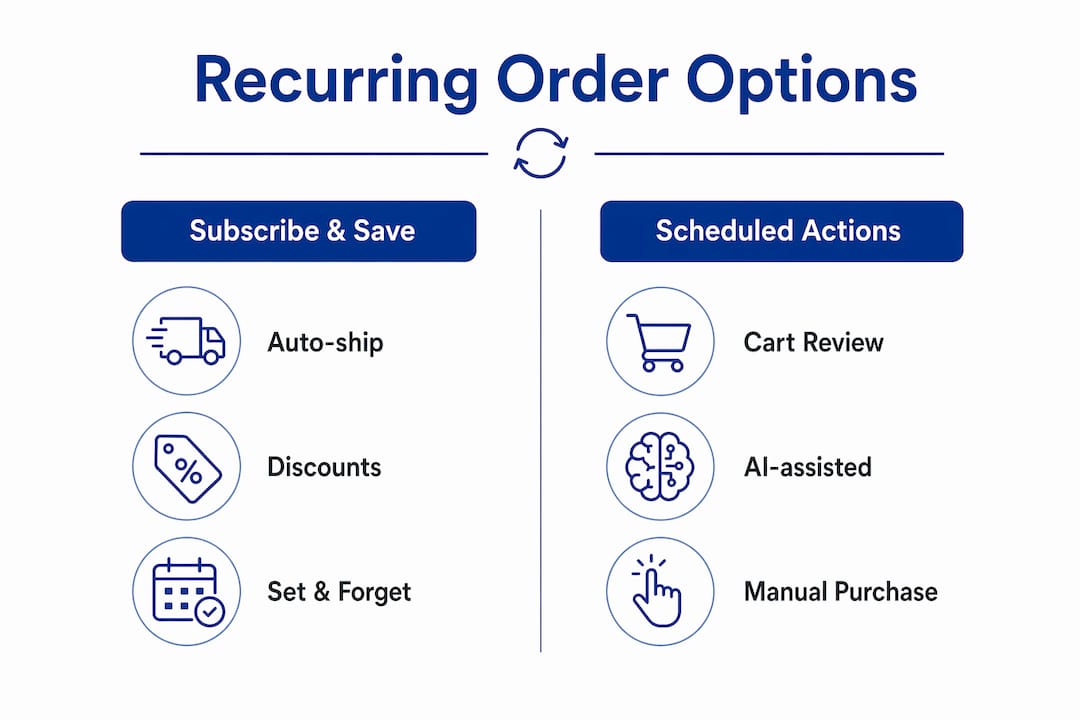
Subscribe & Save is Amazon’s most established recurring purchase program. You select a product, choose a delivery frequency (weekly, monthly, or every few months), and Amazon ships it automatically on that schedule. The base discount starts at 5%, rising to a maximum of 15% when five or more eligible products ship together on the same monthly delivery date. That 15% tier is the real incentive for households managing multiple consumables at once.

The program covers a wide range of amazon essential items: cleaning supplies, vitamins, pet food, coffee, and personal care products. Delivery frequency is fully adjustable. You can shift a shipment date, skip a delivery, or change the quantity at any time before the order processes. That flexibility makes it practical for both individuals and small businesses managing predictable consumption cycles.
One critical detail most buyers miss: Amazon does not lock prices for future recurring deliveries. The price is finalized at shipment preparation, not at the time you subscribe. A product priced at $12 today could ship at $15 three months from now. Active price monitoring is not optional if you want to stay on budget.
Key benefits at a glance:
- No subscription fee and free cancellation at any time
- 5% discount on all eligible subscriptions
- 15% discount when five or more items ship together monthly
- Flexible delivery frequency from every two weeks to every six months
- Easy modification or cancellation through the “Manage Your Subscriptions” dashboard
Pro Tip: Subscribe to an item, receive the first discounted shipment, then cancel immediately. Amazon charges no cancellation fee, so you capture the discount without committing to future deliveries. This tactic works best for one-time bulk purchases of items you already know you want.
For a deeper breakdown of the discount tiers and eligibility rules, the Subscribe & Save savings guide from Searchoneers covers the full mechanics.
What is Amazon Scheduled Actions and how does it enhance recurring purchasing?
Amazon launched Scheduled Actions in april 2026, introducing an AI-assisted approach to auto reorder on Amazon that works through the shopping assistant chat interface. Instead of a fixed subscription, you instruct the AI to add specific items to your cart at set intervals or trigger a reminder before a recurring event. The AI then acts on your behalf at the scheduled time.
This is a meaningful departure from Subscribe & Save. Scheduled Actions add items to your cart rather than shipping them automatically. You retain a manual review step before any purchase completes. That review window is the key difference for buyers who want automation without fully handing over purchase control.
Rajiv Mehta, Amazon VP, describes this shift as agentic shopping, where AI proactively manages research and purchasing to handle household needs. The practical implication is that the AI learns your preferences over time and can surface better product options or flag price changes before you confirm.
How to set up and use Scheduled Actions:
- Open the Amazon shopping assistant chat interface on the app or website
- Tap the “+” icon to create a new Scheduled Action
- Specify the item, the frequency (weekly, monthly, or a custom date), and any conditions
- Review the cart addition when the action triggers and confirm or adjust before checkout
- Edit or delete any Scheduled Action at any time through the chat history
Scheduled Actions work especially well for businesses that need to restock at regular intervals but want a human approval step before spending. They also suit buyers who rotate between product variants and want the AI to surface the best current option rather than locking into one SKU. The role of AI in eCommerce is expanding fast, and Scheduled Actions are one of the clearest examples of that shift reaching everyday shoppers.
How does Amazon Auto Buy work and who should use it?
Auto Buy is a price-triggered purchasing tool available exclusively to Amazon Prime members. You set a target price for a specific product, and when the item drops to or below that price, Amazon automatically purchases it on your behalf. The purchase applies only to items fulfilled directly by Amazon, not third-party sellers.
Auto Buy suits deal-focused buyers who track fluctuating prices on electronics, household goods, or seasonal items. It removes the need to check prices manually or set up external price alerts. The purchase happens the moment the threshold is met, which matters on fast-moving deals that sell out within hours.
How Auto Buy operates in practice:
- Navigate to an eligible product page and locate the Auto Buy option (Prime membership required).
- Set your target price. Amazon will not purchase above this amount.
- Confirm fulfillment eligibility. The item must be “Fulfilled by Amazon.”
- Monitor your active Auto Buy list. Up to 200 active orders per account are permitted.
- Review purchases within the cancellation window. You have 24 hours to cancel after a trigger.
- Note that coupons cannot be applied to Auto Buy purchases.
Pro Tip: Set calendar reminders tied to your Auto Buy price targets. If a deal triggers overnight, you need to check your orders first thing in the morning. Missing the 24-hour cancellation window means the purchase becomes final under standard return policies only.
The 24-hour cancellation window is the most common point of failure for Auto Buy users. Once that window closes, you lose the ability to cancel and must rely on Amazon’s return process instead. Auto Buy also limits purchases to a single unit per item per trigger, so it is not suited for bulk restocking.
Which Amazon recurring order option fits your needs?
Choosing between Subscribe & Save, Scheduled Actions, and Auto Buy comes down to three factors: how much automation you want, whether price or schedule drives your purchasing, and how much manual control you need to retain.
| Feature | Subscribe & Save | Scheduled Actions | Auto Buy |
|---|---|---|---|
| Automation style | Auto-shipment on schedule | Cart addition with review step | Price-triggered auto-purchase |
| Discount potential | Up to 15% off | No built-in discount | Savings from price targeting |
| Manual review step | No | Yes | No (24-hr cancel window only) |
| Prime required | No | No | Yes |
| Best for | Predictable consumables | Flexible restocking with control | Deal hunting on specific items |
| Business use | High | Medium | Low |
Subscribe & Save is the strongest choice for businesses and households with predictable consumption. You know you need laundry detergent every month. Set it, hit the five-item threshold for 15% off, and let it run. Scheduled Actions fit buyers who want AI assistance but prefer to approve each purchase. Auto Buy is a niche tool for price-sensitive shoppers chasing specific deals on non-consumable items.
For sellers, understanding how buyers use these tools shapes listing strategy. Products optimized for automatic delivery visibility attract more Subscribe & Save enrollments, which drives predictable, recurring revenue.
Steps to set up and manage recurring purchases effectively
Getting recurring purchases right requires more than clicking “subscribe.” Active management separates buyers who save money from those who accumulate unwanted shipments and budget surprises.
Subscribe & Save setup and management:
- Go to the product page, select “Subscribe & Save,” and choose your delivery frequency.
- Add four more eligible items to the same monthly delivery date to hit the 15% discount tier.
- Visit “Manage Your Subscriptions” monthly to review upcoming shipments and prices.
- Skip or cancel any delivery at least one day before the scheduled ship date.
- Monitor price changes on each subscription item before each shipment processes.
Scheduled Actions setup and management:
- Use the Amazon shopping assistant to create actions for items you restock on a loose schedule.
- Review your cart each time an action triggers. Do not skip this step.
- Update actions when your consumption rate changes to avoid overstocking.
Auto Buy setup and management:
- Set realistic price targets based on historical price data, not wishlist prices.
- Keep your active Auto Buy list under 50 items for easier daily monitoring.
- Check your orders every morning if you have active price targets on fast-moving products.
The most common mistake across all three tools is set-and-forget behavior. Prices shift, consumption rates change, and product formulations get updated. A quarterly review of all active subscriptions and scheduled actions takes about 15 minutes and prevents months of wasted spending. For sellers tracking how recurring purchases affect their sales rank, Amazon sales rank trackers provide the data needed to connect subscription volume to visibility trends.
Key Takeaways
Amazon’s three recurring order tools each serve a distinct purchasing need, and using them together produces better results than relying on any single feature alone.
| Point | Details |
|---|---|
| Subscribe & Save discount tiers | Reach 15% off by grouping five or more items on the same monthly delivery date. |
| Price monitoring is non-negotiable | Amazon finalizes prices at shipment, not at subscription signup, so check before each delivery. |
| Scheduled Actions add control | The AI adds items to your cart for review rather than shipping automatically, preserving a manual step. |
| Auto Buy has hard limits | Prime-only, 200-order cap, single units, no coupons, and a strict 24-hour cancellation window. |
| Quarterly audits prevent waste | Review all active subscriptions and actions every three months to catch price hikes and overstocking. |
What I’ve learned from watching buyers use Amazon’s recurring tools
The biggest mistake I see is treating Subscribe & Save as a passive system. Buyers subscribe, forget about it, and then wonder why their credit card shows charges they did not expect. Amazon’s pricing model means every shipment is a fresh price check opportunity. The buyers who actually save money are the ones who treat their subscription dashboard like a monthly bill review.
Scheduled Actions are genuinely exciting from a purchasing efficiency standpoint. The cart-review step sounds like friction, but it is actually the feature’s strongest selling point. You get the automation benefit without surrendering final purchase authority to an algorithm. For businesses managing dozens of SKUs, that review step is the difference between controlled spending and runaway orders.
Auto Buy is the tool I recommend with the most caution. The 24-hour cancellation window sounds generous until you realize that price triggers often happen at 2 AM. If you sleep through it, the purchase is final. The trade-off between automation trust and manual control is real, and Auto Buy sits at the far end of that spectrum. Use it for items you genuinely want at any point, not just at a specific price.
The future direction is clear. Amazon’s agentic shopping model will keep expanding, with AI handling more of the research and timing decisions. The buyers who benefit most will be those who set clear parameters and audit regularly, not those who hand over full control and walk away.
— Goga
How Searchoneers helps sellers win with recurring purchase traffic
Sellers who appear in Subscribe & Save results and recurring purchase searches need listings built for that specific buyer intent. A buyer enrolling in a monthly subscription reads titles, bullet points, and descriptions differently than a one-time shopper. They want confidence in the product, clarity on quantity, and proof of consistent quality.

Searchoneers specializes in Amazon listing enhancement that targets exactly this buyer mindset. From backend keyword structures to bullet point sequencing, every element is built to convert repeat-purchase traffic into long-term subscribers. The listing optimization workflow Searchoneers uses is designed for sellers who want sustainable, recurring revenue, not just one-time spikes. If your listings are not capturing subscription-intent buyers, that is revenue leaving every month.
FAQ
What is the maximum discount on Amazon Subscribe & Save?
The maximum discount is 15%, reached when five or more eligible items ship together on the same monthly delivery date. The base discount for any single subscription is 5%.
Can I cancel an Amazon subscription at any time?
Yes. Amazon charges no cancellation fee for Subscribe & Save subscriptions. You can cancel or skip any delivery through the “Manage Your Subscriptions” page before the shipment processes.
Does Amazon Auto Buy require a Prime membership?
Auto Buy is available exclusively to Amazon Prime members and applies only to items fulfilled directly by Amazon. Coupons cannot be combined with Auto Buy purchases.
How is Scheduled Actions different from Subscribe & Save?
Scheduled Actions add items to your cart for manual review before purchase, while Subscribe & Save ships automatically on a set schedule without a review step. Scheduled Actions launched in april 2026 through Amazon’s AI shopping assistant.
How many Auto Buy orders can I have active at once?
Amazon permits up to 200 active Auto Buy orders per account. Each trigger purchases a single unit of the item, and you have a 24-hour window to cancel after a purchase is triggered.
