

TL;DR:
- A free Amazon rank tracker monitors search positions for specific keywords without charge, helping sellers protect visibility. Consistent automation and indexation checks are essential to avoid misleading data and respond swiftly to rank drops. When limits hinder tracking more than 20-30 keywords, upgrading to paid tools becomes necessary for ongoing growth.
A free Amazon rank tracker is a tool that monitors your product’s position in Amazon search results for specific keywords, giving you the data you need to protect visibility and grow sales. Without consistent rank monitoring, you are flying blind. A competitor could push your listing off page 1 overnight, and you would not know until your sales dropped. The good news is that you do not need an expensive subscription to stay informed. Free tools, from browser-based checkers to automation platforms, give Amazon sellers a real starting point for keyword ranking tracker workflows that actually work.
What does a free Amazon rank tracker actually do?
A keyword rank tracker for Amazon monitors where your product appears in organic search results for a given keyword. The industry standard term for this practice is “SERP position tracking,” adapted for Amazon’s A10 algorithm rather than Google’s index. Free tools bring this capability to sellers without a monthly fee, though with some trade-offs.

Core features you can expect
Most free-tier tools cover the following:
- Keyword position tracking: Shows your product’s exact rank and page number for each target keyword.
- Indexation status: Confirms whether Amazon has linked your ASIN to a specific keyword. Unindexed keywords produce zero results, which is not a rank failure but a backend keyword problem.
- Listing metadata capture: Automation platforms like Browse AI capture up to 200 listings per query, including price, rating, and sponsored status alongside organic rank.
- Scheduled or manual checks: Some tools run on a schedule; others require you to trigger a search manually.
- Sales rank context: Free Amazon sales estimator tools correlate Best Seller Rank (BSR) with sales volume estimates, adding a second layer of context to your rank data.
Typical free-tier limitations
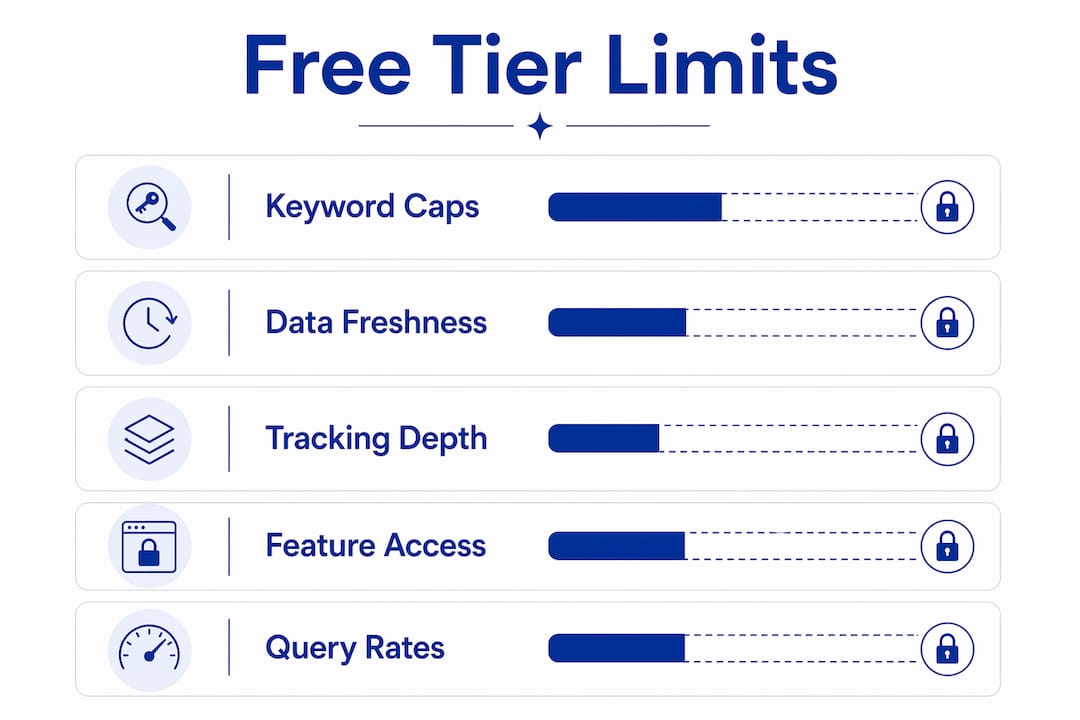
| Limitation | What it means for you |
|---|---|
| Keyword count caps | You can track only a handful of keywords per day or per account |
| Query frequency limits | Checks may run once daily or less, creating data gaps |
| No historical charts | Free plans rarely store trend data beyond a few days |
| Single marketplace | Most free tools default to one Amazon storefront (usually .com) |
Pro Tip: Track your top 10 revenue-driving keywords first. Depth beats breadth when your query budget is tight.
How can you set up and use a free Amazon rank tracker effectively?
Setup takes less than 15 minutes when you have the right inputs ready. Follow these steps to get accurate, repeatable data from day one.
Gather your ASINs and target keywords. Pull your product ASINs from Seller Central. List the keywords you already use in your title, bullet points, and backend fields. These are your first tracking targets.
Choose the right tool type for your workflow. Browser-based checkers like the Canopy API rank checker require no login and give instant organic position and page number data for a specific ASIN-keyword pair. Chrome extensions such as AMZDataStudio integrate rank checking directly into your browsing session for continuous visibility. Automation platforms like Browse AI let you schedule daily scrapes without writing code.
Enter your ASIN and keywords, then select your marketplace. Always match the marketplace to where you sell. A rank on Amazon.com tells you nothing about your position on Amazon.co.uk.
Schedule automated monitoring. Daily automated tracking is far more effective than manual spot checks. Manual refreshing is labor-intensive and misses the longitudinal trend data you need to protect page 1 visibility.
Interpret rank and indexation together. A rank of “not found” does not always mean your product ranks poorly. It may mean the keyword is not indexed. Check your backend keywords and listing copy before drawing conclusions.
Feed rank data into your listing optimization workflow. When a keyword drops five or more positions, treat it as a signal to review your title, bullet points, and backend terms. Rank data is only useful when it drives a response. The Searchoneers keyword rank tracker guide walks through exactly how to connect these data points to listing changes.
Pro Tip: Set a weekly calendar reminder to review rank trends. Consistency matters more than the tool you choose.
What common mistakes should you avoid when using free Amazon rank trackers?
Rank tracking is only as good as the habits around it. These are the mistakes that cost sellers the most visibility.
Tracking unindexed keywords. Tracking keywords not indexed for your product produces misleading zero results. Always verify indexation before adding a keyword to your tracker. A simple way to check: search
keyword ASINin the Amazon search bar and see if your product appears.Monitoring too few keywords. Sellers who track only their primary keyword miss rank shifts on long-tail terms that often drive a significant share of conversions. Aim for at least 10–20 keywords per ASIN.
Confusing sponsored placements with organic rank. Sponsored ads appear at the top of results but do not reflect your organic position. A rank tracker focused on organic results gives you the real picture. Browser-based tools like the Canopy API checker specifically isolate organic results for this reason.
Ignoring the connection between rank and shopper behavior. Optimizing for vanity rank metrics disconnected from shopper actions wastes your effort. A keyword ranking #4 with strong click-through rate (CTR) and conversion rate (CVR) is more valuable than a keyword ranking #1 with no sales impact.
Reacting too slowly to rank drops. Inconsistent tracking intervals impede your ability to correlate rank changes with listing edits or competitor moves. When you catch a drop late, the window to respond before losing sales has already closed.
Rank data without action is just noise. The sellers who win on Amazon treat every rank drop as an alert, not a statistic. Build a response protocol before you need it.
Which free tool categories are available for Amazon rank tracking?
Free rank tracking tools fall into three broad categories. Each serves a different seller workflow, and understanding the trade-offs helps you pick the right fit.
Manual browser-based checkers
These tools require no installation. You enter an ASIN and a keyword, select a marketplace, and get an instant organic rank result. They are ideal for ad-hoc checks before a listing update or after a price change. The trade-off is that they do not store history or run on a schedule. You get a snapshot, not a trend.
Chrome extensions
Extensions like AMZDataStudio sit inside your browser and surface rank and indexation data as you browse Amazon. They are excellent for sellers who spend time on the platform daily and want real-time feedback without switching tools. The limitation is that data capture depends on your browsing activity, so keywords you do not manually search may go unchecked.
Automation platforms
Platforms like Browse AI allow you to schedule daily automated rank tracking without coding. They scrape structured data on a set schedule and can export results to a spreadsheet. This category gives you the closest thing to a paid tool experience on a free budget. The free tier typically caps the number of monitored keywords and the frequency of runs, but it is sufficient for sellers with a focused keyword list.
| Tool category | Best for | Key limitation |
|---|---|---|
| Browser-based checkers | Ad-hoc spot checks | No history, no automation |
| Chrome extensions | Real-time browsing feedback | Dependent on manual browsing |
| Automation platforms | Scheduled, structured tracking | Free tier keyword and query caps |
Pro Tip: Combine a browser-based checker for quick validation with an automation platform for daily trend data. You get the speed of one and the depth of the other.
When free tiers become insufficient, the signal is clear: you are tracking more than 20–30 keywords across multiple ASINs and hitting query limits before the day ends. At that point, a paid plan or a more capable sales rank tracker becomes a business investment, not a luxury. For a deeper look at how BSR fits into this picture, the Searchoneers best sellers rank guide covers the mechanics in full.
Key Takeaways
A free Amazon rank tracker delivers real competitive value only when paired with consistent monitoring habits, indexation checks, and a clear response plan for rank drops.
| Point | Details |
|---|---|
| Verify indexation first | Tracking unindexed keywords produces false zero results; check backend keywords before adding any term to your tracker. |
| Automate daily monitoring | Scheduled tracking catches rank drops and competitor moves faster than manual checks ever will. |
| Connect rank to conversions | A high-ranking keyword with low CVR deserves less attention than a mid-ranking keyword that drives actual sales. |
| Match tool type to workflow | Use browser checkers for spot checks, extensions for real-time feedback, and automation platforms for structured daily data. |
| Act on drops quickly | Slow responses to rank changes let competitors capture your page 1 position before you can recover. |
Why I stopped trusting manual rank checks years ago
I spent the first year of my Amazon career refreshing search results by hand every few days. It felt productive. It was not. The problem with manual checking is not the effort. The problem is the gap. A competitor launches a coupon, your rank drops from position 3 to position 11 over 48 hours, and you catch it on day five. By then, your organic click share has already shifted.
The shift that changed everything for me was treating rank tracking the same way I treat email. You check it daily because the cost of missing something is real. Daily automated tracking removes the human lag from the equation. You get the data whether or not you remembered to look.
The second lesson took longer to learn: rank position is not the goal. Sales are the goal. I have seen listings sit at position 2 for a high-volume keyword and still underperform because the title did not match shopper intent. Integrating shopper click and conversion data with rank position tells you which keywords actually matter to your bottom line. That combination is what separates sellers who protect their visibility from sellers who just watch it.
Free tools are a legitimate starting point. They are not a permanent ceiling. Use them to build the habit, understand the data, and identify which keywords move the needle. Then invest accordingly. The sellers who treat free tools as a foundation rather than a finish line are the ones who scale.
— Goga
How Searchoneers supports your listing optimization
Rank data tells you where you stand. What you do with it determines where you go.

Searchoneers builds the resources Amazon sellers need to turn rank insights into real listing improvements. The Amazon listing enhancement guide covers title structure, bullet point strategy, and backend keyword placement in the kind of detail that actually moves rankings. For sellers who want a repeatable process, the listing optimization workflow maps out every step from keyword research to post-update rank monitoring. When your tracker flags a drop, these resources give you a clear path to respond. No guesswork, no generic advice. Just the specific changes that protect and grow your organic visibility on Amazon.
FAQ
What is a free Amazon rank tracker?
A free Amazon rank tracker is a tool that monitors your product’s organic search position for specific keywords on Amazon without a paid subscription. It shows you your rank, page number, and sometimes indexation status for each ASIN-keyword pair you track.
How accurate are free Amazon rank trackers?
Free tools are accurate for organic position data but may lag behind real-time results due to query frequency limits. Browser-based checkers like the Canopy API tool pull live data on demand, while scheduled automation platforms reflect the last completed scrape.
How do I know if my keyword is indexed on Amazon?
Search the keyword followed by your ASIN directly in the Amazon search bar. If your product appears in the results, the keyword is indexed. If it does not appear, your backend keywords or listing copy likely need adjustment before tracking will produce meaningful data.
Can free tools track Amazon sales rank (BSR)?
Most keyword rank trackers focus on search position rather than Best Seller Rank. Free Amazon sales estimator tools handle BSR separately, using category data to estimate sales volume. Combining both gives you a fuller picture of your product’s performance.
When should I upgrade from a free rank tracker to a paid tool?
Upgrade when you are consistently hitting keyword or query limits before your tracking needs are met. Sellers managing more than 20–30 keywords across multiple ASINs typically find that free tier caps create data gaps that make root cause analysis of rank drops unreliable.
