

TL;DR:
- Amazon Subscribe & Save offers free recurring deliveries with discounts of up to 15 percent, depending on the number of items bundled together.
- The program requires no Prime membership and is ideal for households with consistent consumption of household essentials, but prices can rise between shipments.
- Active management, including monitoring prices and syncing delivery dates, maximizes savings and benefits frequent buyers.
Amazon Subscribe & Save is a free recurring delivery program that gives shoppers automatic discounts on household essentials, from laundry detergent to vitamins, with no membership fee required. The program, formally called Subscribe & Save, requires no Amazon Prime membership and is open to every Amazon customer. Discounts start at 5% and climb to 15% when you bundle five or more items into a single monthly delivery. For shoppers who buy the same products every month, this is one of the most straightforward savings programs available on any major retail platform.
How does Amazon Subscribe & Save work?
Amazon Subscribe & Save works by letting you schedule recurring deliveries of eligible products at a reduced price. You choose a product, select a delivery frequency, and Amazon ships it automatically on that schedule. The discount applies at checkout for each shipment, and you can cancel or adjust at any time without penalty.
Here is how to get started:
- Find an eligible product. Look for the “Subscribe & Save” option on a product page. Categories include groceries, personal care, baby supplies, pet food, and cleaning products.
- Select your delivery frequency. Options typically range from every one month to every six months. Choose based on how fast you actually use the product.
- Add it to your subscription. The item joins your Subscribe & Save dashboard, where you manage all recurring orders in one place.
- Bundle for maximum savings. Amazon consolidates subscribed items into a single monthly delivery day. Hit five or more items in that shipment and every eligible product jumps to the 15% discount tier.
- Review before each shipment. Amazon sends an email reminder before processing each order. Use that window to skip, adjust quantities, or cancel individual items.
The auto-renewal service runs quietly in the background, which is its biggest convenience. You stop running out of paper towels or dog food because the order arrives before you notice the shortage.
Pro Tip: Set your delivery frequency slightly faster than your actual consumption rate for the first shipment, then adjust it after you see how quickly you go through the product. This prevents both stockpiling and running out.

What are the savings tiers and how do you maximize Amazon subscription discounts?
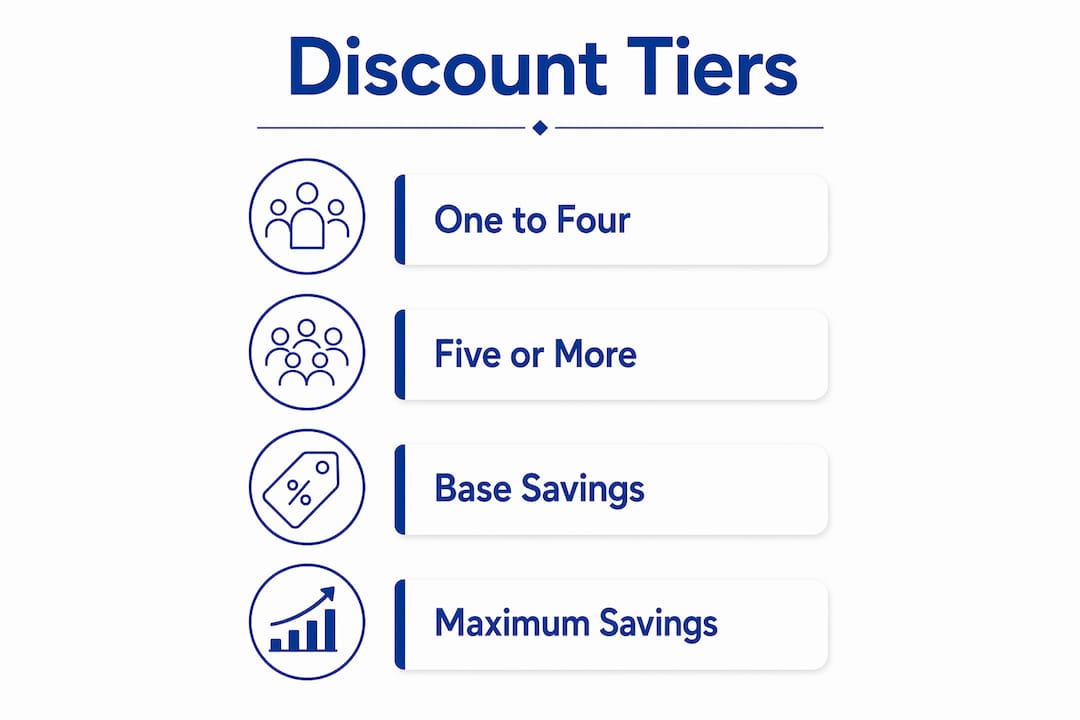
The discount structure is straightforward. A 5% base discount applies when you have one to four items in a single delivery. Subscribing to five or more items in the same monthly shipment triggers the 15% discount across all eligible products in that order.
| Subscription size | Discount rate | Best for |
|---|---|---|
| 1–4 items per delivery | 5% | Shoppers testing the program |
| 5+ items per delivery | 15% | Households with multiple recurring needs |
| 5+ items + digital coupons | Beyond 15% | Savvy shoppers during sales events |
The real savings opportunity comes from stacking. During major sales events like Prime Day or Black Friday, combining your subscription discount with Amazon digital coupons and sale prices pushes total savings well past 15%. That stacking effect is what separates casual subscribers from shoppers who genuinely cut their household budget.
A few category nuances are worth knowing:
- Baby products sometimes carry higher base discounts than standard categories.
- Grocery items frequently have digital coupons available that stack directly with the subscription rate.
- Health and personal care products are among the most consistently discounted categories on the platform.
- Not all products qualify. The Subscribe & Save badge must appear on the product page for the discount to apply.
Pro Tip: Clip every available digital coupon on your subscribed items before your monthly delivery processes. Coupons stack on top of the subscription rate and the savings compound fast across a full household order.
What are the pitfalls of Subscribe & Save pricing and delivery?
The biggest misconception about Amazon Subscribe & Save is that your price is locked in after you subscribe. It is not. Prices are set on the day Amazon prepares your shipment, not the day you subscribed. If a product’s price rises between shipments, you pay the higher rate.
This creates a real risk for shoppers who subscribe and forget. A product that cost $12.99 when you signed up could ship at $15.99 three months later, and you would not know unless you checked. The discount still applies, but it applies to the new, higher base price.
Practical steps to protect yourself:
- Use CamelCamelCamel to track price history on subscribed items. This free tool shows you whether a product’s price has risen, fallen, or stayed flat over time, so you can make informed decisions before each shipment.
- Read Amazon’s pre-shipment emails. Amazon notifies you before processing each order. That email shows the upcoming price. If the price looks wrong, you have time to skip or cancel.
- Skip individual shipments freely. You can skip, pause, or adjust delivery frequency without canceling the subscription entirely. Skipping one month does not remove your discount tier.
- Cancel without penalty. There is no cancellation fee. If a product’s price climbs too high, cancel and resubscribe when the price drops.
The flexibility built into the program is genuinely good. Amazon gives you full control over every shipment. The pitfall is not the program itself. It is the assumption that you can set it and forget it without any monitoring.
How to use Subscribe & Save effectively based on your shopping habits
Subscribe & Save delivers the most value to shoppers with predictable, recurring needs. If you buy the same brand of dish soap, coffee pods, and protein powder every month without fail, this program was built for you. Sporadic or experimental buyers get less from it because the savings require consistency.
Here is a practical workflow for getting the most out of your subscriptions:
- Audit your household consumables. List every product you buy repeatedly. Focus on items with no expiration urgency, like cleaning supplies, paper goods, and shelf-stable groceries.
- Start with five items to hit the 15% tier immediately. Choose products you are certain you will use. Hitting the five-item threshold from day one maximizes your discount from the first shipment.
- Align delivery frequency with your actual consumption. If you use one bottle of shampoo per month, set the frequency to monthly. Misaligned schedules create stockpiles that take up space and tie up cash.
- Use CamelCamelCamel to monitor price changes on each subscribed item. Set price drop alerts so you know when a product hits its lowest price and when it rises above your comfort level.
- Apply the subscribe-then-evaluate tactic selectively. Some shoppers subscribe to capture the first-shipment discount, then cancel before the second delivery if the price increases. This works, but use it only for products you genuinely want at the initial price.
- Sync delivery dates across subscriptions. Consolidating all your items into one monthly delivery day keeps you in the 15% tier and reduces the number of boxes arriving at your door.
Careful synchronization of delivery frequencies is the single most underused tactic in the program. Most shoppers subscribe to items at different times and end up with scattered delivery dates, which splits their bundle and drops them below the five-item threshold. Managing your delivery date in the Subscribe & Save dashboard fixes this immediately.
Key takeaways
Amazon Subscribe & Save delivers consistent savings of 5–15% on household essentials, with the 15% tier requiring five or more items in a single monthly delivery and active price monitoring to protect against shipment-day price changes.
| Point | Details |
|---|---|
| Discount tiers | Subscribe to 1–4 items for 5% off; reach 5+ items in one delivery for 15% off. |
| No membership needed | The program is free and open to all Amazon customers, no Prime required. |
| Prices are not locked | Shipment prices reflect the current listed price, so monitor items before each delivery. |
| Stack for bigger savings | Combine subscription discounts with digital coupons and sales events to exceed 15%. |
| Sync your delivery dates | Consolidate all subscriptions to one monthly date to stay in the 15% discount tier. |
My honest take on when Subscribe & Save is actually worth it
I have watched shoppers treat Subscribe & Save as a passive savings tool, and that is where most of them leave money on the table. The program rewards active management, not autopilot.
The households that benefit most are those buying five or more of the same products every single month without variation. Think large families running through laundry pods, baby wipes, and coffee at a predictable pace. For them, the 15% discount plus stacked coupons during Prime Day can cut a meaningful portion of their monthly grocery bill.
Where I see the program underperform is with shoppers who subscribe to products they only sort of need on a regular basis. They end up with a cabinet full of surplus shampoo and a price that quietly crept up two dollars per shipment. The subscribe-then-cancel tactic is real and it works, but it requires discipline. You have to actually cancel before the second shipment processes.
My recommendation: start with exactly five products you buy every month without thinking. Get into the 15% tier from day one. Set a CamelCamelCamel alert on each one. Review your pre-shipment email every month before it processes. That four-step habit takes ten minutes a month and keeps the program working in your favor instead of Amazon’s.
For casual shoppers who buy different things each month, the 5% base discount is fine but not transformative. The real value of this program lives at the 15% tier, and getting there requires intentional product selection, not luck.
— Goga
How Searchoneers helps sellers win on Amazon
If you sell products on Amazon, the shoppers reading this article are your customers. They are actively looking for Subscribe & Save eligible items, and your listing quality determines whether they subscribe to your product or a competitor’s.

Searchoneers specializes in the listing optimization that puts your products in front of high-intent buyers. From enhanced titles and bullet points to backend keywords and data-driven SEO strategies, the team at Searchoneers builds listings that convert browsers into subscribers. Check out the Amazon listing enhancement guide to see exactly how optimized listings capture recurring buyers and build long-term sales velocity on the platform.
FAQ
Does Amazon Subscribe & Save require a Prime membership?
No. The program is free for all Amazon customers and requires no Prime membership or minimum order fees.
How do I get the 15% discount on Subscribe & Save?
You need five or more eligible items scheduled for the same monthly delivery date. Amazon automatically applies the 15% rate to all qualifying products in that shipment.
Can I cancel a Subscribe & Save subscription anytime?
Yes. You can cancel, skip, or pause individual subscriptions at any time with no cancellation fee. Changes take effect before the next shipment processes.
Are Subscribe & Save prices locked in after I subscribe?
No. Prices are set on the day Amazon prepares your shipment, not the day you subscribed. Use a tool like CamelCamelCamel to track price fluctuations between deliveries.
What products work best for Subscribe & Save?
Household consumables with predictable usage rates work best. Top categories include cleaning supplies, paper products, pet food, personal care items, and shelf-stable groceries.

Leave a Reply