

Creating your first Amazon product listing can feel overwhelming. Between mandatory image requirements, confusing compliance rules, and endless field options, many sellers abandon half-finished listings. This guide walks you through every prerequisite, step, and optimization tactic needed to launch listings that drive visibility and sales from day one.
Table of Contents
- Understanding Prerequisites Before Listing
- Step-by-Step Listing Creation Process on Amazon
- Optimizing Listing Elements For Visibility And Sales
- Common Listing Mistakes, Troubleshooting, And Compliance Warnings
- Measuring Success And Expected Outcomes After Listing
- Boost Your Amazon Sales With Expert Listing Optimization
- Frequently Asked Questions
Key Takeaways
| Point | Details |
|---|---|
| Prerequisites Matter | Verified account, compliant images, and policy knowledge prevent listing rejections and delays. |
| Optimization Drives Results | Keyword-rich titles and backend terms increase discoverability by up to 30%. |
| Activation Takes Time | New listings typically go live 90+ minutes after submission to Amazon’s catalog. |
| Compliance is Critical | Policy violations cause 20% of new seller listings to be deactivated immediately. |
| Resources Multiply Sales | Using Amazon’s New Seller Guide generates 6x more first-year sales on average. |
Understanding Prerequisites Before Listing
Before you touch Seller Central’s listing tool, get these foundational elements in place. Skipping preparation guarantees frustration and wasted time fixing avoidable errors.
You need a verified Amazon Seller Central account with complete registration. Uploading at least one compliant product image is mandatory to successfully list a product on Amazon. Study basic product compliance and Amazon’s restricted categories policy to avoid instant deactivation. If you plan bulk uploads, subscribe to the Professional Selling Plan ($39.99 monthly). Brand owners should complete Brand Registry enrollment before listing to unlock enhanced content tools.
Here’s your prerequisite checklist:
- Seller Central account fully verified with tax and bank information
- High-quality product images meeting Amazon’s technical specifications
- Understanding of your product category’s specific requirements and restrictions
- Professional Selling Plan subscription if uploading more than 40 items monthly
- Brand Registry approval if selling proprietary branded products
Pro Tip: Review the Amazon product listing guide before starting to understand category-specific requirements. Different product types have unique mandatory fields and image count requirements that vary significantly.
Spend time studying Amazon product image requirements carefully. Poor images are the number one reason listings get suppressed immediately after creation. Your main image must be on pure white background, show only the product, and meet minimum pixel dimensions of 1000×1000.
Step-by-Step Listing Creation Process on Amazon
Once prerequisites are handled, you’re ready to build your listing. Amazon offers two creation paths: individual listing and bulk upload. Choose based on your catalog size and technical comfort level.
Follow this sequence for individual listing creation:
- Log into Seller Central and navigate to Inventory > Add a Product
- Search Amazon’s catalog to check if your product already exists
- If found, click Sell Yours to create an offer on the existing detail page
- If not found, select Create a New Product Listing and choose your category
- Complete all mandatory fields marked with red asterisks including title, brand, and manufacturer
- Add your product images, ensuring main image meets white background requirements
- Enter bullet points highlighting key features and benefits concisely
- Write a detailed product description explaining use cases and specifications
- Set your price, quantity, and fulfillment method (FBA or FBM)
- Add backend search terms in the Keywords field for additional discoverability
- Submit the listing and monitor your email for approval or error notifications
It may take 90 minutes or more after registration for a new seller’s listing to become active on Amazon’s platform. Don’t panic if your listing doesn’t appear instantly. Amazon’s catalog system processes new entries in batches, and initial reviews can extend this timeframe.
Pro Tip: Create product variations (size, color, style) during initial setup rather than adding them later. Variations consolidate reviews and improve conversion rates by letting customers choose options on one detail page.
Bulk upload using inventory templates is recommended for sellers with large product catalogs but requires Professional Selling Plan subscription. Download the category-specific template from Seller Central, fill columns in Excel, and upload the completed file. This method saves hours for catalogs exceeding 20 products.
Consult this listing optimization checklist while building to ensure you don’t miss critical fields that impact search ranking.
| Listing Method | Best For | Time Investment | Technical Skill |
|---|---|---|---|
| Individual | 1 to 20 products | 15 to 30 min per item | Beginner friendly |
| Bulk Upload | 20+ products | 2 to 4 hours setup | Intermediate Excel |
| API Integration | 100+ products | 8+ hours initial | Advanced technical |
Understand Amazon listing activation time and process expectations to avoid unnecessary concern when listings don’t appear immediately.
Optimizing Listing Elements for Visibility and Sales
Creating a listing is just the starting point. Optimization transforms basic listings into sales-generating assets that rank in search results and convert browsers into buyers.
Using clear and keyword-rich product titles can increase product discoverability by up to 30%. Front-load your title with your primary keyword, include key product attributes like size or quantity, and stay within Amazon’s character limits (typically 200 characters, but varies by category). Avoid promotional language like “best” or “free shipping” as these violate title policies.
Your bullet points should highlight specific benefits, not just features. Instead of writing “Made of stainless steel,” write “Rust-resistant stainless steel construction lasts 10+ years in outdoor conditions.” Each bullet should address a customer pain point or question.
- Craft titles that balance keyword density with readability for human shoppers
- Structure bullet points to answer the five most common customer questions
- Write product descriptions that tell a story about usage scenarios and benefits
- Fill all five backend keyword fields with relevant search terms not in visible content
- Enroll in Brand Registry to access Enhanced Brand Content and promotional tools
- Group related products as variations to consolidate reviews and improve page authority
Sellers enrolled in Amazon Brand Registry get access to A+ Content that can boost sales by up to 10%. This enhanced content allows image galleries, comparison charts, and formatted text that standard listings cannot include. The application process takes one to two weeks but pays dividends in conversion rate improvements.
Creating variations within a listing can increase conversion rates by 15%. When customers see all size or color options on one page, they’re more likely to find exactly what they want without leaving to compare competitors.
Pro Tip: Backend search terms should never repeat words already in your title or bullets. Use this hidden field for synonyms, alternate spellings, and related search phrases customers might use. Check backend search terms best practices for category-specific guidance.
Dive into Amazon listing SEO strategies to understand how Amazon’s A9 algorithm weighs different listing elements. Title keywords carry more weight than description keywords, and sales velocity ultimately determines long-term ranking.
| Listing Element | Character Limit | SEO Weight | Conversion Impact |
|---|---|---|---|
| Product Title | 200 (varies) | High | Medium |
| Bullet Points | 500 per bullet | Medium | High |
| Description | 2000 | Low | Medium |
| Backend Keywords | 250 bytes | Medium | None |
| A+ Content | Unlimited | Low | Very High |
Study how top competitors in your category structure their listings. Note which keyword-rich titles benefits they emphasize and how they organize information hierarchy. Learn from product variation benefits documentation to structure complex product lines effectively.
Common Listing Mistakes, Troubleshooting, and Compliance Warnings
Even experienced sellers make listing errors that tank visibility or trigger compliance issues. Knowing what to avoid saves you from costly mistakes and account health damage.

Incomplete product information and policy violations frequently lead to listing suppression or deactivation. Amazon’s automated systems scan every listing for restricted keywords, missing required attributes, and safety compliance. A single violation can suppress your listing until you fix the issue and request reinstatement.
Non-compliance leads to a 20% deactivation rate among new sellers for first listings. The most common violations include selling restricted brands without authorization, missing hazmat documentation for battery-powered items, and using prohibited claims like “FDA approved” in supplements.
Avoid these frequent pitfalls:
- Leaving required attributes blank, especially in gated categories like Toys or Beauty
- Copying competitor listing text verbatim, which triggers duplicate content flags
- Using promotional language in titles or bullets like “#1 Best Seller” or “Limited Time”
- Ignoring category-specific style guides that mandate particular title formats
- Failing to update inventory levels, causing late shipment defects and account penalties
- Mixing multiple products in one listing instead of creating proper variation families
“The biggest mistake new sellers make is rushing through listing creation without reading Amazon’s category requirements. Every category has unique mandatory fields and restrictions. Skipping this research costs you days of back and forth with Seller Support fixing easily preventable errors.”
Using Amazon Seller University reduces listing errors by 50%. These free courses walk through category-specific requirements and show real examples of compliant versus non-compliant listings. Budget two hours to complete the relevant courses before creating your first listing.
Neglecting listing updates causes a 15% drop in traffic and conversions. Amazon’s algorithm favors recently updated listings in search results. Refresh your bullet points quarterly, add new images showing seasonal use cases, and incorporate newly discovered keywords from your search term reports.
Review the listing optimization workflow to establish a monthly maintenance routine. Regular audits catch suppressed listings early, identify missing optimization opportunities, and keep content fresh.
Watch for error messages in Seller Central’s listing quality dashboard. Common listing mistakes often generate cryptic error codes. Search the specific code in Seller Forums or contact support with your listing ASIN for faster resolution.
Measuring Success and Expected Outcomes After Listing
Understanding realistic timelines and tracking the right metrics helps you gauge whether your listing optimization efforts are working.
Listings activate within about 90 minutes to a few hours for most categories. Some restricted categories like Grocery or Topical Products require manual review that can take 24 to 48 hours. Check your email for approval notifications and monitor the listing status in your inventory dashboard.
Sellers using the Amazon New Seller Guide generate approximately 6x more first-year sales on average. These comprehensive resources teach you to avoid common mistakes that kill momentum. The guide covers inventory management, advertising basics, and customer service best practices that compound your listing’s effectiveness.
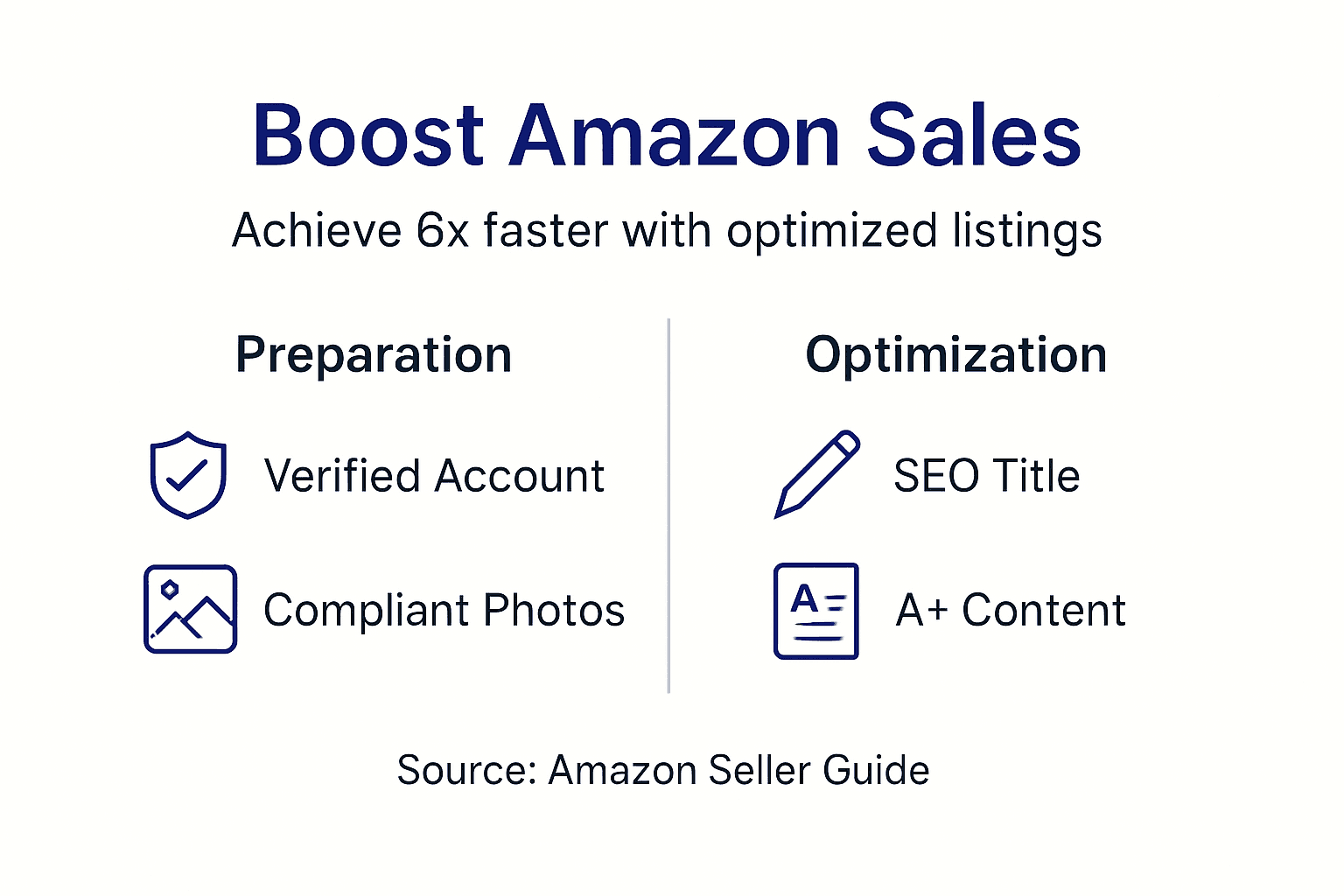
Listing optimization shows measurable sales improvements within 30-60 days. Don’t expect overnight results. Amazon’s algorithm needs time to test your listing’s click-through rate and conversion rate before boosting its search position. Early sales velocity from PPC advertising can accelerate this learning phase.
Track these critical metrics weekly:
- Total sessions (traffic) to identify search visibility trends
- Unit session percentage (conversion rate) to measure listing effectiveness
- Buy Box percentage if competing with other sellers on the same ASIN
- Organic keyword rankings using third-party tools to monitor search position changes
- Customer reviews and questions to identify content gaps in your listing
Your first 90 days determine long-term success. Listings that gain early traction through optimized content and strategic advertising build momentum that’s hard for competitors to overcome. Listings that languish due to poor optimization rarely recover without major overhauls.
Continuous improvement beats one-time optimization. Set calendar reminders to refresh your listing quarterly, test new main images monthly, and analyze search term reports to discover customer language you missed initially. Reference proven Amazon listing SEO strategies to stay current with algorithm changes.
Look for expected sales outcomes with listing optimization benchmarks in your specific category. Beauty products typically see faster conversion rate improvements than Electronics due to lower consideration cycles.
Boost Your Amazon Sales with Expert Listing Optimization
Mastering Amazon listing creation and optimization requires constant learning and refinement. While this guide covers the fundamentals, maintaining competitive listings demands ongoing effort and expertise.
Our Amazon Listing Enhancement Guide provides advanced techniques for maximizing every listing element’s impact. You’ll discover data-driven strategies that transform underperforming listings into consistent revenue generators. Implement our proven Listing Optimization Workflow to establish sustainable processes that scale across your entire catalog. Our Listing Optimization Checklist ensures you never miss critical optimization opportunities that competitors overlook. Let us help you build listings that dominate search results and convert browsers into loyal customers.
Frequently Asked Questions
What is required before creating an Amazon listing?
You need a verified Seller Central account, at least one compliant product image meeting technical specifications, and basic understanding of your category’s policies. Professional sellers planning bulk uploads must have an active Professional Selling Plan subscription.
How long does it take for a new listing to appear live?
Most listings activate within 90 minutes to a few hours after submission. Restricted categories requiring manual review can take 24 to 48 hours. Monitor your email and inventory dashboard for approval status updates.
How can I improve my product title for better search visibility?
Front-load your title with primary keywords, include key product attributes like size or material, and stay within category character limits. Avoid promotional language and focus on descriptive terms customers actually search for in your niche.
What are the risks of listing non-compliant products?
Policy violations lead to immediate listing suppression and potential account suspension for repeat offenses. Non-compliant listings face a 20% deactivation rate among new sellers, damaging account health metrics and requiring lengthy reinstatement processes.
Why should I update my listings regularly?
Amazon’s algorithm favors recently updated content, and neglecting updates causes 15% drops in traffic and conversions. Regular refreshes let you incorporate new keywords from search term reports, add seasonal imagery, and maintain competitive positioning against evolving competitor listings.

Leave a Reply