

TL;DR:
- Negative keywords prevent Amazon ads from showing on irrelevant searches, reducing wasted spend.
- Amazon supports only negative exact and phrase match types, requiring strategic use.
- Ongoing management and regular review of negative keywords improve campaign efficiency and ROI.
Every dollar you spend showing ads to shoppers who will never buy is a dollar your competitors use against you. Amazon PPC campaigns bleed budget daily through irrelevant clicks, and most sellers have no idea how much they’re losing. Negative keywords on Amazon are search terms you add to campaigns specifically to stop ads from appearing on searches that don’t match what you sell. This guide breaks down exactly what negative keywords are, the two match types Amazon supports, how to find and add them, and the best practices that separate profitable campaigns from money pits.
Table of Contents
- What are negative keywords on Amazon?
- Types of negative keywords: Exact vs. phrase match
- How to find and add negative keywords to Amazon campaigns
- Best practices for maximizing ROI with negative keywords
- Why most Amazon sellers underuse negative keywords
- Upgrade your Amazon ads with expert tools and guidance
- Frequently asked questions
Key Takeaways
| Point | Details |
|---|---|
| Negative keywords save budget | Blocking irrelevant searches prevents wasted ad spend in Amazon PPC. |
| Exact vs. phrase match is key | Knowing which match type to use makes your ad targeting more precise. |
| Regular updates improve results | Ongoing refinement of negative keywords boosts campaign ROI over time. |
| Strategic use outperforms | Top sellers monitor and adjust negatives often for a competitive PPC advantage. |
What are negative keywords on Amazon?
At its core, a negative keyword tells Amazon where not to show your ad. When a shopper types a search query that matches one of your negative keywords, your ad is automatically excluded from the auction. You save the click cost, and your budget stays focused on buyers who actually want what you’re selling.
Here’s the definition you need to anchor to:
“Negative keywords on Amazon are search terms added to PPC campaigns to prevent ads from showing for irrelevant shopper queries, reducing wasted ad spend.”
Think about a seller running ads for a premium stainless steel water bottle. Without negative keywords, their ad might appear for searches like “plastic water bottle,” “kids sippy cup,” or “water bottle cleaning brush.” These shoppers are not in the market for that product. Every click from them is pure waste.
Here are common irrelevant search types that sellers should block:
- Competitor brand names when you’re not positioned as an alternative
- Material or feature mismatches (e.g., “leather” if your product is canvas)
- Size or age variants that don’t apply to your listing
- Related accessories that aren’t your product
- Low-intent informational searches like “how to use” or “DIY”
One misconception sellers carry over from Google Ads is that negative keywords work identically on Amazon. They don’t. Amazon’s negative keyword system is more limited in scope and does not support the same volume of match types. Learning to optimize Amazon keywords within Amazon’s specific rules is critical before applying Google-based assumptions. Sellers who ignore this distinction often either over-block traffic or fail to block enough. Understanding Amazon keywords strategies that are specific to the platform saves both time and ad spend from the start.
Negative keywords matter because relevance directly affects your advertising cost of sales (ACoS). When your ads attract high-quality, relevant clicks, your conversion rate rises, your ACoS drops, and Amazon’s algorithm rewards your listing with better organic placement as well.
Types of negative keywords: Exact vs. phrase match
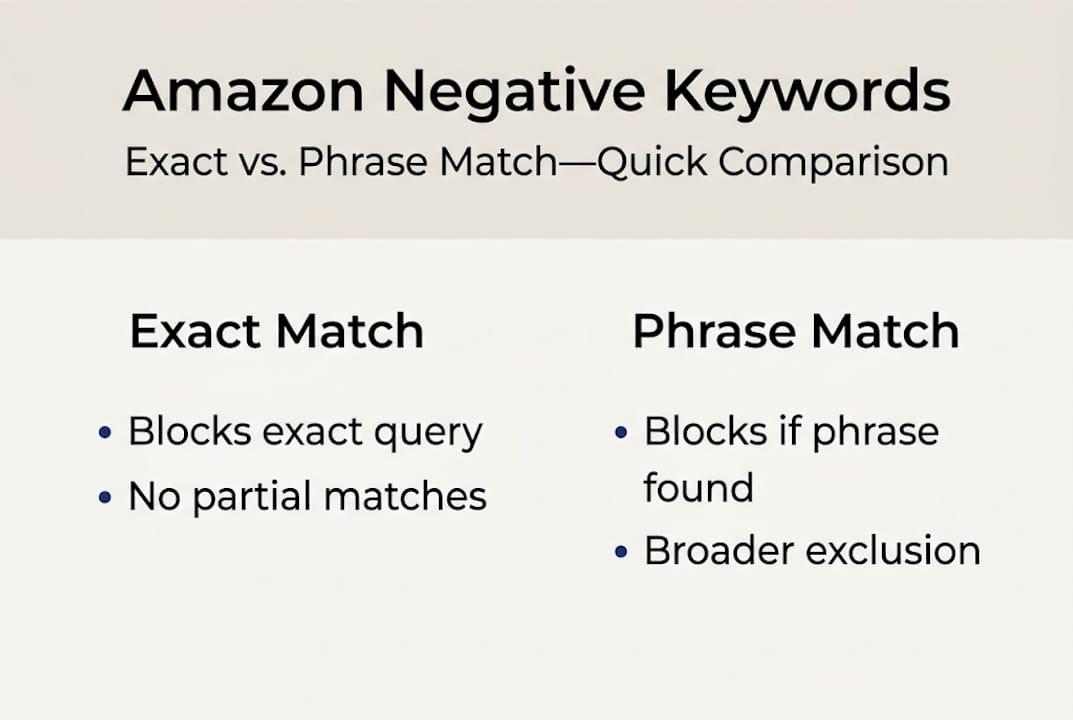
Amazon gives you two tools, not three. This is a key difference from other PPC platforms. Amazon supports two negative match types: Negative Exact, which blocks the exact term or very close variants, and Negative Phrase, which blocks any search containing that phrase. There is no negative broad match.
Negative exact match blocks your ad only when the shopper’s search query matches your negative keyword almost precisely. For example, if you add “yoga mat” as a negative exact, a search for “yoga mat” gets blocked, but “blue yoga mat” or “yoga mat thick” would still trigger your ad.

Negative phrase match is broader. If you add “yoga mat” as a negative phrase, any search that contains the words “yoga mat” in that order gets blocked, whether the query is “thick yoga mat,” “folding yoga mat,” or “yoga mat bag.” This is a powerful filter but requires more caution because it can accidentally block relevant traffic.
Here’s a quick comparison to keep both types straight:
| Feature | Negative exact | Negative phrase |
|---|---|---|
| Blocks exact query only | Yes | No |
| Blocks queries containing the phrase | No | Yes |
| Risk of over-blocking | Low | Medium to high |
| Best used for | Specific irrelevant terms | Entire irrelevant topics |
| Supports broad match | No | No |
Knowing when to use each type matters as much as knowing the definitions. Use negative exact when you want to block a very specific search without catching related traffic. Use negative phrase when an entire topic or category is irrelevant, like blocking all searches containing “kids” if you sell professional-grade adult equipment.
Pro Tip: Start conservative with negative phrase match. Block one phrase and monitor for 7 to 10 days before adding more. Aggressive phrase blocking early in a campaign can accidentally cut off valuable traffic that converts well. Reference your Amazon keyword research checklist to compare blocked terms against your top-performing queries before committing.
How to find and add negative keywords to Amazon campaigns
Knowing what negative keywords are means nothing if you can’t find the right ones. The search term report inside Amazon Seller Central is your primary source of truth. It shows you exactly what shoppers typed before clicking your ad. This data is gold.
Follow these steps to find and add negative keywords effectively:
- Download your search term report. In Seller Central, go to Reports > Advertising Reports, select “Search Term” as the report type, and download data from at least the last 30 days.
- Filter for high spend, low conversion. Sort by spend descending. Any search term spending more than your target cost per acquisition with zero or very low conversions is a candidate for negation.
- Check for obvious mismatches. Look for terms that have no connection to your product. These should be added as negative exact keywords immediately.
- Identify irrelevant topic clusters. If you notice multiple queries all containing the same irrelevant word or phrase, use negative phrase match to block the entire cluster at once.
- Add them to the right level. You can add negatives at the campaign level (applies to all ad groups) or the ad group level (applies only to that group). Campaign-level negatives are more efficient for broad irrelevant topics.
- Document every addition. Keep a spreadsheet of what you’ve blocked, at what level, and when. This helps you audit later and prevents accidental re-addition.
Pro Tip: Negative keywords can prevent ads from showing for irrelevant queries and reduce wasted spend, but only if you revisit the list regularly. Set a recurring calendar reminder to check your search term report every two to four weeks. Pair your manual review with Amazon PPC optimization tools that can flag new wasteful queries automatically. Also explore advanced keyword strategies to make your positive keyword targeting stronger at the same time.
One common mistake sellers make is adding negative keywords immediately after a campaign launches. Give new campaigns at least two to three weeks to gather data before making aggressive negations, or you risk cutting off terms that haven’t had time to convert.
Best practices for maximizing ROI with negative keywords
Implementing negative keywords once is not enough. Negative keywords are central to reducing wasted spend and improving efficiency in Amazon PPC, but only when managed as an ongoing process rather than a one-time setup.
Here’s what consistent, high-ROI negative keyword management looks like in practice:
- Review monthly at minimum. Your product searches evolve seasonally, so your negative list must evolve too.
- Track ACoS before and after additions. Every major negation should show a measurable improvement within 30 days.
- Don’t negate your best performers. Always cross-reference candidates with your converting search terms before adding them as negatives.
- Balance reach with relevance. Blocking too aggressively shrinks your audience and limits growth. The goal is surgical precision, not a blanket block.
Here’s an example of what consistent management can deliver:
| Metric | Before negatives | After negatives (30 days) |
|---|---|---|
| Monthly ad spend | $2,000 | $1,750 |
| Total clicks | 4,200 | 3,500 |
| Conversions | 84 | 91 |
| ACoS | 38% | 29% |
| Revenue from ads | $5,263 | $6,034 |
The data tells the story clearly. Fewer but better clicks produce more revenue at lower cost. That’s the negative keyword advantage working as it should.
Proactive management means building a negative keyword list before you launch, using competitor and category research to pre-block obvious mismatches. Reactive management means waiting for the search term report to show waste and then fixing it. The best sellers do both. Use insights from your campaigns to reduce Amazon CPC costs steadily over time, and combine your ad improvements with content strategies that boost Amazon sales traffic organically as well.
Why most Amazon sellers underuse negative keywords
Here’s the uncomfortable reality we see again and again: most sellers treat negative keywords as a setup task, not a growth strategy. They add a handful during campaign launch, pat themselves on the back, and never return. Months later, they wonder why their ACoS is creeping up.
Negative keyword management is not a technical detail. It is a competitive lever. Every time a top seller tightens their targeting while you’re not, they’re widening the gap. Their ads get more efficient, their bids can rise on high-value terms, and their organic rank improves from better conversion rates.
Following Amazon SEO best practices means treating your PPC and organic strategies as one system. Negative keywords are the connective tissue between them. The sellers who build a monthly review habit, document their changes, and treat negation as an ongoing craft are the ones who consistently outperform their category. Start treating it that way now.
Upgrade your Amazon ads with expert tools and guidance
Understanding negative keywords is a strong first step, but sustained Amazon ad performance comes from layering smart keyword management with a fully optimized listing underneath it.

At Searchoneers, we help Amazon sellers build campaigns that convert from every angle. Our listing enhancement guide shows you exactly how to strengthen your titles, bullet points, and backend keywords so that every click, positive or negative, lands on a listing built to close. You can also explore our Amazon optimization workflow for a step-by-step system that ties keyword strategy to listing performance. And if you want the full picture, our Amazon SEO guide covers ranking and visibility from every angle.
Frequently asked questions
How do negative keywords affect Amazon PPC campaigns?
Negative keywords prevent your ads from showing for searches you don’t want, cutting wasted spend and improving ad relevance. Better relevance leads directly to a lower ACoS and stronger campaign efficiency over time.
What is the difference between negative exact and negative phrase keywords on Amazon?
Negative exact blocks a specific search only, while negative phrase blocks any search containing that whole phrase. Amazon supports both types but does not offer negative broad match, making precise targeting even more important.
Why doesn’t Amazon offer negative broad match keywords?
Amazon limits sellers to negative exact and phrase matches to keep keyword blocking more precise and reduce the risk of accidentally suppressing relevant traffic. Broad match blocking would be too blunt a tool for Amazon’s search environment.
How often should I update my negative keywords on Amazon?
Review and update your negative keywords at least once per month, since negative keywords are central to keeping your PPC campaigns efficient as shopper behavior and search trends shift over time.

Comments
One response to “Master Amazon Negative Keywords for Smarter Ad Spend”
[…] negative keywords guide walks through the full approach with more depth, including campaign-level vs. ad group-level […]