

TL;DR:
- Your Amazon seller account type influences costs, visibility, and access to marketing tools.
- Switch from Individual to Professional plan when exceeding 40 sales per month to save money and access features.
- Regularly review sales volume to optimize account type and maximize growth opportunities.
Most Amazon sellers assume the platform treats every third-party seller the same. It does not. The account type you choose directly shapes your monthly costs, your access to advertising tools, your Buy Box eligibility, and ultimately how visible your products are to buyers. Whether you are just launching your first product or scaling an established catalog, picking the wrong plan can quietly drain profits or cap your growth. This guide breaks down the two main Amazon seller account types, compares their features and fees side by side, and gives you a clear framework for choosing and switching plans as your business evolves.
Table of Contents
- Understanding Amazon seller account types
- Individual vs. Professional: Features and fees compared
- When to choose Individual vs. Professional
- How to switch Amazon seller account types
- Common mistakes when choosing an Amazon seller account
- A smarter approach to seller accounts: Think growth, not just cost
- Boost your Amazon sales with expert optimization
- Frequently asked questions
Key Takeaways
| Point | Details |
|---|---|
| Two main account types | Amazon offers only Individual and Professional accounts for third-party sellers. |
| Choose based on sales volume | Professional is more cost-effective when selling over 40 items monthly. |
| Switch anytime as you grow | You can upgrade or downgrade instantly without affecting your listings. |
| Advanced tools drive sales | Professional accounts unlock features that can accelerate business growth. |
Understanding Amazon seller account types
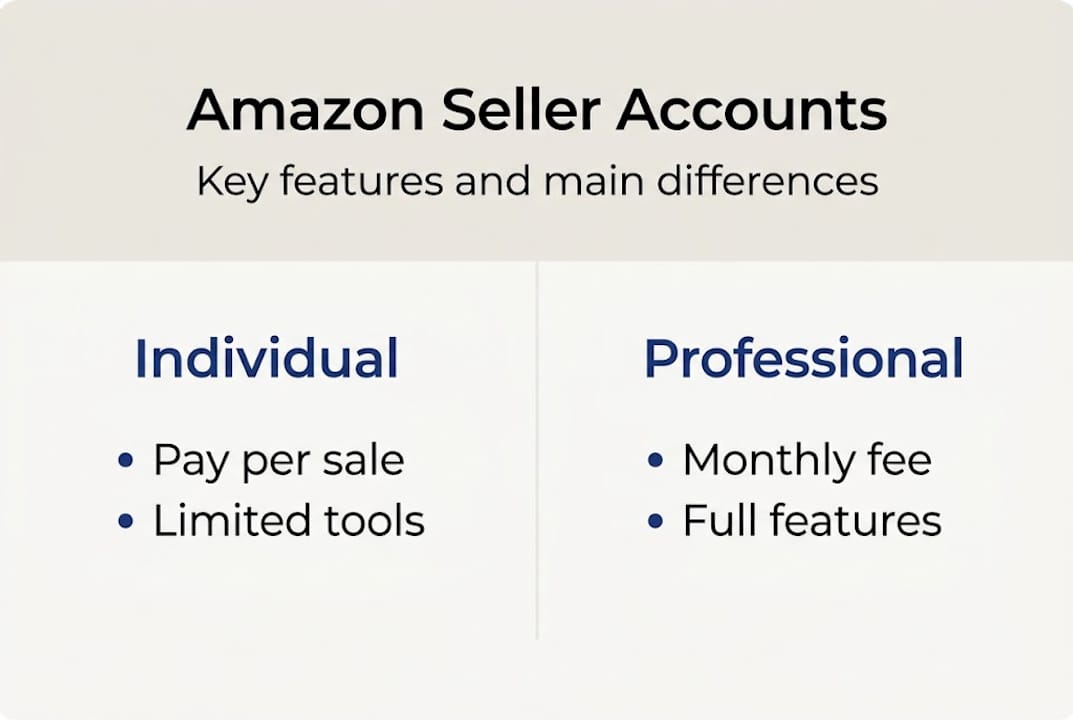
Let’s clear up a common misconception right away. Amazon offers two primary types of seller accounts for third-party sellers: Individual and Professional. That’s it. Despite what you may have read in seller forums, there is no third-party “Business” account or hybrid tier sitting between them.
The confusion often comes from mixing up account types with business legal structures. Whether you operate as a sole proprietor, an LLC, or a corporation has no bearing on which Amazon seller account you qualify for. Both Individual and Professional accounts are available regardless of your business structure. When choosing an account type, focus on your sales volume and the tools you need, not your legal entity.
Another major source of confusion is Vendor Central. This is a separate Amazon platform where Amazon itself buys your products wholesale and resells them. Vendor Central is by invitation only and is not something you apply for as a new seller. If you are reading this guide, you are almost certainly working within Seller Central, which is where the Individual and Professional plans live.
Here is a quick overview of how the two accounts compare at a high level:
| Feature | Individual | Professional |
|---|---|---|
| Monthly fee | None | $39.99/month |
| Per-item fee | $0.99 per sale | None |
| Bulk listing tools | No | Yes |
| Advertising access | No | Yes |
| Buy Box eligibility | No | Yes |
| Promotions and coupons | No | Yes |
| Restricted category access | No | Yes |
As you can see from the table, the differences go well beyond pricing. The seller types explained breakdown reveals that tool access is where the real gap shows up. Individual sellers are essentially operating with one hand tied behind their back when it comes to visibility and marketing.
Key insight: Your Amazon account type is a strategic business decision, not just an administrative checkbox. The features unlocked by each plan directly affect how buyers find and buy your products.
Individual vs. Professional: Features and fees compared
With the basic definitions set, let’s dive deeper into what each account type offers and how costs compare.
The Individual plan costs $0.99 per item sold, carries no monthly subscription fee, and is best suited for sellers moving fewer than 40 items per month. It comes with significant limitations: no bulk listing uploads, no access to Amazon’s advertising platform, no promotional tools like coupons or Lightning Deals, and no Buy Box eligibility. For a seller testing the waters with a handful of products, these restrictions may feel manageable. For anyone with growth ambitions, they become a real ceiling.
The Professional plan costs $39.99 per month with no per-item selling fee. It unlocks the full Amazon seller toolkit: bulk listing via spreadsheet uploads, Sponsored Products and Sponsored Brands advertising, promotions and coupons, Buy Box eligibility, and access to restricted product categories like fine jewelry and collectibles. Understanding pro seller fees helps you see that the monthly cost is an investment in visibility, not just a subscription.

Here is a side-by-side feature breakdown:
| Capability | Individual | Professional |
|---|---|---|
| Advertising (PPC) | No | Yes |
| Buy Box eligibility | No | Yes |
| Promotions and coupons | No | Yes |
| Bulk inventory upload | No | Yes |
| Restricted categories | No | Yes |
| Reports and analytics | Basic | Advanced |
| API access | No | Yes |
Who is each plan best for?
- Individual plan: Hobbyists, casual resellers, or brand-new sellers testing a product idea with very low volume.
- Professional plan: Entrepreneurs and small business owners who want to grow, advertise, and compete for the Buy Box.
- Scaling sellers: Anyone expecting to cross 40 monthly sales should upgrade before hitting that threshold.
- Multi-product sellers: If you manage more than a handful of SKUs, bulk listing tools alone justify the Professional fee.
Pro Tip: Review your listing fee guide alongside your account type to make sure you are not doubling up on costs you could eliminate by upgrading.
When to choose Individual vs. Professional
Now that you can compare features, let’s evaluate which plan supports your ambitions based on your sales projections.
The math here is straightforward. At the break-even point of roughly 40 items per month, the Individual plan’s per-item fees equal the Professional plan’s flat monthly cost. Sell fewer than 40 units and Individual costs less. Sell more than 40 and Professional saves you money while giving you better tools.
Let’s put numbers to it:
| Monthly units sold | Individual cost | Professional cost |
|---|---|---|
| 10 | $9.90 | $39.99 |
| 25 | $24.75 | $39.99 |
| 40 | $39.60 | $39.99 |
| 60 | $59.40 | $39.99 |
| 100 | $99.00 | $39.99 |
The cost advantage flips fast. At 60 units per month, Individual sellers overpay by nearly $20 compared to Professional. At 100 units, that gap grows to almost $60 per month, or $720 per year.
Practical scenarios to consider:
- New seller, testing a niche: Start Individual. Keep overhead low while you validate demand.
- Seller seeing steady growth: Once you consistently hit 30 or more units per month, plan your upgrade before you cross 40.
- Seller wanting Buy Box visibility: Upgrade immediately. Without Buy Box eligibility, you cannot win the default purchase button, which is where the vast majority of sales happen.
- Seller planning to advertise: Professional is non-negotiable. PPC advertising is locked behind the Professional plan entirely.
Understanding your seller business types and growth trajectory helps you time this decision well. Reviewing seller performance and growth data regularly keeps you from staying on the wrong plan too long.
Pro Tip: Do not wait until you are already selling 50 units a month to upgrade. Switch at 30 units so you have advertising and promotions ready to accelerate growth, not catch up to it.
How to switch Amazon seller account types
Once you have determined the right plan, you may want to switch as your business needs evolve. Here’s how to do it smoothly.
The good news: switching plans is free, takes effect immediately, and does not affect your existing listings or sales history. You can switch back and forth multiple times if your business goes through seasonal changes or a temporary slowdown.
Here is how to switch your account type inside Seller Central:
- Log in to your Seller Central guide account.
- Click on Settings in the top right corner.
- Select Account Info from the dropdown menu.
- Find the Your Services section and click Manage.
- Choose Downgrade or Upgrade depending on your direction.
- Confirm your selection and the change takes effect immediately.
No products are removed. No orders are canceled. Your seller feedback and performance metrics carry over without interruption. The only thing that changes is your fee structure and tool access.
Remember: If you downgrade from Professional to Individual mid-month, you do not receive a prorated refund for the current billing cycle. Time your downgrade to the start of a new billing period to avoid paying for both plans.
Pro Tip: If your business is seasonal, consider downgrading to Individual during your slowest months and upgrading again before peak season. Just make sure you rebuild your advertising campaigns before traffic picks back up.
Common mistakes when choosing an Amazon seller account
To avoid headaches and maximize growth, let’s cover the most common errors business owners make when choosing their account type.
The most expensive mistake is staying on the Individual plan too long. Sellers who consistently move more than 40 units per month and stick with Individual are literally paying more while getting less. They miss out on advertising, promotions, and Buy Box eligibility, all of which directly drive more sales.
Here are the most common missteps:
- Ignoring the break-even point: Many sellers do not do the math until they are already overpaying.
- Confusing business structure with account type: Forming an LLC does not change your Amazon plan. These are completely separate decisions.
- Waiting too long to access Buy Box: The Buy Box drives the majority of conversions. Every month without eligibility is lost revenue.
- Skipping advertising because it feels complex: PPC on Amazon is one of the highest-ROI channels available. Avoiding it because it is unfamiliar is a growth killer.
- Never reviewing the account plan again: Business needs change. A plan that made sense six months ago may be costing you now.
For entrepreneurs and small businesses, the recommended path is clear: start Individual to test low-volume demand, then upgrade to Professional when you are ready to scale, advertise, and compete for visibility. The advanced tools available on the Professional plan are not extras. They are the engine of growth.
Understanding the types of Amazon listings you plan to create also matters here. Some listing types and categories are only accessible on the Professional plan, so your product strategy and account type need to align.
Pro Tip: Set a calendar reminder every quarter to review your monthly sales volume and account type. A five-minute check can save you hundreds of dollars per year.
A smarter approach to seller accounts: Think growth, not just cost
Here is something most guides will not tell you: focusing purely on saving the $39.99 monthly fee is often the most expensive decision a seller can make.
We have seen this pattern repeatedly. A seller holds onto the Individual plan to avoid the monthly charge, but in doing so they forfeit Buy Box eligibility, advertising access, and promotional tools. Those are not minor perks. They are the primary levers that drive product visibility and conversion on Amazon. The $39.99 fee pays for itself the moment a single Sponsored Products campaign generates its first incremental sale.
The sellers who grow fastest are not the ones who minimize fees. They are the ones who invest early in the tools that compound over time. Advertising data builds. Promotional history improves conversion rates. Buy Box wins create momentum.
Tracking your performance metrics and growth over time makes this visible. When you see your Buy Box percentage, ad-attributed sales, and conversion rate improving together, the $39.99 stops looking like a cost and starts looking like leverage. Periodic reviews of your account plan are not optional maintenance. They are a competitive advantage.
Boost your Amazon sales with expert optimization
Choosing the right account type is the foundation, but it is only the beginning. The sellers who consistently outperform their competition combine the right plan with optimized listings, smart keyword strategies, and data-driven decisions.
Our Listing Enhancement Guide walks you through exactly how to improve your titles, bullet points, descriptions, and backend keywords to maximize visibility on any account type. Pair that with our step-by-step Optimization Checklist to make sure every product in your catalog is built to convert. If you are serious about growing your Amazon business, these resources give you a clear, actionable path forward.
Frequently asked questions
What are the main differences between Individual and Professional seller accounts on Amazon?
Individual accounts charge $0.99 per sale with limited features, while Professional accounts charge $39.99 per month with no per-item fee and full access to bulk listing, promotions, Buy Box eligibility, and advertising tools.
Can I change my Amazon seller account type later?
Yes. Switching plans is free and takes effect immediately, with no impact on your existing listings, sales history, or performance metrics.
Which seller account type is best for new Amazon businesses?
Start with Individual if you expect to sell fewer than 40 items per month, then upgrade to Professional as your volume grows and you want access to advertising and promotional tools.
Does the business structure (LLC, sole proprietorship) affect Amazon seller account type?
No. Your legal business structure is entirely separate from your Amazon account type. Both Individual and Professional plans are available regardless of how your business is legally organized.
Recommended
- Amazon Seller Types Explained: Choose the Right Plan – Searchoneers
- Choose the Right Amazon Seller Account Type – Searchoneers
- 7 Essential Amazon Seller Business Types Explained – Searchoneers
- Seller Central Explained: Complete Guide for Amazon Sellers – Searchoneers
- Best ecommerce insights platforms – Expert Comparison 2025 – Affinsy Blog | Affinsy

Comments
One response to “Amazon Seller Account Types: Choose the Right Plan”
jqjhyqtehrqeqxvhsefpyttpjzdtfu