

TL;DR:
- Amazon seller rank calculators estimate a product’s sales volume based on its Best Sellers Rank and category. They provide insights into demand, competition, and revenue, but sales estimates vary by ±20-30% and should be used as directional guides. Tracking rank trends over time and pairing data with listing optimization enhances inventory decisions and market understanding.
An amazon seller rank calculator is a tool that estimates how many units a product sells based on its Amazon Best Sellers Rank (BSR). Tools like Neo Calculators, AMZScout, and Helium 10 translate a raw BSR number into daily and monthly sales estimates, giving you a concrete picture of market demand before you commit to inventory or pricing decisions. You input a BSR and product category, and the calculator returns sales velocity, competition indicators, and estimated revenue. That output is the difference between guessing and knowing.
How an amazon seller rank calculator actually works
BSR is Amazon’s real-time measure of a product’s sales performance relative to every other product in its category. The number itself is inversely related to sales: a BSR of 500 signals far more sales than a BSR of 50,000. Rank calculators use category-specific mathematical models to map that relationship to estimated unit volumes, expressed as daily or monthly sales with qualitative velocity ratings ranging from Very Low to Very High.

The inputs are straightforward: BSR number, product category, and marketplace (Amazon.com, Amazon.co.uk, etc.). The outputs go further than a single number. You get estimated daily and monthly sales, a sales velocity rating, and often a competition-level indicator that tells you how saturated the niche is. Sub-category BSR is more predictive of niche demand than main category rank, so always use the most specific category available when running a calculation.
Two important limitations shape how you interpret results. First, sales estimates can vary ±20-30% depending on promotions, seasonality, and pricing changes. That variance is real, and it means you treat the output as a directional estimate, not a guaranteed count. Second, some Amazon categories do not display BSR at all, including certain book and Kindle product listings, which makes calculators ineffective for those products.
One distinction worth knowing: a BSR calculator and an Amazon keyword rank checker are completely different tools. A keyword rank checker shows where your product appears in search results for a specific keyword. A BSR calculator estimates sales volume from rank data. Sellers use both, but for entirely different purposes: one measures SEO visibility, the other measures sales momentum.
Pro Tip: Always check the sub-category BSR on the product detail page rather than the main category BSR. The sub-category number gives you a much tighter read on actual niche demand.
How to use a rank calculator step by step
Getting accurate results from any amazon sales rank tool takes less than two minutes when you follow the right sequence. Here is the process that works consistently:
- Find the BSR on the product page. Scroll to the “Product Details” or “Additional Information” section of any Amazon listing. The BSR appears as a number next to the category name. Note both the main category rank and the sub-category rank.
- Select the correct category in the calculator. Open your chosen tool (Neo Calculators, AMZScout, or Helium 10’s free BSR tool). Choose the most specific sub-category that matches the product. Using the wrong category produces meaningless output.
- Enter the BSR and run the calculation. Paste the BSR number into the input field. Select the marketplace. Hit calculate. The tool returns estimated daily and monthly sales, plus a velocity rating.
- Interpret the sales estimate in context. A product showing 300 estimated monthly sales in a low-competition niche is a very different opportunity than the same number in a category with 10,000 competing listings. Cross-reference the competition indicator the tool provides.
- Apply the data to a decision. Use the monthly sales estimate to calculate reorder quantities, set a pricing floor based on competitor volume, or decide whether a product launch is worth pursuing. This is where the number earns its keep.
- Track changes over time. A single BSR snapshot tells you where a product stands today. Running the same calculation weekly reveals whether demand is growing, shrinking, or flat. That trend line is what drives smart inventory and marketing decisions.
Pro Tip: Run BSR calculations on your top three competitors before launching any new product. If all three show Very High velocity, the market is active. If they show Very Low, reconsider the opportunity regardless of how good your listing looks.
Free vs. paid amazon sales rank tools: what you actually get
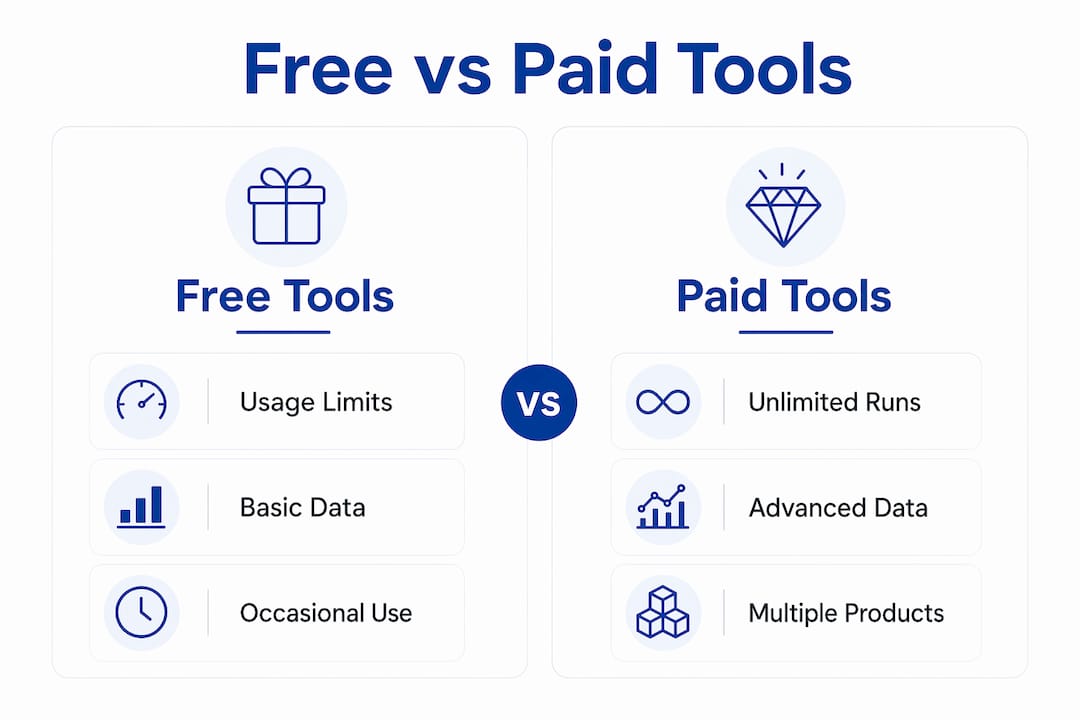
Choosing between free and paid options depends on how frequently you need data and how many products you track. Here is a direct comparison of what each tier delivers:
| Feature | Free tools | Paid tools |
|---|---|---|
| Usage limits | Typically 10 runs per 30 days per account | Unlimited or bulk access via subscription |
| Data freshness | Snapshot-based, manual lookups | Real-time or scheduled pulls at 6-12 hour intervals |
| Bulk tracking | Not available | Available; some charge around $3.50 per 1,000 results |
| API access | None | REST and GraphQL endpoints for automated tracking |
| Historical data | Limited or none | Full rank history with timestamps and trend charts |
| Integration | Standalone | Connects with inventory and listing tools |
Free tools like Neo Calculators and AMZScout’s free tier work well for occasional product research and competitor spot-checks. If you manage a catalog of 20 or more ASINs, free tools create friction fast. You hit usage caps before you finish your weekly review.
Paid platforms and sales rank scraping APIs return structured data in JSON or CSV format, including sub-category ranks, timestamps, and historical trend lines. That structured output feeds directly into inventory management systems or spreadsheet models, removing the manual copy-paste step entirely. For sellers running more than 50 SKUs, the time savings alone justify the cost.
The upgrade trigger is simple: when free tool limits slow down your research or when you need trend data rather than snapshots, move to a paid plan. The best amazon sales rank trackers comparison from Searchoneers covers the leading platforms side by side if you want a detailed breakdown before committing.
Best practices for turning rank data into real results
BSR data is only as useful as the decisions it drives. These practices separate sellers who use calculators as a research curiosity from those who build them into a repeatable competitive system.
- Translate BSR into unit sales before making inventory decisions. Raw rank numbers provide relative context. Converting them to estimated monthly units lets you calculate reorder points, safety stock levels, and cash flow requirements with actual numbers rather than gut feel.
- Use competition level indicators to spot saturation. When a calculator flags a category as Very High competition, that is a signal to analyze whether your listing can differentiate on price, reviews, or content quality before entering. Entering a saturated niche without a clear edge is expensive.
- Combine rank data with keyword ranking for a complete picture. BSR tells you how a product is selling. Keyword rank tells you how visible it is in search. A product with strong BSR but weak keyword visibility has untapped upside. A product with strong keyword rank but weak BSR has a conversion problem. Knowing which situation you are in determines your next move.
- Automate tracking at regular intervals. Scheduled rank data retrieval at 6-12 hour intervals catches demand spikes and rank drops before they become stockout or overstock problems. Manual weekly checks miss the window.
- Avoid over-reliance on any single estimate. Industry experts recommend using BSR calculators for quick snapshots and pairing them with longer-term tracking platforms for strategic decisions. A calculator gives you a starting point, not a final answer.
“BSR numbers provide relative performance context, and sellers should translate them into unit sales to optimize inventory and supply chain management.” — Neo Calculators
Pairing rank calculator data with a strong listing is where the real gains appear. You can read the market perfectly and still lose if your title, bullet points, and back-end keywords are not optimized. The amazon sales rank tracker guide from Searchoneers covers how to connect rank monitoring with listing performance for a full-cycle approach.
Key takeaways
An amazon seller rank calculator converts BSR into estimated unit sales, and using it correctly requires pairing snapshots with trend data, sub-category precision, and listing optimization.
| Point | Details |
|---|---|
| BSR is an inverse sales signal | Lower BSR means higher sales; use sub-category rank for the most accurate niche demand estimate. |
| Estimates carry real variance | Sales figures can vary ±20-30%, so treat calculator output as directional, not definitive. |
| Free tools have hard limits | Most free calculators cap usage at around 10 runs per 30 days; paid tiers unlock bulk and API access. |
| Automation beats manual checks | Tracking rank at 6-12 hour intervals catches demand shifts before they become inventory problems. |
| Calculators need a listing partner | Rank data alone does not drive sales; combine it with optimized titles, bullets, and keywords. |
Why I think most sellers misuse these tools
I have worked with hundreds of Amazon sellers, and the pattern is consistent: they run a BSR calculation once during product research, get excited about the sales estimate, and never open the tool again. That is the wrong way to use it.
The real value of a best seller rank calculator is not the single number it spits out. It is the trend. A product moving from BSR 8,000 to BSR 3,000 over six weeks is telling you something critical about demand acceleration. A product drifting from BSR 2,000 to BSR 12,000 is telling you a competitor just took market share or a stockout happened. You only see those stories if you track consistently.
The other mistake I see constantly is treating the sales estimate as a revenue guarantee. A ±20-30% variance sounds manageable until you realize that on a product you are ordering 500 units of, that swing means the difference between selling out in three weeks and sitting on dead inventory for three months. Always build that variance into your inventory model as a buffer, not an afterthought.
My honest recommendation: use a free tool like Neo Calculators for initial product research, then invest in a paid platform with API access once you have more than 15 active SKUs. And never run rank data in isolation. Pair it with keyword visibility data and your actual conversion rate. Those three numbers together tell you whether you have a demand problem, a visibility problem, or a listing problem. Each one has a different fix.
— Goga
Take your listings further with Searchoneers
Rank calculators show you the opportunity. Searchoneers helps you capture it.

Understanding your BSR and sales velocity is step one. Step two is making sure your listing is built to convert that traffic into sales. Searchoneers specializes in Amazon listing optimization, from titles and bullet points to back-end keywords and A+ content, all grounded in the same data-driven approach you use when analyzing rank. If your calculator is showing strong demand but your sales are not reflecting it, the listing is the gap. Explore Searchoneers’ Amazon inventory listing optimization services to close that gap and turn rank data into real revenue.
FAQ
What is an amazon seller rank calculator?
An amazon seller rank calculator is a tool that estimates a product’s daily and monthly sales based on its Best Sellers Rank and product category. Tools like Neo Calculators and AMZScout use category-specific models to convert BSR into sales velocity ratings and unit estimates.
How accurate are BSR sales estimates?
BSR-based sales estimates typically carry a variance of ±20-30% due to factors like promotions, seasonality, and pricing changes. Use them as directional benchmarks rather than exact counts when planning inventory.
What is the difference between a BSR calculator and a keyword rank checker?
A BSR calculator estimates sales volume from a product’s rank number, while a keyword rank checker shows where a product appears in Amazon search results for specific keywords. They measure different things and serve different strategic purposes.
Are free amazon sales rank tools worth using?
Free tools work well for occasional product research, but most cap usage at around 10 runs per 30 days. Sellers managing larger catalogs or needing trend data should upgrade to a paid plan with API access and historical tracking.
Which BSR should I enter into a rank calculator?
Always use the sub-category BSR rather than the main category BSR. Sub-category ranks are more predictive of niche demand and produce more accurate sales estimates for competitive analysis.
