

Launching on Amazon feels exciting until the first few weeks pass with few sales. Many sellers struggle with visibility and conversions despite great products. This guide walks you through the complete process of selling on Amazon in 2026, covering account setup, listing optimization, fulfillment choices, and performance tracking to help you achieve steady sales growth within 3 to 6 months.
Table of Contents
- Prerequisites And Initial Setup
- Step-By-Step Listing Creation And Optimization
- Choosing Fulfillment Methods: Fba Vs Fbm
- Managing Orders, Feedback, And Customer Service
- Common Mistakes And Troubleshooting Sales Issues
- Expected Results And Measuring Success
- Boost Your Amazon Sales With Searchoneers
- Frequently Asked Questions
Key takeaways
| Point | Details |
|---|---|
| Set up your seller account correctly | Choose Professional or Individual plan, complete tax info, and prepare payment details before listing products. |
| Optimize every listing for search | Research keywords, write compelling titles, use high-quality images, and leverage backend terms for visibility. |
| Select the right fulfillment method | Compare FBA and FBM based on your product type, volume, and desired control over shipping and customer service. |
| Manage feedback actively | Respond to reviews promptly, use Amazon’s tools to request feedback, and maintain ratings above 4.5 stars for Buy Box eligibility. |
| Track metrics consistently | Monitor conversion rates, sales growth, and review volume over 3 to 6 months to identify optimization opportunities. |
Prerequisites and initial setup
Before you list your first product, you need a valid Amazon seller account with complete tax information and payment details. This foundation prevents delays and ensures smooth order processing once sales begin.
Decide between the Professional plan at $39.99 per month or the Individual plan with per-item fees. If you plan to sell more than 40 units monthly, the Professional plan saves money and unlocks advanced features like bulk listing tools and advertising options. For small-scale testing or low-volume products, the Individual plan works well.
Understand Amazon’s fee structure early. Referral fees typically range from 8% to 15% depending on category, and fulfillment fees apply if you choose FBA. Calculate these costs into your pricing to protect your margins. Many new sellers overlook storage fees for FBA inventory, which can eat into profits if products sit unsold.
Consider enrolling in Amazon Brand Registry if you own a registered trademark. This program provides enhanced control over your listings, access to A+ Content, and stronger protection against counterfeit sellers. The enrollment process takes a few weeks, so start early if brand protection matters to your business.
Prepare high-quality product images meeting Amazon’s guidelines before listing. Images must be at least 1000×1000 pixels, show the product clearly on a white background, and include multiple angles. Professional photography increases conversions significantly, so invest time or budget here.
Key setup checklist:
- Complete seller account registration with verified tax ID
- Select appropriate selling plan based on monthly volume
- Calculate all fees into your product pricing strategy
- Prepare compliant product images at minimum 1000×1000 px
- Apply for Brand Registry if you own a trademark
Pro Tip: Set up your tax interview in Seller Central immediately after registration. Delays here can hold up your first payout for weeks.
Step-by-step listing creation and optimization
Creating a listing that converts requires more than uploading a photo and writing a title. Start with thorough keyword research using Amazon’s own search bar, competitor listings, and tools like Helium 10 or Jungle Scout. Identify the exact terms your customers type when searching for products like yours.

Optimize your product title to include your main keyword naturally within the first 80 characters. Amazon’s algorithm prioritizes early title placement, and customers see these characters first on mobile devices. Avoid keyword stuffing, which can reduce performance by up to 15% according to Amazon SEO research. A clear, benefit-focused title outperforms a jumbled list of keywords.
Use all five bullet points to highlight key features and benefits. Start each bullet with a capital letter and keep sentences short. Focus on what makes your product valuable rather than listing basic specifications. Customers scan bullets quickly, so put the most compelling information first.
Write a detailed product description that expands on bullet points and addresses common questions. Use short paragraphs and natural language. This section ranks for additional long-tail keywords while building customer confidence.
Leverage backend search terms strategically. Structured backend keywords can boost discoverability by 15% without cluttering customer-facing copy. Fill all available character spaces with relevant synonyms, alternate spellings, and related terms customers might use. Avoid repeating words already in your title or bullets.
Choose the most specific and accurate category for your product. Incorrect categorization limits visibility and confuses customers. Review Amazon’s category tree carefully and select the deepest subcategory that fits. This improves your chances of appearing in filtered search results.
Follow this listing optimization workflow to structure your approach. Our step-by-step Amazon SEO guide covers advanced techniques for competitive markets. For complete listing best practices, see our product listing guide.
Consider investing in an ecommerce SEO package if you manage multiple products or need expert optimization support.
Listing optimization elements:
| Element | Best Practice | Impact |
|---|---|---|
| Title | Main keyword in first 80 characters | High search visibility |
| Images | Minimum 1000×1000 px, multiple angles | Increases conversions |
| Bullet Points | 5 benefit-focused statements | Improves click-through |
| Backend Keywords | Fill all 250 characters with synonyms | Boosts discoverability by 15% |
| Category | Most specific subcategory available | Better filtered search results |
Pro Tip: Update your backend search terms quarterly based on search data and seasonal trends. Keywords that work in January may underperform by summer.
Choosing fulfillment methods: FBA vs FBM
Your fulfillment choice affects customer satisfaction, shipping costs, and how much time you spend on logistics. Fulfillment by Amazon stores your inventory in Amazon’s warehouses and handles all picking, packing, shipping, and customer service for those orders. This convenience comes with storage fees and fulfillment costs per unit.
Fulfillment by Merchant means you store products and ship orders yourself. You control the entire process and pay lower fees, but you handle customer service and shipping logistics. Response time and shipping speed directly impact your seller rating under this model.
FBA dramatically improves Buy Box eligibility because Amazon trusts its own fulfillment network. The Buy Box is the “Add to Cart” button most customers use, and winning it increases sales significantly. If your product competes with other sellers, FBA often provides the competitive edge needed to capture that button.
Customer service responsibilities stay with you under FBM. You must respond to messages within 24 hours and handle returns according to Amazon’s policies. This adds workload but gives you direct customer relationships and feedback.
Select your fulfillment method based on product characteristics and business goals. Large, heavy items often cost less to ship via FBM if you negotiate good carrier rates. Small, lightweight products with high volume typically benefit from FBA’s efficiency and Prime eligibility.
FBA vs FBM comparison:
| Factor | FBA | FBM |
|---|---|---|
| Shipping Speed | Fast, Prime eligible | Varies by your process |
| Fees | Higher storage and fulfillment costs | Lower, but you handle shipping |
| Buy Box | Strong advantage | Harder to win |
| Control | Limited, Amazon manages | Full control over process |
| Customer Service | Amazon handles | You manage directly |
When to choose FBA:
- You want Prime eligibility and fast shipping
- Your products are small and lightweight
- You sell high volume and need scalability
- Buy Box competition is intense in your niche
When to choose FBM:
- You have negotiated shipping rates
- Products are oversized or fragile
- You want direct customer relationships
- Margins are tight and fees matter significantly
Pro Tip: Test both methods with different products if possible. Some sellers use FBA for best-sellers and FBM for slow-moving inventory to optimize costs.
Our Amazon listing enhancement guide includes fulfillment strategy recommendations tailored to different product types and business models.
Managing orders, feedback, and customer service
Order management starts the moment a customer clicks buy. Ship FBM orders within your promised timeframe, typically one to two business days. Late shipments damage your seller rating and can result in account suspension if they become a pattern.
Use Amazon’s automated feedback request tools to solicit reviews politely. The “Request a Review” button in Seller Central sends a standardized message that complies with Amazon’s policies. Timing matters: send requests 5 to 7 days after delivery when the customer has used the product but still remembers the purchase.
Respond to negative reviews professionally and quickly. Acknowledge the customer’s concern, offer a solution, and take the conversation to private messages when appropriate. Amazon may remove reviews that violate policies, but never argue publicly or request review changes in exchange for refunds.
Handle returns according to Amazon’s return policies for your category. Most items allow 30-day returns, and you must process refunds promptly. Negative customer feedback due to delayed order fulfillment reduces seller ratings by up to 25%, directly affecting Buy Box eligibility and future sales.
Communicate clearly with buyers to prevent misunderstandings. Answer messages within 24 hours and provide tracking information immediately. Proactive communication reduces complaints and builds trust even when issues arise.
Monitor your Order Defect Rate, Late Shipment Rate, and Customer Service Dissatisfaction Rate weekly. Amazon enforces strict thresholds, and exceeding them triggers warnings or account suspensions. Stay well below the limits by addressing problems immediately.
Customer service best practices:
- Respond to all messages within 24 hours maximum
- Ship FBM orders within stated handling time
- Request feedback 5 to 7 days after delivery
- Address negative reviews professionally without arguing
- Process returns and refunds within 2 business days
- Keep Order Defect Rate below 1%
Pro Tip: Create response templates for common questions and issues. This saves time while maintaining a personal, helpful tone in your messages.
Track your performance metrics using amazon analytics for sales growth strategies. Understanding the impact of customer feedback helps prioritize where to focus improvement efforts.
Common mistakes and troubleshooting sales issues
New sellers often damage their own rankings through keyword stuffing. Repeating the same keywords multiple times in titles, bullets, and descriptions confuses Amazon’s algorithm and frustrates customers. Keyword stuffing and common listing mistakes reduce performance by up to 15%. Use each important keyword once in visible content and rely on backend search terms for variations.
Incorrect product categorization limits who sees your listing. Take time to find the most specific category that matches your product exactly. Broad categories like “Home & Kitchen” reach fewer interested buyers than specific subcategories like “Coffee Grinders.”
Many sellers underprice products by failing to calculate all Amazon fees accurately. Referral fees, FBA fees, storage costs, and advertising spend all eat into margins. Use Amazon’s Revenue Calculator before setting prices to ensure you maintain at least 20% profit margins after all costs.
Low-quality images kill conversions even when everything else is optimized. Blurry photos, poor lighting, or images that don’t show product details clearly make customers move to competitor listings. Invest in professional photography or learn to take high-quality photos yourself with proper lighting and backgrounds.
Wasted PPC spend happens when sellers launch ads without proper keyword research or bid strategy. Start with automatic campaigns to gather data, then refine with manual campaigns targeting your best-performing terms. Monitor Advertising Cost of Sale closely and pause keywords that don’t convert.
Common mistakes to avoid:
- Keyword stuffing in titles and descriptions
- Choosing overly broad product categories
- Underpricing due to incomplete fee calculations
- Using low-resolution or poorly lit product images
- Running PPC campaigns without conversion tracking
- Ignoring negative feedback or delayed responses
- Failing to optimize backend search terms
Critical statistic: Keyword stuffing and poor listing practices reduce search visibility and sales by up to 15%, making optimization quality essential for success.
Regularly audit your listings using our SEO checklist for Amazon listings to catch and fix these issues before they impact sales significantly.
Pro Tip: Review your worst-performing listings first. Small improvements to struggling products often yield bigger percentage gains than optimizing already successful listings.
Expected results and measuring success
Realistic expectations prevent frustration during your first months on Amazon. Most sellers see steady sales growth beginning 3 to 6 months after launching optimized listings and consistent marketing. This timeline assumes you continually refine keywords, gather reviews, and adjust pricing based on competition.
Conversion rates improve dramatically with proper optimization. Listings with professional images, clear copy, and strong reviews can see conversion increases up to 30% compared to basic listings. Track your conversion rate in Seller Central and compare it to category benchmarks.
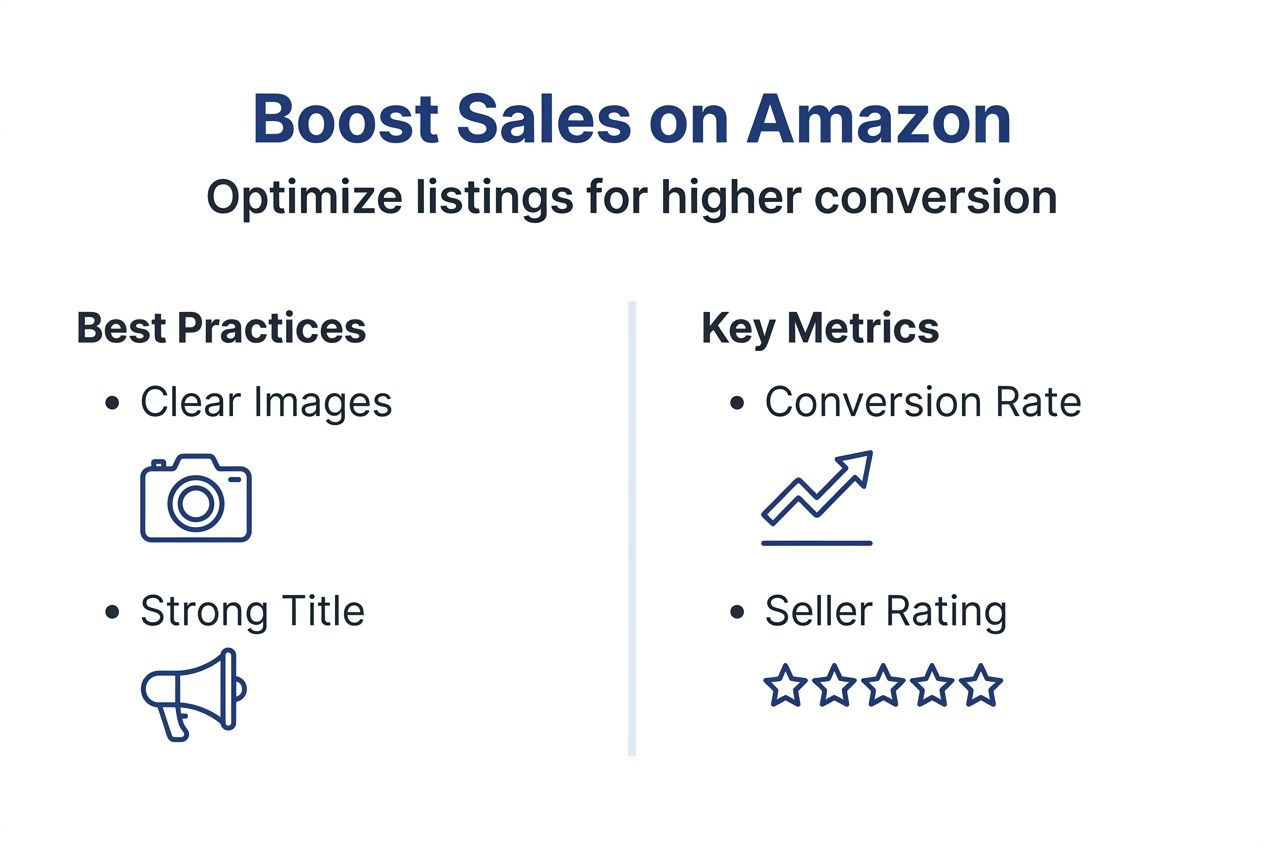
Verified reviews significantly impact rankings and Buy Box eligibility. Increasing your review count by 15 to 20 reviews often correlates with noticeable ranking improvements for competitive keywords. Focus on delivering excellent products and service to earn organic reviews rather than violating Amazon’s review policies.
Maintain seller ratings above 4.5 stars to remain competitive for the Buy Box. Ratings below this threshold reduce your chances significantly, even with FBA and competitive pricing. Monitor feedback weekly and address issues immediately to protect your rating.
Profit margins must account for all fees and remain healthy for business sustainability. Successful Amazon sellers typically maintain margins above 20% after all costs including inventory, fees, shipping, and advertising. Lower margins leave no room for promotions, returns, or unexpected costs.
Key success metrics to track:
| Metric | Target Range | Measurement Frequency |
|---|---|---|
| Conversion Rate | 10-15% or higher | Weekly |
| Seller Rating | Above 4.5 stars | Daily |
| Review Count Growth | 15-20 new reviews per quarter | Monthly |
| Sales Growth | Positive trend over 3-6 months | Monthly |
| Profit Margin | Above 20% after all fees | Per product review |
Tracking checklist:
- Review sales and conversion data weekly in Seller Central
- Monitor advertising performance and adjust bids bi-weekly
- Track inventory levels and reorder before stockouts
- Analyze customer search terms monthly for new keywords
- Compare your metrics to previous months for trend analysis
Successful sellers continuously test and refine their approach. Small improvements in images, titles, or pricing compound over time into significant sales increases. Stay patient and data-focused during the growth period.
Learn more about monitoring Amazon analytics to identify optimization opportunities and track progress toward your sales goals.
Pro Tip: Set monthly sales targets based on gradual growth rather than expecting immediate spikes. Celebrate small wins like improved conversion rates or new positive reviews as leading indicators of future sales success.
Boost your Amazon sales with Searchoneers
Optimizing Amazon listings requires expertise, time, and ongoing attention to algorithm changes and competitive dynamics. Searchoneers provides proven strategies and tools that help sellers at every stage maximize visibility and conversions in 2026.
Our Amazon listing enhancement guide walks you through advanced techniques for improving every element of your listings. Follow our listing optimization workflow to systematically improve rankings and sales. Get started with our Amazon SEO step-by-step approach that covers keyword research, content optimization, and performance tracking. We deliver measurable results through data-backed strategies that evolve with Amazon’s marketplace.
Frequently asked questions
How long does it take to see sales growth on Amazon?
Sales growth typically becomes noticeable within 3 to 6 months of consistent listing optimization and marketing efforts. This timeline varies based on product competitiveness, pricing strategy, and review accumulation. Product research and competitive pricing also influence the speed of sales increases, as does your chosen fulfillment method and advertising spend.
What is the difference between FBA and FBM fulfillment?
FBA uses Amazon’s warehouses for storage, picking, packing, and shipping, providing fast delivery and Prime eligibility. FBM means the seller ships and manages orders directly from their own location or warehouse. FBA often boosts Buy Box chances but incurs higher fees, while FBM offers lower costs and more seller control over the fulfillment process.
How important is Amazon feedback and how to manage it?
Positive feedback improves seller ratings and Buy Box eligibility, directly impacting your sales potential and account health. Negative feedback can reduce seller ratings by up to 25%, significantly impacting sales and account standing. Use Amazon’s automated tools to request feedback politely and promptly address negative reviews with professional, solution-focused responses.
What common listing mistakes should new sellers avoid?
Avoid keyword stuffing which harms SEO rankings and customer experience by making copy unnatural and confusing. Ensure accurate product categories and use high-quality images meeting Amazon’s minimum 1000×1000 pixel requirement. Factor in all Amazon fees including referral, fulfillment, storage, and advertising costs to maintain healthy profit margins above 20%.
How can sellers measure their Amazon sales success effectively?
Track conversion rates, seller rating, review volume, and sales growth trends over 3 to 6 months to identify patterns and opportunities. Use Amazon analytics tools in Seller Central to monitor Order Defect Rate, Late Shipment Rate, and advertising performance regularly. Compare your metrics to category benchmarks and previous periods to gauge improvement and identify areas needing attention.
Recommended
- How to Rank Higher on Amazon: Step-by-Step Seller Guide – Searchoneers
- How to Make a Listing on Amazon: Boost Sales 6x Fast – Searchoneers
- How to Improve Sales in Amazon: Proven Listing Strategies – Searchoneers
- Amazon SEO Step by Step: Boost Your Product Visibility
- Step-by-Step Guide to Import/Export Fabrics for Small Businesses – fabric fabric

Comments
2 responses to “Selling on Amazon step by step: boost your 2026 sales”
[…] Selling on Amazon Step-by-Step – Boost Sales in 2026 […]
[…] Selling on Amazon Step-by-Step – Boost Sales in 2026 […]