

TL;DR:
- The Amazon blue badge varies based on audience and signals trust for different buyer types.
- Consistent fulfillment, accurate listings, and high customer satisfaction build badges as a performance system.
- Sellers should focus on operational excellence rather than shortcut tactics to earn and maintain badges.
If you’ve heard sellers talk about the Amazon blue badge and wondered whether it’s one thing or several, you’re not alone. The term gets used loosely across forums, seller groups, and even Amazon’s own interface, which creates real confusion about what to pursue and how. That confusion has a cost: sellers optimize for the wrong signals, miss badge eligibility entirely, or overlook credentials that matter most to their target buyers. This guide cuts through the noise, explains exactly what the blue badge is in different contexts, and gives you a clear path to earning the trust credentials that actually move the needle on conversions.
Table of Contents
- Understanding the Amazon blue badge: What it is and isn’t
- Trust and credibility: Why badges matter for seller success
- How to increase your chances of earning the Amazon blue badge
- Avoiding common pitfalls: What keeps sellers from earning badges
- Our take: Why chasing badges is about system excellence, not shortcuts
- Optimize your Amazon listings and unlock trust badges
- Frequently asked questions
Key Takeaways
| Point | Details |
|---|---|
| Define the blue badge | The Amazon blue badge refers mainly to business credentials like the business hour delivery badge, not a single universal symbol. |
| Badges build trust | Seller and product badges increase buyer trust and can improve conversion rates if earned and maintained. |
| Focus on operations | High-quality fulfillment, satisfied customers, and accurate listings are the foundation for badge eligibility. |
| Watch for common pitfalls | Inaccurate listings, poor shipping, and negative feedback can all disqualify sellers from key trust badges. |
Understanding the Amazon blue badge: What it is and isn’t
To begin, it’s essential to clarify exactly what sellers and buyers see as the Amazon blue badge and how its meaning varies across contexts.
The phrase “blue badge” doesn’t point to a single, universal feature on Amazon. Depending on who’s shopping and what listing they’re viewing, the blue badge could refer to several different visual elements. For most general shoppers, a prominent blue badge signals Prime eligibility, usually shown on product listings and search results. For Amazon Business customers, the badge takes on a different meaning entirely.
Amazon Business seller badges display beneath the Buy Now button and specify fulfillment or business credentials, such as the business hour delivery credential. This is a specific signal targeted at business buyers who need reliable delivery within operating hours. It’s not the same as Prime, and it’s not visible to every shopper.
Here’s a quick comparison of how these badge types differ:
| Badge type | Audience | Where it appears | What it signals |
|---|---|---|---|
| Prime badge | All shoppers | Search results, listing page | Fast, free shipping via FBA |
| Business hour delivery | Amazon Business buyers | Beneath Buy Now button | Reliable delivery in business hours |
| Small Business badge | General shoppers | Search results | Seller qualifies as small business |
| Sustainability badge | All shoppers | Listing page | Product meets eco criteria |
The ambiguity around the term “blue badge” is itself a problem. Sellers should confirm the exact credential shown in the Amazon UI for their specific listing and audience type before trying to optimize for it.
This matters more than it sounds. If you’re selling primarily to business buyers but optimizing your listing to chase Prime visibility signals, you could be leaving the business hour delivery badge on the table. And if you’re targeting general consumers, chasing business credentials won’t help your conversion rate at all.
To avoid this, check your listings from the perspective of your actual buyers:
- Log in as an Amazon Business test account to see business-only badges
- Review your Seller Central notifications for any badge eligibility updates
- Look beneath the Buy Now button on your own listings to confirm what displays
- Ask yourself whether your primary audience is B2B or B2C before deciding which badge to pursue
The bottom line: Not all blue badges are equal. Earning the right one for your audience starts with knowing exactly which credential you’re looking at.
Building optimized Amazon listings is foundational to qualifying for any badge, but the specifics of which badge you target must match your business model.
Trust and credibility: Why badges matter for seller success
Now that you understand what the blue badge is and isn’t, let’s explore why these trust signals are so critical for seller growth on Amazon.
Amazon shoppers make split-second decisions. Badges give buyers a fast visual shortcut to trust. A seller with a visible credential beneath the Buy Now button, or alongside their product image in search results, carries more credibility than one without any signal at all. That visual shorthand translates directly to clicks and conversions.

Here’s how different trust signals stack up in terms of what they communicate to buyers:
| Trust signal | Primary impact | Who benefits most |
|---|---|---|
| Prime badge | Faster purchase decisions | FBA sellers |
| Business hour delivery | B2B conversion lift | Sellers with business buyer base |
| Small Business badge | Emotional connection | Independent sellers |
| High seller rating | Reduced buyer hesitation | All seller types |
Badges also do something less obvious: they act as a feedback loop. Earning and maintaining a badge forces you to keep your fulfillment tight, your listings accurate, and your customer satisfaction high. That operational discipline spills over into better performance across the board.
Badge presence is downstream of operational signals including fulfillment reliability, customer satisfaction, reduced returns, and accurate listings. In other words, Amazon doesn’t hand out badges as rewards. It issues them as a byproduct of performance data it’s already tracking.
What does that mean for you as a seller? It means the path to a badge isn’t a campaign. It’s a system. Consistent performance on these signals builds toward badge eligibility:
- On-time shipping rate above Amazon’s threshold
- Order defect rate kept well below 1%
- Pre-fulfillment cancellation rate under 2.5%
- High positive feedback percentage over a sustained period
- Accurate listing content that reduces returns and questions
Badges are also not permanent. Amazon monitors performance continuously. A spike in negative feedback or a fulfillment breakdown can cause a badge to disappear from your listing without warning. That’s why inventory optimization for higher sales and consistent operational health are more valuable than any single one-time fix.
Using an Amazon listing optimization checklist as a recurring tool helps sellers track all the signals that feed into badge eligibility over time.
Remember: Badges don’t drive performance. Performance drives badges. Focus on the inputs, and the badge follows.
How to increase your chances of earning the Amazon blue badge
With the impact of badges established, here’s how you can consistently position your business for blue badge eligibility through concrete optimizations.
There’s no single button to push that unlocks badge eligibility. It’s the accumulation of consistent, correct decisions across your operations and listings. Here’s a step-by-step approach:
- Lock in your fulfillment operations. Late shipments are the fastest way to lose badge eligibility. Use FBA where possible, or build strict SOPs (standard operating procedures) for FBM orders. Aim for an on-time delivery rate of 97% or higher.
- Get your listings right at the product level. Every image should accurately represent the item. Every title should reflect real product attributes. Sizing guides, ingredient lists, and compatibility details must be correct. A customer who returns a product because of a misleading listing is a direct negative signal to Amazon’s eligibility engine.
- Maintain customer satisfaction scores actively. Respond to negative feedback within 24 hours. Use Amazon’s feedback request system (within its terms of service) to encourage satisfied buyers to leave reviews.
- Monitor your badge status regularly. Log in to Seller Central and check your Account Health dashboard weekly. Amazon will often flag performance dips before they trigger badge removal.
- Audit your listings quarterly. Product details go stale, images fall out of compliance, and Amazon’s standards evolve. A quarterly review keeps you ahead of disqualifiers.
Pro Tip: Set a calendar reminder every 90 days to review your fulfillment metrics, listing accuracy, and customer feedback scores. Amazon’s badge logic updates over time, and what qualified you six months ago may not be sufficient today.
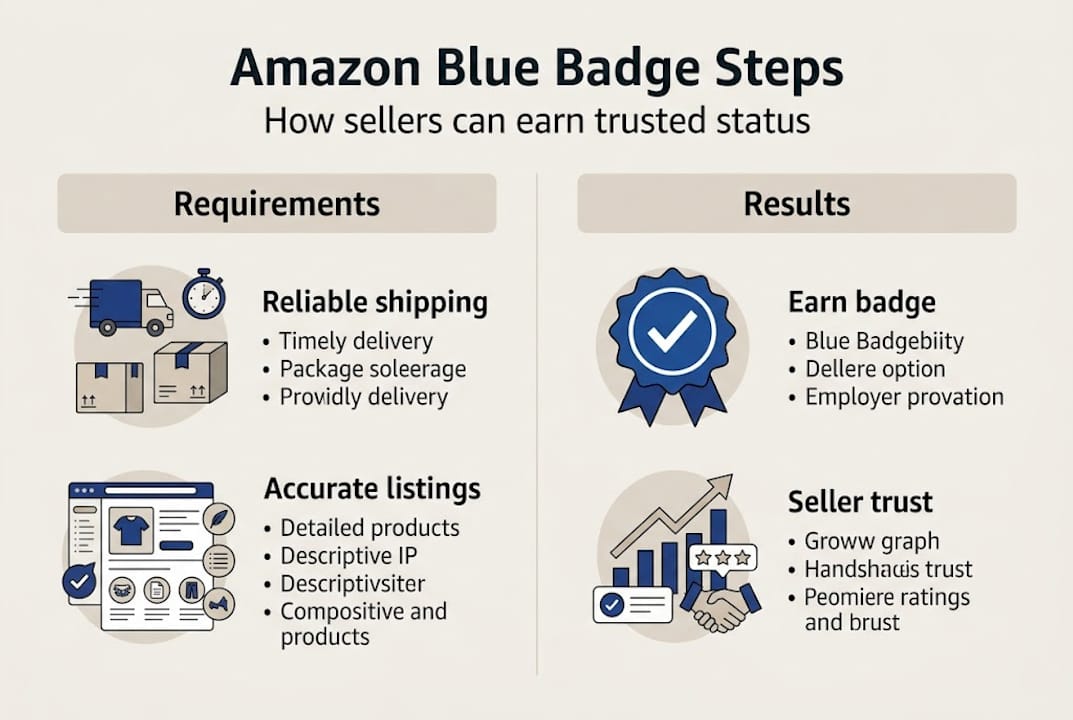
Prioritize fulfillment reliability, high customer satisfaction, and listing accuracy to maximize badge eligibility. These three pillars are what Amazon’s system measures most consistently.
Strong Amazon product listing strategies are the foundation of this work. When titles, bullets, and descriptions are precise and complete, returns drop and satisfaction scores rise. Pairing listing quality with Amazon product success strategies gives you a system, not just a checklist. And if you want a deep dive on the mechanics, how to optimize Amazon listings covers the technical side of getting every element right.
Avoiding common pitfalls: What keeps sellers from earning badges
Maximizing your blue badge eligibility also means understanding the traps and missteps that can undermine your hard work.
Most sellers who miss out on badges aren’t making dramatic mistakes. They’re making small, consistent errors that quietly pile up into disqualifying signals. Knowing where to look is half the battle.
Reducing returns and aligning listing content with actual products improves your chances, while negative feedback and false listing details directly impact badge eligibility. The most common pitfalls sellers encounter include:
- Misleading or low-quality images. Photos that don’t match the actual product generate returns. Returns generate negative signals. Those signals reduce your eligibility.
- Inaccurate product descriptions. If your bullet points overstate a feature, customers notice. Their feedback reflects it.
- Fulfillment gaps. Even one or two late deliveries in a rolling 30-day window can push your metrics below Amazon’s badge threshold.
- Canceled orders. Cancellations hurt your defect rate. If inventory runs out and you cancel orders, your badge eligibility takes a hit.
- Ignoring which badge is visible. Many sellers optimize without checking whether the badge they want even appears for their buyer type. This is a wasted effort problem.
- Skipping listing audits. A listing that was compliant six months ago may now have outdated images, incorrect category attributes, or keyword stuffing that triggers suppression.
Pro Tip: Use a simple spreadsheet to track your key performance metrics monthly: on-time shipping rate, order defect rate, return rate, and feedback score. When any metric dips, investigate immediately rather than waiting for Amazon’s notifications.
Watch out for: Silent disqualifiers. Amazon won’t always tell you why a badge disappeared. You have to monitor your metrics proactively to catch issues before they cost you.
Reviewing Amazon selling tips specific to listing performance can surface issues you’d otherwise overlook. A detailed listing enhancement guide walks you through every element that Amazon evaluates, making audits faster and more reliable.
Our take: Why chasing badges is about system excellence, not shortcuts
Here’s what most badge-focused content won’t tell you: the badge is not the goal. It’s a report card.
We work with sellers who fixate on earning credentials before their operations are ready to support them. The result is almost always the same: a badge that appears briefly, then vanishes when the underlying performance dips. That cycle is demoralizing, and it misses the point entirely.
Badges are Amazon’s way of saying your system is working. When your fulfillment is tight, your listings are accurate, your return rate is low, and your customers are satisfied, the badge shows up as a natural outcome. You don’t chase it. You build toward it by improving core business operations consistently.
The sellers we’ve seen hold badges long-term aren’t the ones who optimized aggressively for badge criteria. They’re the ones who treated the badge criteria as a baseline standard for how they run their business. That mindset shift changes everything. Instead of asking “how do I get the badge,” they ask “how do I build a business that earns badges automatically?”
Use the badge as a leading indicator. When it disappears, something in your operation has slipped. Find it. Fix it. The badge tells the story of your customer experience.
Optimize your Amazon listings and unlock trust badges
If you’re ready to turn best practices into repeatable success, expert help can make all the difference.
Earning and keeping trust badges requires more than good intentions. It takes structured workflows, accurate listings, and ongoing performance monitoring built into your routine. That’s exactly what our resources are designed to support.

Our Amazon Listing Enhancement Guide gives you a step-by-step framework for bringing every listing element up to badge-qualifying standards. The Listing Optimization Workflow turns best practices into a repeatable system you can run quarterly. And the Optimization Checklist makes sure nothing slips through the cracks. Start with the checklist, build the workflow, and watch your performance metrics move in the right direction.
Frequently asked questions
What is the Amazon blue badge and where does it appear?
The Amazon blue badge refers to certain seller or product credentials, like the business hour delivery credential, which displays beneath Buy Now for qualifying sellers targeting Amazon Business customers.
How do I qualify for a trust badge or the Amazon blue badge?
You qualify by sustaining excellent fulfillment reliability, strong customer satisfaction, and listing accuracy that reduces returns. Badge eligibility depends on performance signals Amazon tracks continuously.
What are common reasons sellers lose badge eligibility?
Badge eligibility is lost through fulfillment delays, incomplete or inaccurate product details, and elevated return or negative feedback rates. Badge loss is commonly tied to operational and listing accuracy issues.
Can I apply for the Amazon blue badge directly?
Most badges are awarded automatically based on performance data, not through a direct application process. Badge presence is downstream of operational signals and cannot be manually requested in most cases.
