

Confused about Amazon’s product title rules? You’re not alone. Many sellers unknowingly violate Amazon’s title requirements, causing their listings to get suppressed or buried in search results. Optimizing your product titles isn’t just about following rules, it’s about maximizing visibility and driving clicks that convert into sales. This guide clarifies Amazon’s title requirements and shows you exactly how to craft titles that comply with policies while attracting customers and improving your search rankings.
Table of Contents
- Key takeaways
- Understanding Amazon’s product title requirements
- How to optimize your product titles for Amazon search
- Common title mistakes Amazon sellers make and how to fix them
- Advanced tips for Amazon title testing and ongoing optimization
- Boost your Amazon sales with expert listing optimization
- FAQ
Key Takeaways
| Point | Details |
|---|---|
| Title length limit | Keep titles within 200 characters and verify category limits in Seller Central. |
| Promotional terms prohibited | Avoid promotional phrases such as free shipping best seller hot item or limited time offer in titles. |
| Capitalization rules | Use sentence case or title case and avoid all caps or all lowercase. |
| Keyword placement | Place the most important keywords at the start to boost visibility while maintaining readability. |
Understanding Amazon’s product title requirements
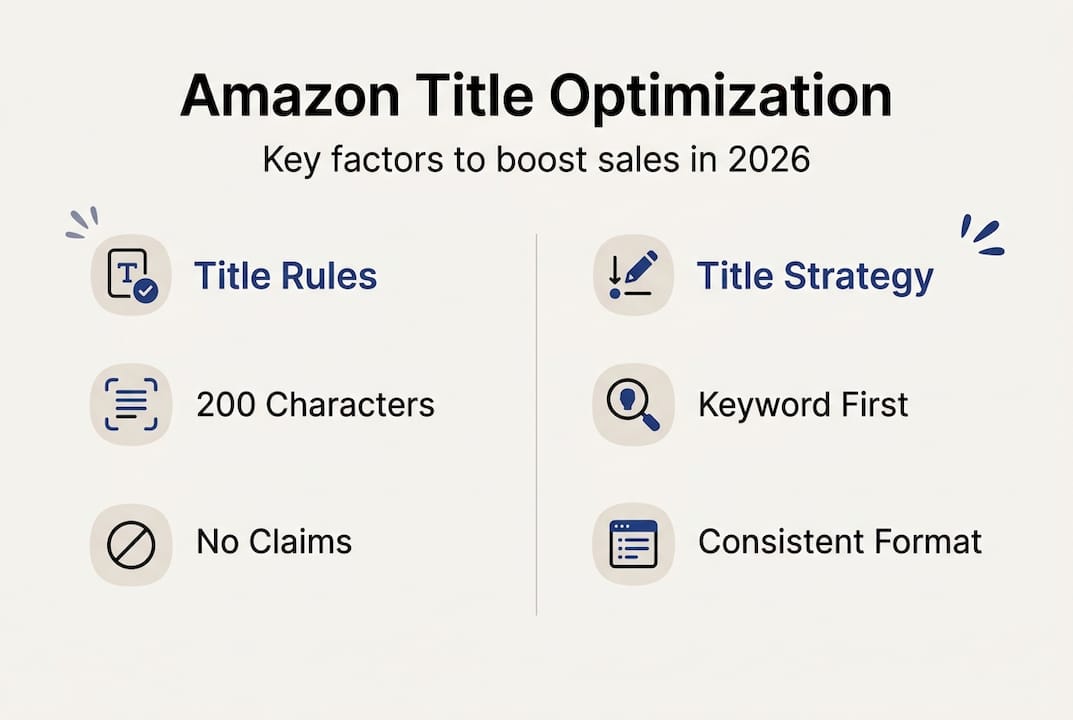
Amazon’s title requirements exist to create a consistent, professional shopping experience. Amazon limits product title length to 200 characters and prohibits promotional language, though specific categories may have different limits. Electronics titles, for example, often max out at 200 characters, while clothing may allow slightly more flexibility. Always check your specific category guidelines in Seller Central.
Prohibited content extends beyond just promotional phrases. You cannot include terms like “free shipping,” “best seller,” “hot item,” or “limited time offer” in your titles. Amazon also bans special characters such as exclamation points, asterisks, and emojis. Pricing information, including “$19.99” or “50% off,” violates title policies and can trigger listing suppression.
Proper capitalization matters more than most sellers realize. Titles must use sentence case or title case, capitalizing the first letter of each major word. Writing “PREMIUM COFFEE MAKER” in ALL CAPS violates Amazon’s style guidelines and makes your listing look unprofessional. Similarly, avoid using all lowercase letters, which reduces readability and customer trust.
Subjective claims create another common violation. Phrases like “best quality,” “top-rated,” or “amazing” are prohibited because they represent opinions rather than facts. Instead, focus on objective product attributes such as materials, dimensions, features, and specifications. Effective title optimization strategies emphasize factual information that helps customers make informed purchase decisions.
Pro Tip: Create a title template for your product category that includes brand name, key features, material, size, and color in a consistent order. This standardization ensures compliance while making it easier to create optimized titles for new products quickly.
How to optimize your product titles for Amazon search
Keyword placement dramatically affects your listing’s visibility. Incorporating relevant keywords early in the title boosts visibility and improves ranking in Amazon search results. Amazon’s A9 algorithm weighs words at the beginning of your title more heavily than those at the end. Start with your brand name, followed immediately by your most important keyword phrase.
Readability should never be sacrificed for keyword density. Customers need to understand what you’re selling within seconds of seeing your title. A well-structured title flows naturally and provides clear information about the product’s primary benefits and features. Break your title into logical segments: brand, product type, key feature, material, size, and color.
Consistency in formatting builds brand recognition and professionalism. Use the same structure across all your product variations and listings. If you capitalize “Stainless Steel” in one title, maintain that capitalization in all related products. This attention to detail signals quality to both Amazon’s algorithm and potential customers.
Keyword stuffing remains one of the most damaging mistakes sellers make. Repeating the same keyword multiple times, such as “Coffee Maker Coffee Machine Coffee Brewer,” violates Amazon’s policies and reduces readability. Instead, use synonyms and related terms naturally throughout your title. Amazon’s algorithm recognizes semantic relationships between words, so “coffee maker” and “brewing machine” both contribute to search visibility.
Backend search terms should complement, not duplicate, your title keywords. Amazon indexes both visible title content and hidden backend keywords, so strategic coordination maximizes your reach. If “espresso” appears in your title, use related terms like “cappuccino,” “latte,” or “barista” in your backend search terms. This approach from your listing optimization checklist expands your product’s discoverability across various customer search queries.
Pro Tip: Write your title in a text editor first and count characters before uploading. This prevents accidental truncation and ensures your most important information appears in search results and on mobile devices where space is limited.
Common title mistakes Amazon sellers make and how to fix them
Overly long titles create multiple problems for your listing performance. When titles exceed Amazon’s character limits, the platform automatically truncates them, often cutting off crucial product information. Mobile shoppers see even less of your title, typically only the first 80 characters. Many sellers lose sales due to keyword stuffing and non-compliant titles that reduce listing visibility.

Keyword stuffing makes titles incomprehensible to human readers. While you might think “Yoga Mat Exercise Mat Workout Mat Fitness Mat Gym Mat” covers all bases, it actually hurts your listing. Amazon’s algorithm recognizes this tactic and may penalize your ranking. Customers find these titles spammy and unprofessional, reducing click-through rates even when your product appears in search results.
Prohibitional claims sneak into titles more often than sellers realize. Beyond obvious violations like “best” or “free,” watch for subtle promotional language. Terms like “professional grade,” “premium quality,” or “top choice” all constitute subjective claims that violate Amazon’s policies. These violations can result in listing suppression, where your product becomes invisible in search results until you correct the issue.
| Problematic title | Compliant alternative | Why it works |
|---|---|---|
| BEST Coffee Maker FREE SHIPPING!!! | Breville Coffee Maker, 12-Cup Programmable Brewer, Stainless Steel | Removes promotional language, uses proper capitalization, focuses on features |
| Yoga Mat Exercise Mat Workout Mat Fitness Mat | Premium Yoga Mat, Non-Slip Exercise Surface, 6mm Thick, Eco-Friendly TPE | Eliminates keyword stuffing, adds specific details, maintains readability |
| Amazing Dog Leash – Top Rated! 50% OFF | Heavy Duty Dog Leash, 6-Foot Nylon Lead, Reflective Stitching, Large Breeds | Replaces subjective claims with objective specifications and measurements |
Missing critical information represents another frequent error. Some sellers focus so heavily on keywords that they forget to include essential product attributes. Size, color, quantity, and material should appear in most titles when relevant. A customer searching for “blue yoga mat” won’t click on a title that doesn’t specify color, even if your product matches their needs.
Inconsistent formatting across product variations confuses customers and damages brand perception. If your red t-shirt title reads “Brand Name Men’s Cotton T-Shirt, Red, Large” but your blue version says “Blue T-Shirt for Men by Brand Name (Large),” you’ve created unnecessary friction. Customers comparing variations expect consistent information presentation. When you optimize amazon listings, standardization becomes a competitive advantage that builds trust and simplifies the purchase decision.
Advanced tips for Amazon title testing and ongoing optimization
Split testing reveals which title variations drive the most sales. Amazon’s Manage Your Experiments tool lets you test different titles against each other with real customer traffic. Run tests for at least two weeks to gather statistically significant data. Monitor both click-through rate and conversion rate, as a title that attracts clicks but doesn’t convert indicates a mismatch between customer expectations and your actual product.
Click-through rate data shows how compelling your title is compared to competitors. Access this metric through your Amazon Brand Analytics dashboard if you’re brand registered. When your CTR falls below category averages, your title likely needs optimization. Low CTR often indicates poor keyword targeting or unclear value proposition in your title structure.
Conversion data tells the complete story of title effectiveness. A high CTR with low conversions suggests your title overpromises or attracts the wrong audience. Conversely, low CTR with high conversions indicates your title undersells your product’s value. Continuous testing and updating product titles based on performance metrics leads to improved sales and higher search rankings.
Seasonal adjustments keep your titles relevant throughout the year. A space heater title might emphasize “energy efficient” during winter months when heating costs concern customers, then shift focus to “compact storage” during summer when the product gets put away. These subtle changes align your listing with current customer priorities without requiring complete title rewrites.
Competitor analysis informs strategic title improvements. Review the top 10 search results for your primary keywords monthly. Notice which terms appear most frequently in successful competitor titles, but don’t copy them directly. Instead, identify gaps where you can differentiate your product. If every competitor mentions “BPA-free” but yours is also dishwasher safe, adding that unique feature can capture additional search traffic.
Your listing optimization workflow should include quarterly title reviews. Market conditions change, new competitors emerge, and customer search behavior evolves. Set calendar reminders to audit your titles against current best practices and performance data. Small refinements compound over time, gradually improving your organic search rankings and sales velocity.
Backend keyword synchronization amplifies your title’s effectiveness. When you update a title, review your backend search terms to eliminate redundancy and add new relevant keywords. This coordinated approach from the Amazon listing enhancement guide ensures you’re maximizing Amazon’s indexing capabilities without wasting character limits on duplicate terms.
Boost your Amazon sales with expert listing optimization
Mastering Amazon title requirements is just the beginning of listing optimization. Professional guidance accelerates your path to higher visibility and increased sales. Searchoneers specializes in comprehensive Amazon listing optimization, combining title enhancement with bullet point refinement, description optimization, and backend keyword strategy.

Our Amazon listing enhancement guide provides detailed frameworks for improving every element of your product pages. We’ve helped hundreds of sellers transform underperforming listings into top-ranking products through data-driven optimization techniques. Our listing optimization workflow streamlines the entire process, from keyword research to performance tracking. Access our listing optimization checklist to ensure you’re covering every critical element that impacts your Amazon success.
FAQ
What is the maximum length for Amazon product titles?
Amazon generally limits product titles to 200 characters, but exact limits can vary by category. Electronics typically enforce the 200-character maximum strictly, while other categories may have slightly different requirements. Always check your specific category guidelines in Seller Central to ensure compliance. Staying within these limits prevents truncation in search results and maintains mobile readability.
Can I include promotional phrases like ‘best price’ or ‘free shipping’ in my Amazon title?
No, Amazon policies prohibit promotional language such as ‘best price’ and ‘free shipping’ in product titles. These restrictions also apply to terms like “sale,” “deal,” “limited time,” and similar promotional expressions. Violating these policies can result in listing suppression or removal. Focus instead on objective product features, specifications, and benefits that help customers make informed purchase decisions.
How often should I update my Amazon product title?
Ongoing title optimization based on performance data and market changes is recommended to improve sales results. Review your titles quarterly at minimum, or more frequently if you notice declining performance metrics. Use split testing to evaluate changes before implementing them permanently. Seasonal adjustments and responses to competitor strategies may require more frequent updates. Track click-through rates and conversion data through your listing optimization workflow to identify when titles need refinement.
Should I include my brand name at the beginning of my Amazon title?
Yes, starting with your brand name is generally recommended for several reasons. It builds brand recognition, helps customers find your products specifically, and satisfies Amazon’s preference for clear brand identification. However, if you’re selling in a highly competitive category where customers search by product type first, you might test placing the primary keyword before your brand name. Monitor performance data to determine which approach works best for your specific products and target audience.
What happens if my Amazon title violates the requirements?
Amazon may suppress your listing, making it invisible in search results until you correct the violation. You’ll typically receive a notification in Seller Central explaining the issue. In some cases, Amazon automatically edits your title to remove prohibited content, which may result in a less optimized version than you intended. Repeated violations can lead to account warnings or restrictions. Always review Amazon’s current title guidelines before making changes and use compliant formatting from the start to avoid these penalties.
