

TL;DR:
- Choosing the correct Amazon seller account impacts fees, tools, and growth potential.
- Professional accounts suit high-volume sellers needing advanced features and unlimited sales.
- Specialty accounts like Vendor Central or Amazon Business are for specific business models and needs.
Most new Amazon sellers assume one account fits all. That assumption quietly costs them money, limits their features, and slows growth before they even realize what happened. The truth is that Amazon offers multiple account types each suited to different seller needs, and picking the wrong one affects everything from your fee structure to which promotional tools you can access. This guide breaks down every account type available, compares them side by side, and gives you a clear framework to match the right option to your specific business goals.
Table of Contents
- Understanding Amazon seller account basics
- Individual vs. professional accounts: Direct comparison
- Specialized Amazon seller accounts: Business, Vendor, and more
- How to choose: Matching account type to your goals
- Scaling up: Changing your Amazon account as your business grows
- Our take: The most overlooked factor in choosing an Amazon account
- Maximize your Amazon seller success with the right support
- Frequently asked questions
Key Takeaways
| Point | Details |
|---|---|
| Know your options | Amazon offers a range of seller account types that suit different business sizes and needs. |
| Compare features | Each account type differs in fees, features, and scalability—compare carefully for your sales goals. |
| Account type isn’t permanent | You can change your Amazon seller account type to match your business growth over time. |
| Specialty accounts exist | Vendor, Business, and Handmade accounts provide tailored solutions for specific sales channels. |
| Alignment is key | Matching your business model and volume to the right seller account will maximize profits and minimize friction. |
Understanding Amazon seller account basics
Before you list a single product, Amazon asks you to choose how you want to sell. That decision shapes your entire experience on the platform. The account type you select determines your fee structure, the tools available to you, and even which product categories you can access from day one.
Amazon’s marketplace is built around two seller tracks: those who sell occasionally and those who run a real business. Each track has a corresponding account structure, and both feed into Amazon Seller Central, the dashboard where you manage listings, inventory, orders, and performance.
Here is what the account decision actually controls:
- Fee structure: Whether you pay per item or a flat monthly rate
- Listing tools: Access to bulk upload, advertising, and A+ Content
- Category access: Some restricted categories require a professional account
- Fulfillment options: FBA (Fulfillment by Amazon) eligibility and configuration
- Reporting and analytics: Advanced sales dashboards are locked behind professional tiers
- Promotional eligibility: Coupons, lightning deals, and sponsored ads require the right account type
For a first-time seller testing the waters with a handful of products, the stakes feel low. But for an established e-commerce business moving to Amazon, the wrong account choice creates real friction. You might find yourself locked out of advertising tools right when you need them most, or paying more per unit than necessary because you chose the wrong fee model.
“The account type you start with is not a life sentence, but it does set the pace of your early growth. Sellers who choose strategically from the start spend less time fixing problems and more time scaling.”
Understanding the Amazon business types available to you is the first step toward building a profitable and scalable operation. Let’s look at the two primary options in detail.
Individual vs. professional accounts: Direct comparison
With the basics outlined, it’s time to examine the two primary account options and how they stack up.
Professional accounts charge a monthly subscription fee, while individual accounts pay per item sold. That single difference creates a cascade of implications depending on your sales volume.

| Feature | Individual account | Professional account |
|---|---|---|
| Monthly fee | None | $39.99/month |
| Per-item fee | $0.99 per sale | None |
| Sales volume limit | 40 items/month | Unlimited |
| Advertising access | No | Yes |
| A+ Content | No | Yes |
| Bulk listing tools | No | Yes |
| Buy Box eligibility | Limited | Full |
| FBA access | Yes | Yes |
| Restricted categories | No | Yes (with approval) |
The math here is straightforward. If you sell more than 40 items per month, the professional account pays for itself. At 41 sales, you are already saving money compared to the individual per-item fee.
Here is how to decide between them based on your situation:
- Estimate your monthly sales volume. If you expect fewer than 40 sales per month consistently, start individual.
- Assess your tool needs. If you plan to run ads or use A+ Content, professional is non-negotiable.
- Check your category. Some categories require professional status regardless of volume.
- Think about your brand. If you are building a brand, not just clearing inventory, professional unlocks the features you need.
- Plan for growth. If you expect to scale within six months, start professional now.
Pro Tip: Many sellers delay upgrading to professional because they want to “test the waters” first. But the moment you start advertising or need bulk listing tools, you are already behind. Starting professional early costs less than losing weeks of momentum waiting to unlock features.
Knowing the types of Amazon seller business structures available helps you see which account aligns with your actual model, whether you are a reseller, private label brand, or arbitrage seller. Different Amazon seller types have very different tool needs, and the account type is the foundation.
Specialized Amazon seller accounts: Business, Vendor, and more
Beyond the main two, Amazon offers specialty accounts. Let’s explore how these can unlock new growth avenues.
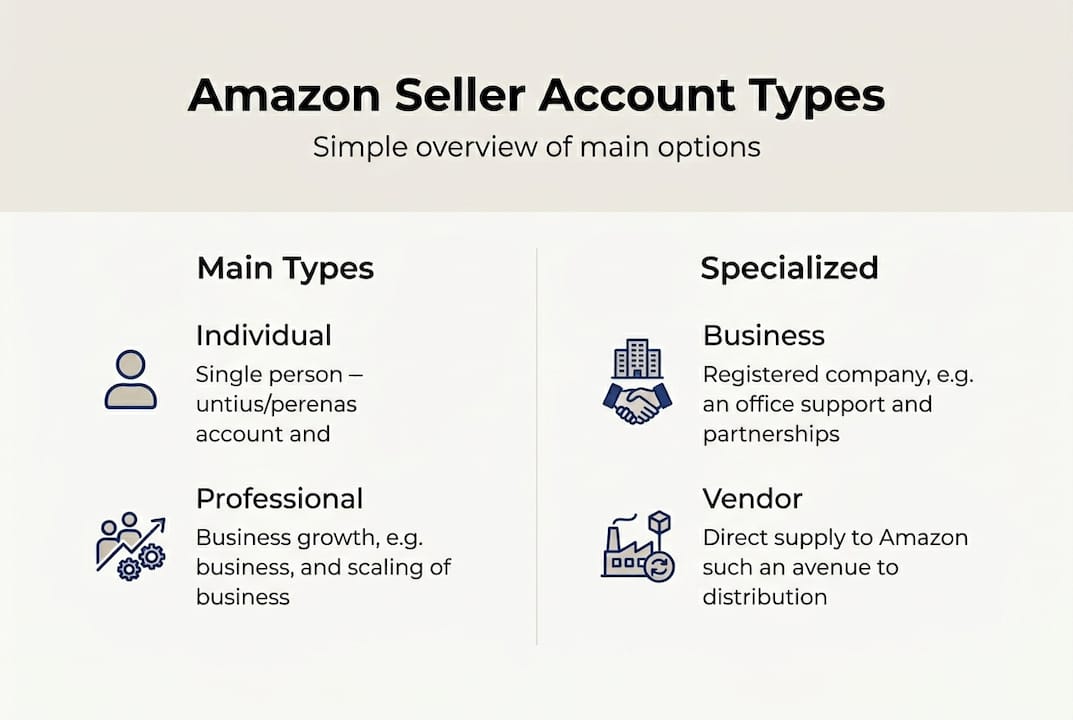
Amazon Vendor and Business accounts have unique application processes and benefits, and they serve very different seller profiles than standard marketplace accounts.
| Account type | Who it’s for | Key advantage | Main challenge |
|---|---|---|---|
| Amazon Business | B2B sellers | Business pricing, bulk discounts | Requires professional account |
| Vendor Central | Brands/manufacturers | Sold by Amazon label | Invite-only, pricing control lost |
| Amazon Handmade | Artisan sellers | Dedicated handmade marketplace | Strict vetting, no resellers |
| Amazon Launchpad | Startups/innovators | Visibility and co-marketing | Revenue share and eligibility rules |
Here is a quick breakdown of each:
- Amazon Business: This is an add-on layer to your professional account. It lets you sell to business buyers with quantity pricing and tax-exempt purchasing. If you sell wholesale or B2B, this unlocks a massive buyer pool.
- Vendor Central: Amazon invites brands to sell wholesale directly to Amazon, which then resells the product. You lose pricing control but gain the “Sold by Amazon” badge and broader distribution. Learn more about the Amazon Vendor Central overview and what it means for your listing visibility.
- Amazon Handmade: Designed for artisans who make products by hand. The application is strict and requires proof of handmade production. Resellers are not eligible.
- Amazon Launchpad: Built for startups and innovative brands. It offers co-marketing support and placement in curated collections, but comes with a revenue share arrangement.
A common myth is that Vendor Central is always better because Amazon sells your product for you. In reality, many brands lose margin and control over pricing, which can undermine their entire brand strategy. Understanding Amazon Marketplace terms before applying to any specialty account saves you from costly surprises.
How to choose: Matching account type to your goals
Now that you know all available account types, let’s turn theory into an actionable selection process.
Choosing the right account affects costs, eligibility for promotions, and long-term scalability. The right framework makes this decision much simpler.
Work through these steps:
- Define your business model. Are you a private label brand, a reseller, a wholesaler, or an artisan? Each model has a natural account fit.
- Project your monthly sales. Use conservative estimates. If you expect to cross 40 units within three months, start professional.
- Identify your must-have tools. Need ads? Need A+ Content? Need bulk uploads? Professional is your baseline.
- Assess your B2B opportunity. If any portion of your customer base is business buyers, add Amazon Business to your professional account.
- Evaluate specialty eligibility. If you are a manufacturer or brand owner, explore whether Vendor Central or Launchpad fits your growth stage.
Scenario example: A private label seller launching a skincare brand should start with a professional account, enable Amazon Business if they plan wholesale outreach, and evaluate Vendor Central only after establishing strong organic sales and brand recognition.
Pro Tip: Watch your seller performance impact metrics closely. When your account health scores are strong and your sales volume is consistently growing, that is your signal to evaluate whether a specialty account or upgrade makes sense.
If you are thinking about expanding as an international seller, account type decisions become even more important. Different Amazon marketplaces have different account structures and fee models, so your domestic setup may not translate directly.
The path to success as an Amazon seller always starts with a clear-eyed view of where you are now and where you plan to be in 12 to 18 months.
Scaling up: Changing your Amazon account as your business grows
Your Amazon journey won’t stand still. Here’s how to stay agile as your business changes.
Amazon supports account upgrades and transitions for growing businesses, and the process is more straightforward than most sellers expect. The real challenge is knowing when to make the move.
Key signals that it’s time to revisit your account type:
- Your monthly sales consistently exceed 40 units on an individual account
- You want to run sponsored ads but lack access
- You are launching a new product line that requires bulk listing tools
- Your business buyer inquiries are growing and you need B2B pricing
- You are being invited to Vendor Central and evaluating the trade-offs
- Your performance metrics and growth data show consistent upward trends
Pitfalls to avoid during transitions:
- Delaying the upgrade: Waiting too long to move to professional means weeks of missed advertising and listing tool access.
- Switching to Vendor Central too early: Losing pricing control before your brand is established can damage your positioning permanently.
- Ignoring fee changes: When you downgrade from professional to individual, your per-item fees return immediately. Do the math before you switch.
“Sellers who treat their account type as a set-and-forget decision often find themselves limited at exactly the moment they need to accelerate. Revisit the decision at every major business milestone.”
The Amazon Seller Central upgrade steps are accessible directly from your account settings. You can switch between individual and professional accounts at any time, and the change takes effect at the start of your next billing cycle.
Our take: The most overlooked factor in choosing an Amazon account
Here is something most guides won’t tell you: sellers consistently underestimate how much their account type shapes their options two or three years down the road, not just on day one.
We work alongside Amazon entrepreneurs every day, and the pattern is clear. Sellers who start with a professional account and build their strategy around its full feature set grow faster, advertise smarter, and make fewer reactive decisions. Those who start individual to “save money” often spend more in lost opportunity than they ever saved in fees.
The bigger issue is flexibility. Many sellers see the account choice as permanent, but it is not. The real skill is knowing when to move. Fee structures, feature eligibility, and Amazon’s own policies evolve constantly. What works in 2026 may look different in 2028.
Our advice: always build for your next stage, not just your current needs. If you are thinking about Amazon business account strategies for growth, the account type is the foundation everything else rests on. Get it right early, revisit it often, and never let inertia make the decision for you.
Maximize your Amazon seller success with the right support
Understanding your account type is only the starting point. The sellers who win on Amazon combine the right account structure with listings that actually convert.

At Searchoneers, we help Amazon entrepreneurs enhance their Amazon listings with optimized titles, bullet points, descriptions, and backend keywords that drive real visibility. Whether you are just getting started or scaling an established catalog, our listing optimization workflow is built to maximize the impact of whatever account type you choose. The right account opens the door. Optimized listings are what bring buyers through it.
Frequently asked questions
What is the difference between an individual and a professional Amazon seller account?
Individual accounts charge $0.99 per item sold and offer limited tools, while professional accounts charge a monthly subscription fee of $39.99 but provide unlimited sales and advanced features like advertising and bulk listing tools.
Can I change my Amazon seller account type later?
Yes, Amazon supports account upgrades and downgrades between individual and professional at any time, with changes taking effect at the start of your next billing cycle.
Are there any specialized Amazon seller accounts for B2B or wholesalers?
Amazon Business and Vendor accounts unlock B2B sales and direct supply opportunities, with Business accounts available as an add-on to professional and Vendor Central offered by invitation.
What account type is best for high-volume Amazon sellers?
Professional accounts are cost-effective and designed for high-volume sales, eliminating the per-item fee and unlocking advertising and analytics tools that support scaling.
Do Amazon Handmade and other specialty account types require separate applications?
Yes, Amazon Handmade has its own application and vetting process, and Vendor Central is invite-only, meaning both require steps beyond the standard seller signup.

Comments
3 responses to “Choose the Right Amazon Seller Account Type”
[…] promotions, detailed analytics, API access, and Buy Box eligibility. For anyone serious about choosing account types that support real growth, Professional is the default choice once volume picks […]
[…] Both Individual and Professional accounts are available regardless of your business structure. When choosing an account type, focus on your sales volume and the tools you need, not your legal […]
ghgsldhyzngwmwkiwiznnumphlwdnz