

Many Amazon sellers struggle with listings that don’t convert well despite putting in significant effort. The difference between a listing that generates consistent sales and one that underperforms often comes down to systematic analysis. Proper analysis reveals hidden issues and optimization opportunities that can dramatically improve your conversion rates and search rankings. This guide covers the essential steps to analyze and improve your Amazon listings, giving you a structured approach to identify weaknesses, understand buyer behavior, and implement changes that drive measurable results.
Table of Contents
- Key takeaways
- Understanding the fundamentals: what to analyze in an Amazon listing
- Preparation: gathering tools and data to analyze your Amazon listings effectively
- Step-by-step guide: how to analyze Amazon listings for optimization
- Verifying your analysis: common mistakes to avoid and measuring success
- Enhance your Amazon listings with expert guidance
- FAQ
Key Takeaways
| Point | Details |
|---|---|
| Fundamental listing elements | The article stresses analyzing titles, descriptions, images, keywords, pricing, and reviews to optimize visibility and conversions. |
| Titles and keywords first | Start your analysis with the product title and keywords because they drive search traffic and establish visibility before optimizing conversion elements. |
| Data gathering process | Prepare with data by using Seller Central analytics, keyword trackers, competitive benchmarks, and auditing tools to map current performance. |
| Structured analysis plan | Follow a clear three stage approach of preparation, execution, and verification to identify weaknesses, implement changes, and measure impact. |
Understanding the fundamentals: what to analyze in an Amazon listing
Before diving into analysis, you need to understand which listing components matter most for conversion and visibility. Analyzing product titles, descriptions, images, keywords, pricing, and reviews is crucial to optimize listings effectively. Each element serves a distinct purpose in attracting buyers and convincing them to purchase.
Your product title is the first thing shoppers see and carries significant SEO weight. Bullet points communicate key benefits quickly, while the description provides detailed information for serious buyers. Images and videos showcase your product visually, often making the difference between a click and a scroll. Backend keywords improve discoverability without cluttering visible content. Pricing positions your product competitively, and reviews build trust through social proof.
Each element impacts visibility, buyer decision-making, and sales differently. Titles and keywords primarily drive search traffic, while images and bullet points influence conversion rates once shoppers land on your page. Reviews affect both search ranking and purchase decisions, creating a compound effect on overall performance. Understanding these relationships helps you prioritize which areas need detailed analysis based on your specific performance gaps.
Pro Tip: Start your analysis with the product title and keywords as they drive search traffic. Without strong visibility in search results, even perfectly optimized conversion elements won’t generate sales. Focus on search traffic first, then optimize for conversion.
Preparation: gathering tools and data to analyze your Amazon listings effectively
Successful listing analysis requires the right tools and data points before you begin examining individual elements. Amazon Seller Central provides foundational analytics, but specialized software reveals deeper insights that manual review cannot uncover. Keyword tracking tools show you which search terms drive traffic and how your rankings change over time. Competitive analysis platforms let you benchmark your listings against top performers in your category.
Utilizing listing audit tools and Amazon analytics data significantly improves the ability to spot listing weaknesses and opportunities. Start by gathering your current search rankings for primary keywords, conversion rates from the last 30 to 90 days, traffic sources and volume, customer review patterns including common complaints, and pricing history compared to competitors. This baseline data helps you measure improvement after optimization.

| Tool type | Primary purpose | How it helps analysis |
|---|---|---|
| Amazon Seller Central | Native performance metrics | Provides conversion rates, traffic data, and sales velocity |
| Keyword research platforms | Search volume and ranking data | Identifies high-value terms and ranking opportunities |
| Listing audit software | Automated compliance and optimization checks | Catches policy violations and SEO gaps quickly |
| Competitor analysis tools | Benchmarking and market positioning | Reveals what top performers do differently |
Organize your data collection process by creating a spreadsheet or dashboard that tracks metrics over time. Include columns for keyword rankings, conversion rates, review counts and ratings, pricing changes, and traffic sources. This historical view helps you identify patterns and correlate changes with performance shifts. Amazon analytics becomes more powerful when you track trends rather than snapshots.
Pro Tip: Regularly update your data to catch changes impacting listing performance early. Weekly keyword ranking checks and monthly deep dives into conversion metrics help you stay ahead of issues before they significantly impact sales. Set calendar reminders to maintain consistency.
Step-by-step guide: how to analyze Amazon listings for optimization
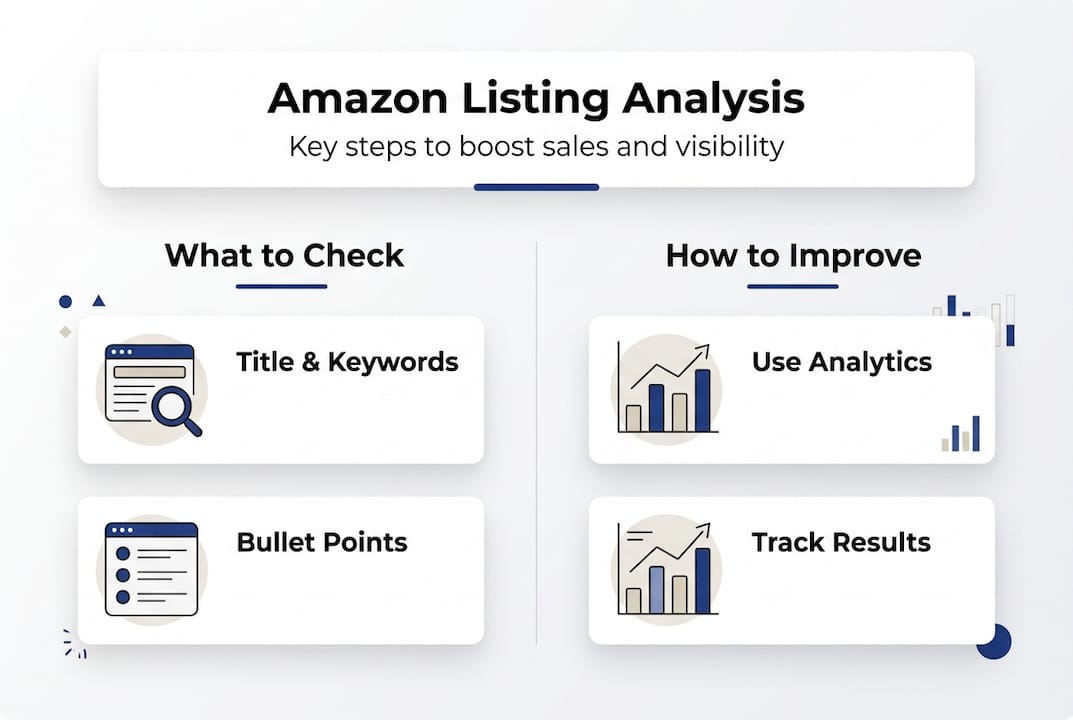
With your tools and data ready, follow this structured workflow to conduct thorough listing analysis. A structured workflow covering keyword analysis, content review, pricing evaluation, and competitor comparison enhances your listing’s performance by ensuring no critical element gets overlooked.
Analyze product titles and keywords for relevance and search terms. Check if your title includes your primary keyword within the first 80 characters, uses relevant secondary keywords naturally, follows Amazon’s category-specific requirements, and matches actual search terms buyers use. Compare your title structure against top-ranking competitors to identify patterns.
Evaluate bullet points and descriptions for clear benefits and SEO. Review whether each bullet point starts with a compelling benefit rather than a feature, includes relevant keywords without stuffing, addresses common buyer questions and objections, and uses formatting that enhances readability. Your description should expand on bullet points with storytelling that builds emotional connection.
Review images and multimedia for quality and compliance. Verify that your main image meets Amazon’s white background requirement, lifestyle images show the product in use, infographics highlight key features and dimensions, and all images are high resolution (at least 1000 pixels). Poor image quality directly correlates with lower conversion rates.
Check pricing strategy against key competitors. Analyze whether your price point positions you competitively for your quality tier, accounts for promotions and seasonal trends, includes appropriate profit margins after fees, and aligns with perceived value from images and content. Price too high and you lose sales; too low and you sacrifice margin or appear low quality.
Assess customer reviews and ratings to identify product perception. Look for recurring themes in negative reviews that indicate product issues or unmet expectations, questions in reviews that reveal missing information in your listing, positive feedback patterns you can emphasize in bullet points, and overall rating trends that show improvement or decline. Reviews provide unfiltered buyer feedback that guides optimization priorities.
| Analysis method | Best for | Limitations |
|---|---|---|
| Manual keyword research | Understanding buyer intent and search behavior | Time-consuming and limited scale |
| Automated audit tools | Quick compliance checks and bulk optimization | May miss nuanced quality issues |
| Competitor benchmarking | Identifying market standards and opportunities | Doesn’t account for your unique value proposition |
| A/B testing platforms | Validating specific changes with real data | Requires sufficient traffic volume for statistical significance |
As you work through each step, document specific findings and prioritize them by potential impact. A missing keyword in your title that gets 10,000 monthly searches deserves immediate attention. A minor image quality issue on your sixth photo can wait. How to optimize Amazon listings becomes manageable when you tackle high-impact changes first rather than trying to perfect everything simultaneously.
Verifying your analysis: common mistakes to avoid and measuring success
Even thorough analysis can miss critical issues if you fall into common traps. Ignoring negative reviews, neglecting keyword updates, and overlooking competitor moves ensures analysis reliability suffers. Many sellers focus exclusively on their own listings without considering how market dynamics shift around them. Your competitors constantly optimize, new products enter your category, and buyer preferences evolve.
Common mistakes include skipping competitor analysis and assuming your listing exists in isolation, neglecting keyword changes as search trends shift seasonally and with market conditions, ignoring customer feedback in reviews that reveals actual product experience gaps, focusing only on main keywords while missing long-tail opportunities, and making multiple changes simultaneously without tracking which improvements drove results. Each mistake undermines your ability to understand what works and replicate success.
Methods to measure if analysis leads to better sales include tracking ranking improvements for target keywords weekly, monitoring conversion rate changes before and after optimization, measuring review velocity and rating trends as quality indicators, analyzing traffic source shifts to understand discoverability, and comparing sales velocity against category benchmarks. These metrics tell you whether your analysis identified the right issues and your optimizations solved them.
- Review your keyword rankings weekly to catch sudden drops that indicate algorithm changes or new competition
- Track conversion rates by traffic source to identify which channels respond best to your optimizations
- Monitor your Best Sellers Rank daily to spot performance trends before they become problems
- Set up alerts for new reviews so you can respond quickly and identify emerging issues
- Compare your performance metrics against your top three competitors monthly to maintain context
Pro Tip: Use A/B testing for listing elements to validate changes. Amazon’s Manage Your Experiments tool lets you test different titles, main images, and A+ Content variations with real traffic. This removes guesswork and shows you exactly which version performs better with actual buyers.
Continuous monitoring after optimization is not optional. Amazon’s marketplace changes daily, and what works today may underperform tomorrow. Sellers who analyze once and forget miss opportunities and let problems fester. Build regular analysis into your operational rhythm, treating it as essential maintenance rather than a one-time project.
Verification also means checking that your changes actually implemented correctly. Review your live listing after updates to confirm all edits appear as intended. Sometimes Amazon’s system delays changes or rejects updates without clear notification. Double-checking prevents you from assuming optimizations are live when they’re not, which would corrupt your performance data and lead to false conclusions about what works.
Enhance your Amazon listings with expert guidance
Analyzing your listings thoroughly takes time and expertise that many sellers struggle to maintain consistently while running their business. Professional guides and workflows accelerate the effectiveness of your listing analysis by providing proven frameworks developed through thousands of optimizations. You gain access to comprehensive checklists and enhancement strategies tailored to Amazon’s evolving marketplace, ensuring you never miss critical optimization opportunities.

Our Amazon listing enhancement guide walks you through advanced optimization techniques that go beyond basic analysis. You’ll discover how to craft titles that balance SEO with conversion, structure bullet points that address buyer psychology, and select images that tell a compelling visual story. The listing optimization workflow provides a repeatable process you can apply across your entire catalog, while the listing optimization checklist ensures nothing falls through the cracks. Partner with experts to optimize your listings for maximum visibility and sales.
FAQ
What tools can I use to analyze Amazon listings?
Use Amazon Seller Central analytics as your foundation for performance data including conversion rates, traffic sources, and sales trends. Keyword research tools like Helium 10, Jungle Scout, and Cerebro reveal search volume, ranking positions, and competitor keyword strategies. Listing audit software automates compliance checks and identifies optimization opportunities across your catalog. Combining these tools provides comprehensive analysis covering both on-page elements and market positioning.
How often should I analyze my Amazon listings?
Analyze listings at least monthly and before major sales periods or product launches to stay competitive. Weekly keyword ranking checks help you catch sudden drops that require immediate attention. Conduct deep analysis quarterly to review overall strategy, assess competitor movements, and identify emerging trends in your category. Regular analysis helps catch issues and adapt to marketplace changes quickly before they significantly impact your sales velocity.
What are the biggest mistakes to avoid when analyzing listings?
Ignoring customer feedback and competitor shifts undermines analysis accuracy by creating blind spots in your understanding of market dynamics. Relying solely on keyword data without tracking conversion metrics can mislead optimization efforts since visibility means nothing without sales. Making multiple changes simultaneously prevents you from knowing which specific optimization drove results. Neglecting mobile optimization overlooks how most Amazon shoppers actually browse and buy. Each mistake compounds to limit your listing’s potential performance.
Can analyzing listings improve my Amazon SEO?
Yes, analyzing keywords, titles, and content helps improve search rankings and buyer visibility by aligning your listing with Amazon’s A9 algorithm priorities. Regular updates based on analysis keep SEO strategies aligned with Amazon’s search algorithm as it evolves. Identifying and incorporating high-volume, relevant keywords increases your chances of appearing in search results for buyer queries. Better SEO drives more organic traffic, which improves sales velocity and further boosts your rankings in a positive feedback loop.
