

TL;DR:
- Improving conversion rates by optimizing listings can significantly boost revenue and sales efficiency.
- Continual testing and adaptation are essential to maintain growth and stay ahead of competitors.
- Mobile-friendly design and ongoing listing enhancements are key for maximizing Amazon conversion performance.
Most Amazon sellers obsess over traffic while ignoring the lever that actually turns clicks into cash: conversion rate. If your listing converts at 6% while competitors hit 15%, you’re leaving more than half your potential revenue on the table every single day. Amazon benchmarks show that average Order Session % sits between 10-15%, with top performers clearing 20%. A structured conversion rate optimization (CRO) process is how you close that gap systematically, not by guessing. This guide walks you through every step.
Table of Contents
- Establish your conversion baseline and set goals
- Optimize the core listing elements
- Test, measure, and iterate for continuous improvement
- Advanced tactics: Mobile, traffic scaling, and competitor benchmarking
- Our perspective: Why CRO is a flywheel, not a one-off project
- Level up with expert optimization support
- Frequently asked questions
Key Takeaways
| Point | Details |
|---|---|
| Benchmark before optimizing | Always start by measuring your current conversion rates and identifying high-potential listings. |
| Tackle listing elements first | Focusing on images, reviews, and compelling content drives the biggest conversion gains. |
| Test and measure continuously | A/B testing and analytics ensure that changes are data-driven and lead to sustained results. |
| Prioritize mobile and competitor analysis | Optimizing for mobile shoppers and learning from competitors keeps you ahead in the Amazon marketplace. |
Establish your conversion baseline and set goals
To start optimizing, you must first understand your current position. You can’t fix what you haven’t measured, and on Amazon, measurement starts in Seller Central.
Navigate to Reports > Business Reports > Detail Page Sales and Traffic by ASIN. The column you want is Order Session %, which is Amazon’s term for conversion rate. It tells you what percentage of sessions on your listing resulted in a purchase. Pull this data for at least 60-90 days to smooth out noise from promotions or seasonal spikes.
Once you have your numbers, compare them against real benchmarks. Amazon conversion rates average 10-15% for most categories, with top sellers reaching 20-30% or higher. By contrast, general ecommerce sites average just 2.5-3%, which shows how intent-driven Amazon shoppers really are. But benchmarks also shift by category. Industry conversion rates vary significantly, so always compare yourself to your specific niche, not the platform average.
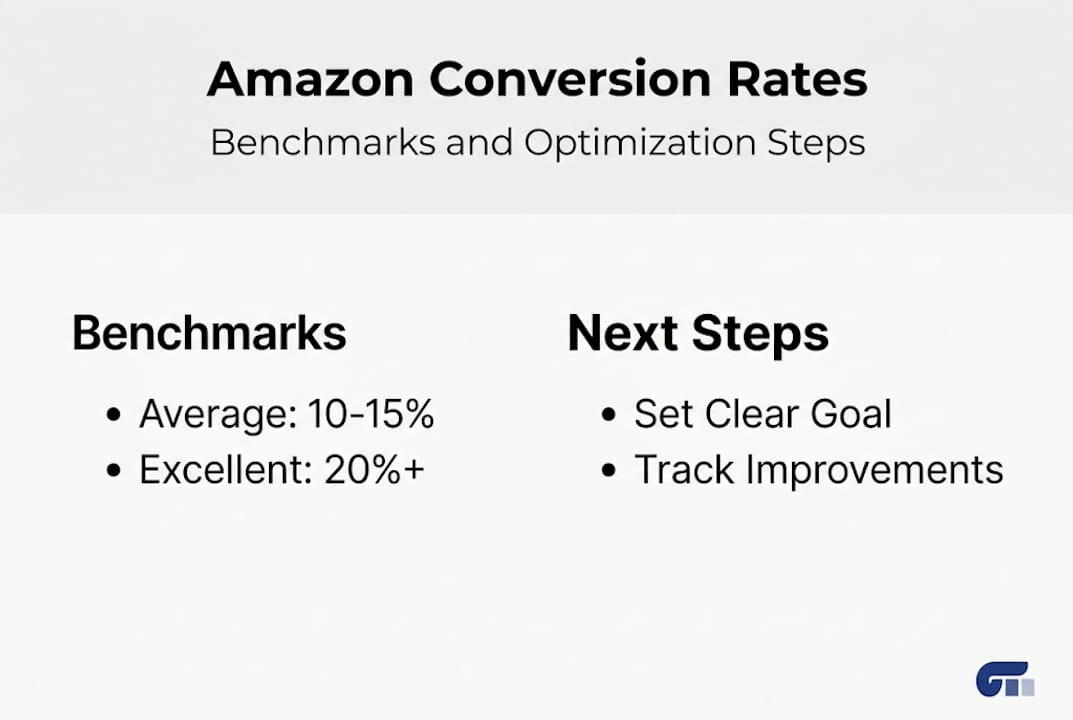
Here’s a quick reference for Amazon conversion benchmarks:
| Performance Level | Order Session % |
|---|---|
| Low | Below 8% |
| Average | 10-15% |
| Good | 13-15% |
| Excellent | Above 20% |
With your baseline established, prioritize which ASINs to work on first. Focus on:
- High-traffic, low-conversion listings: These have the biggest upside. More sessions mean more data and more revenue potential from small lifts.
- High-margin products: A 2% conversion bump on a $100 product matters far more than the same lift on a $12 item.
- Listings with recent review activity: Fresh social proof makes optimization efforts more effective.
Pro Tip: A 1% improvement in conversion rate on a listing with 5,000 monthly sessions translates to 50 additional orders per month. Depending on your average order value, that single change can represent a 30-50% revenue increase on that ASIN.
Set a specific target before you touch anything. “Improve conversion rate” is not a goal. “Increase Order Session % from 7.2% to 12% within 90 days” is a goal you can actually track.
Optimize the core listing elements
With your baseline in place, it’s time to improve what shoppers actually see. Every element of your listing either builds or destroys purchase confidence. Here’s how to work through each one systematically.

1. Images first, always. Images are the first thing 56% of shoppers look at when landing on a product page. Use 7-9 images, including a clean white-background hero, lifestyle shots that show the product in use, infographics highlighting key specs, and a size or scale reference. Adding video makes an even bigger impact: shoppers are 144% more likely to purchase after watching a product video.
2. Titles that search and sell. Your title needs to satisfy Amazon’s algorithm and a real human in the same sentence. Lead with your primary keyword, follow with the most compelling benefit, and keep it under 200 characters. Avoid keyword stuffing. A title that reads like a list of search terms converts poorly even when it ranks well.
3. Bullet points that answer objections. Each bullet should address a specific customer concern or highlight a concrete benefit. Think about what questions a first-time buyer would ask, then answer them before they have to.
4. A+ Content for depth and trust. A+ Content drives a 5-10% conversion lift by giving shoppers richer visuals, comparison charts, and brand storytelling. It also reduces returns by setting accurate expectations. If you have Brand Registry access and you’re not using A+ Content, you’re leaving measurable revenue behind.
5. Reviews and ratings. Aim for at least 15 reviews at a 4.3-star average or higher. Just having 5 or more reviews can produce a 270% conversion lift compared to zero-review listings. Use the Request a Review button consistently and enroll in Amazon Vine if you’re launching a new ASIN.
6. Pricing and promotions. Competitive pricing matters, but so does perceived value. A coupon badge on the search results page increases click-through rate and signals a deal, even if the discount is modest.
Here’s a comparison of listing elements by impact level:
| Listing Element | Conversion Impact | Effort to Implement |
|---|---|---|
| Main image upgrade | Very High | Medium |
| A+ Content | High | Medium |
| Review count (15+) | High | Low/Ongoing |
| Video addition | High | High |
| Title rewrite | Medium | Low |
| Bullet optimization | Medium | Low |
“A/B testing listing changes can produce up to 25% more sales,” according to Amazon’s own seller resources. Start with images and A+ Content for the fastest wins.
Pro Tip: Never test major listing changes during Prime Day, Black Friday, or any major sales event. Unusual traffic patterns will corrupt your data and make it impossible to know what actually worked.
For a complete walkthrough of image best practices, see how to optimize product images for Amazon. You can also use the Amazon listing optimization checklist to make sure nothing gets missed. Building trust-building design elements into your listing visuals is another layer that separates average listings from top performers.
Test, measure, and iterate for continuous improvement
Optimizing is only effective if you can prove what works. Making changes based on gut feeling is how sellers waste months on improvements that don’t move the needle.
Start by applying the PIE framework to prioritize your test ideas:
- Potential: How much room for improvement does this element have?
- Importance: How much traffic or revenue does this listing or element affect?
- Ease: How simple is this change to implement and measure?
Score each idea from 1-10 on all three dimensions and multiply them together. The highest-scoring ideas go first.
Here’s a step-by-step testing process:
- Identify one variable to test. Change one thing at a time. If you update your main image and rewrite your title simultaneously, you’ll never know which change drove results.
- Use Amazon’s Manage Your Experiments tool. Brand-registered sellers can run official A/B tests on titles, images, A+ Content, and bullet points directly in Seller Central.
- Run the test long enough. Test for 4-10 weeks to reach 95% statistical significance. Cutting tests short leads to false conclusions.
- Track the right metrics. Monitor Order Session %, total orders, and revenue, not just click-through rate. A higher CTR that doesn’t convert is a distraction.
- Scale what wins, retire what doesn’t. Once a winner is confirmed, apply the insight to similar ASINs and move to the next test.
Stat: Amazon A/B testing strategies show that structured testing can produce up to 25% more sales per listing when applied consistently over time.
External analytics tools can supplement Seller Central data. Track sessions by traffic source, monitor keyword ranking changes alongside CVR shifts, and use your listing optimization workflow to keep testing cycles organized. The goal is a repeatable system, not a one-time experiment.
Sellers who want to increase Amazon conversions consistently treat their testing queue the same way a product team treats a development backlog: always full, always prioritized, always moving forward.
Advanced tactics: Mobile, traffic scaling, and competitor benchmarking
After establishing a solid optimization cycle, advanced sellers face new challenges and opportunities. The biggest one most overlook is mobile.
Over 60% of Amazon traffic comes from mobile devices, yet mobile conversion rates are often half of desktop. That gap exists because many listings are designed for desktop viewing. Images that look great on a 27-inch monitor may be unreadable on a phone screen. Bullet points that are easy to scan on desktop become walls of text on mobile.
Here’s what mobile-first optimization actually looks like:
- Lead with your most important information in the first two bullet points, since mobile users rarely expand the full list.
- Use bold text within bullets to make key benefits scannable at a glance.
- Ensure your main image communicates the product clearly at thumbnail size.
- Test your A+ Content on a phone before publishing. Many modules that look polished on desktop render poorly on mobile.
- Follow mobile best practices for layout and visual hierarchy to keep shoppers engaged.
FBA and Prime eligibility also play a direct role in conversion. Prime badge listings convert at 74% higher rates for eligible products compared to non-Prime alternatives. If you’re using FBM for cost reasons, run the math on what that conversion gap is actually costing you.
One counterintuitive insight: a very high conversion rate isn’t always good news. If your CVR is above 16% but your total sessions are low, you may have a traffic scaling problem rather than a conversion success story. A listing that converts 20% of 500 monthly sessions generates fewer orders than one converting 12% of 5,000 sessions. Use your Amazon competitor analysis workflow to benchmark against top competitors and identify whether your gap is in traffic, conversion, or both.
Competitor benchmarking also reveals content gaps. If the top three listings in your category all have video and A+ Content and yours doesn’t, that’s not a coincidence. Systematically audit what top performers are doing and use it to prioritize your next optimization cycle. Learning how to optimize Amazon listings at this level is what separates sellers who plateau from those who keep growing.
Our perspective: Why CRO is a flywheel, not a one-off project
Most sellers treat CRO like a renovation project. They update their images, rewrite their bullets, and consider the job done. Then they wonder why results plateau six months later.
Real CRO is a flywheel. Each improvement raises your conversion rate, which improves your sales velocity, which signals quality to Amazon’s algorithm, which earns you better organic placement, which drives more traffic, which gives you more data to test with. The cycle compounds. But only if you keep it spinning.
Amazon’s algorithm is not static. What converts well today may underperform in 12 months as competitors improve, customer expectations shift, and Amazon’s own ranking factors evolve. Sellers who treat listing optimization as an ongoing process consistently outperform those who optimize once and move on.
The mindset shift is simple but powerful: stop thinking of CRO as a checklist and start thinking of it as a product flywheel. Every test result is an asset. Every winning change compounds. The sellers winning in 2026 are the ones who started their testing cycles in 2024 and never stopped.
Level up with expert optimization support
If you’re ready to take your conversion optimization even further, leverage professional resources to accelerate results. Knowing the right steps is one thing. Executing them consistently across dozens of ASINs while managing inventory, ads, and customer service is another challenge entirely.
Our team at Searchoneers specializes in data-backed Amazon listing optimization that moves conversion metrics, not just rankings. Start with the Amazon listing optimization checklist to audit your current listings against proven best practices. Then use the Amazon listing enhancement guide to prioritize your highest-impact changes. For sellers managing large catalogs, our resources on how to optimize Amazon inventory listings make it easier to scale improvements without losing momentum.
Frequently asked questions
What is a good conversion rate for Amazon product listings in 2026?
A good Amazon conversion rate is 13-15%; excellent listings reach 20% or higher depending on category and price point. Anything below 8% signals a significant optimization opportunity.
How many reviews do I need to boost my Amazon conversion rate?
Aim for at least 15 reviews with a 4.3-star average. Even 5+ reviews can produce a 270% conversion lift compared to listings with no reviews at all.
How long should I run an A/B test on my Amazon listing?
Run A/B tests for 4-10 weeks to reach 95% statistical confidence. Shorter tests produce unreliable data that can lead you to make the wrong call.
Why is mobile optimization critical for Amazon conversions?
Over 60% of Amazon traffic is mobile, but conversion rates on mobile are often half of desktop. A listing not designed for mobile viewing loses a significant portion of its potential buyers.
Can a high conversion rate actually be a bad sign?
Yes. A very high CVR above 16% paired with low session volume often means you’re not driving enough traffic to scale, not that your listing is perfect.
Recommended
- Increase Amazon Product Conversions with Proven Strategies – Searchoneers
- How to optimize Amazon listings for higher sales in 2026 – Searchoneers
- Amazon SEO Workflow 2025: Complete Step-by-Step Guide – Searchoneers
- Amazon SEO Step by Step: Boost Your Product Visibility
- The Real Average Ecommerce Conversion Rate by Industry 2026
- Ecommerce Growth Strategies: Elevate Your Online Sales – ORNER
