

TL;DR:
- Fully optimized Amazon listings with complete elements rank higher and convert better.
- Key components include keyword-rich titles, high-quality images, benefit-driven bullets, and backend keywords.
- Continual testing and updating are essential for long-term success and ranking stability.
Your product is live on Amazon, your inventory is stocked, and you’re waiting for orders. But the sales just aren’t coming. Sound familiar? Most sellers who struggle with visibility aren’t selling bad products. They’re selling poorly optimized listings. In 2025 and beyond, Amazon’s algorithm rewards completeness, relevance, and quality at every level of your listing. This step-by-step Amazon listing checklist walks you through titles, images, descriptions, backend keywords, and verification so you can stop guessing and start ranking.
Table of Contents
- Amazon listing checklist overview
- Step 1: Perfect your product title and key features
- Step 2: High-impact product images and video
- Step 3: Keyword-rich descriptions and backend search terms
- Step 4: Edge cases, troubleshooting, and verification
- What most sellers overlook: systematizing continual improvement
- Get expert support for Amazon listing optimization
- Frequently asked questions
Key Takeaways
| Point | Details |
|---|---|
| Structured product titles | Keeping titles under 200 characters and following Amazon’s formula boosts visibility and click-through rates. |
| Optimized images and video | Using 6–9 high-quality images and optional video increases conversions and customer trust. |
| Keyword-rich descriptions | Effective backend search terms and A+ Content can raise your listing’s rank and sales. |
| Test and verify | Checking results with Manage Experiments ensures your listing updates truly drive performance. |
Amazon listing checklist overview
Before you touch a single field in Seller Central, understand what a fully optimized listing actually looks like. Think of your listing as a machine with several moving parts. If one part is broken or missing, the whole machine underperforms. The core components you need to nail are: the product title, images and video, key feature bullets, the product description, and backend search terms.
Each element serves a dual purpose. It signals relevance to Amazon’s A9 algorithm, and it persuades real shoppers to click and buy. Skipping even one component leaves money on the table.
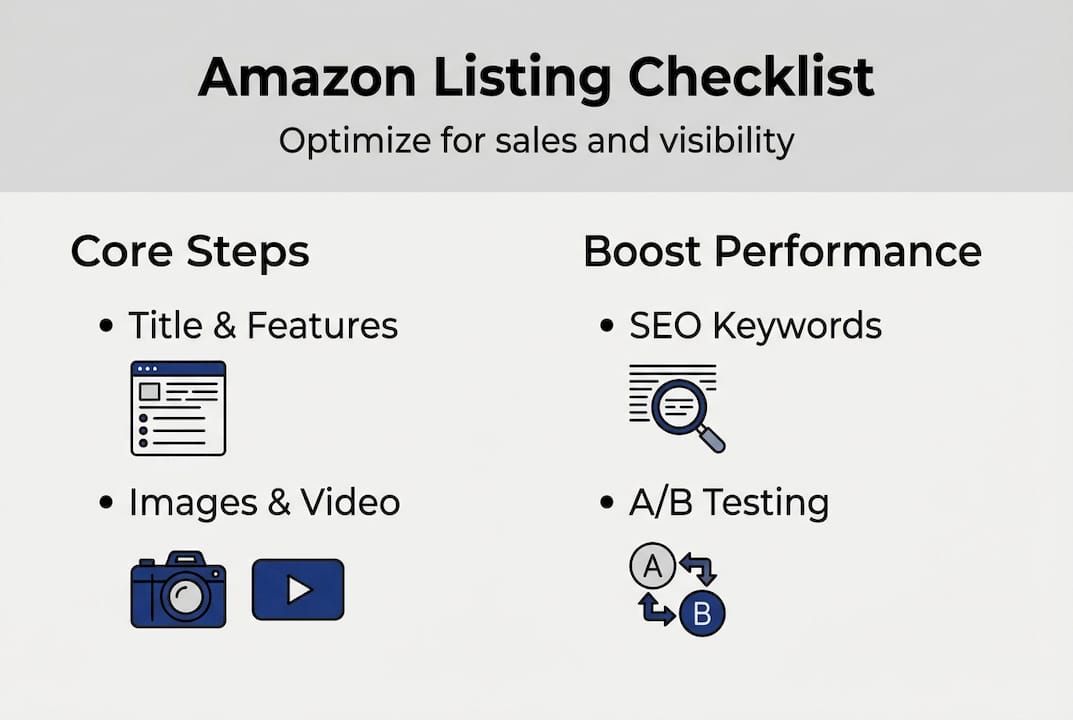
Here’s a quick comparison of a basic listing versus a fully optimized one:
| Element | Basic listing | Optimized listing |
|---|---|---|
| Title | Generic, missing keywords | Keyword-rich, under 200 characters |
| Images | 1 to 3 low-res photos | 6 to 9 high-res images plus video |
| Bullet points | Feature-focused only | Benefit-driven with keywords |
| Description | Minimal text | HTML-formatted, keyword-rich |
| Backend terms | Empty or repeated | 250 bytes of unique synonyms |
As the Amazon listing improvement guide from Amazon Advertising confirms, listings that check every box consistently outperform those that don’t in both ad performance and organic rank.
For tools, you’ll need a keyword research platform (Helium 10, Jungle Scout, or similar), an image editor or professional photographer, and access to your Seller Central backend. If you’re brand-registered, you’ll also have access to A+ Content and Manage Experiments.
Here’s a summary checklist of what this guide covers:
- Craft a keyword-rich, compliant product title
- Write benefit-driven bullet points
- Upload 6 to 9 high-quality images plus optional video
- Write a compelling, HTML-formatted description
- Fill backend search terms with unique synonyms
- Add A+ Content if brand-registered
- Test and verify results with Manage Experiments
Use this Amazon listing checklist as your go-to reference, and explore our guide on enhancing Amazon listings for deeper tactics on each element.
Step 1: Perfect your product title and key features
With your checklist in hand, start by optimizing the two elements that most impact search and click-through: the product title and key features.
Your title is the first thing Amazon’s algorithm reads and the first thing shoppers see. Getting it right is non-negotiable. According to best practices for Amazon product listing optimization, titles must stay under 200 characters and follow a specific structure: brand name, product type, key features, then size or color. Avoid promotional language like “best” or “cheapest,” special characters, and keyword stuffing.
Here’s a step-by-step approach to building a strong title:
- Start with your brand name
- Follow with the exact product type shoppers search for
- Add 2 to 3 high-volume keywords naturally
- Include differentiating details like size, quantity, or color
- Keep it under 200 characters total
Mobile matters more than most sellers realize. Amazon truncates titles after roughly 80 characters on mobile screens. That means your most important keywords and your product type need to appear in the first 80 characters, not buried at the end.
For bullet points (key features), the goal shifts from search to persuasion. Each bullet should lead with a benefit, not just a feature. Instead of “Made from stainless steel,” write “Stays rust-free for years, even with daily use.” Weave in secondary keywords naturally, but never at the expense of readability.
Pro Tip: Write your first bullet for the shopper who is skimming on their phone. If it doesn’t hook them in the first five words, rewrite it.
For a broader view of what works in 2026, check out these Amazon seller strategies and Amazon SEO tips that go deeper on keyword placement and ranking factors. The Amazon product advertising guide also offers useful context on how listing quality affects ad performance.
Step 2: High-impact product images and video
Titles and features bring searchers in, but images and video are what convince them to buy. Here’s how to craft visuals that convert.

Amazon’s image requirements are strict, and for good reason. The main image must have a pure white background (RGB 255, 255, 255), with the product filling at least 80 to 85% of the frame. The minimum resolution is 1000 pixels on the longest side to enable the zoom feature, which significantly lifts conversion rates. You should upload 6 to 9 images total, plus an optional 30 to 60 second video.
Here’s a breakdown of the image types you should include:
| Image type | Purpose |
|---|---|
| Main image | Compliant hero shot, triggers zoom |
| Angle shots | Show all sides of the product |
| Lifestyle image | Shows product in real-world use |
| Infographic | Highlights key specs and features |
| Scale image | Shows size relative to common objects |
| Packaging shot | Builds trust and sets expectations |
Lifestyle images are especially powerful. They help shoppers visualize owning and using your product, which shortens the decision-making process. Infographics let you communicate features that bullets can’t fully capture, like dimensions or material callouts.
Video is optional but highly effective. A 30 to 60 second product video showing the item in use can answer common objections before they become reasons not to buy.
Pro Tip: Use your infographic image slot to address the top 1 or 2 objections you see in competitor reviews. Turn their weakness into your selling point.
For mobile-specific image tips, see our guide on Amazon mobile listing optimization. If you’re brand-registered, Amazon Enhanced Brand Content opens up additional visual storytelling tools. You can also review the official Amazon product listings blog for platform-specific updates.
Step 3: Keyword-rich descriptions and backend search terms
After optimizing visuals, focus on detailed descriptions and backend keywords that help Amazon’s algorithm find and rank your listing.
Your product description is where you tell the full story. Unlike bullet points, descriptions allow longer-form content and HTML formatting (line breaks, bold text) for standard sellers. Write in a benefit-focused, conversational tone and weave in keywords naturally. Don’t repeat your title verbatim. Instead, use related phrases and long-tail variations.
Here’s a structured approach to writing your description:
- Open with the core problem your product solves
- Describe the primary benefit in plain language
- Add supporting details: materials, compatibility, included accessories
- Close with a confidence-building statement: warranty, satisfaction guarantee
- Integrate 3 to 5 secondary keywords naturally throughout
For brand-registered sellers, A+ Content modules replace the standard description with rich media layouts. According to the A+ Content guide, A+ Content can boost sales by 3 to 8% and lets you add comparison charts, enhanced images, and even video. Premium A+ Content adds interactive features like hotspots and carousels.
Stat to know: A+ Content drives a 3 to 8% increase in sales for brand-registered sellers on average, making it one of the highest-return optimizations available.
For backend search terms, the rules are simple but often misunderstood. You have up to 250 bytes to work with. Use synonyms, alternate spellings, and related terms that don’t already appear in your title or bullets. No punctuation, no commas, just spaces between terms. Never repeat keywords already used elsewhere in your listing.
Follow our proven Amazon optimization workflow for a repeatable system that covers keyword research through backend term entry.
Step 4: Edge cases, troubleshooting, and verification
With your listing optimized, it’s crucial to cover edge cases and regularly verify your results to ensure lasting sales improvements.
Not every product fits neatly into the standard optimization playbook. If you’re selling in a gated category like health, beauty, or automotive, you need category approval before your listing goes live. Skipping this step leads to suppressed listings or account warnings. Similarly, never make medical claims in your listing without proper certifications. Amazon enforces this strictly.
Mobile-first thinking applies beyond just titles. Your bullet points should be scannable in 3 to 5 seconds. Use the first 80 characters of your title for your most critical keywords, since that’s all mobile shoppers see before the text cuts off. The Amazon product listings blog confirms that mobile-first optimization is a non-negotiable standard in 2026.
Here are the most common listing errors sellers make and how to fix them:
- Suppressed listing: Usually caused by a missing main image or incomplete required fields. Check Seller Central’s “Fix Your Products” tab.
- Keyword cannibalization: Repeating the same keyword in title, bullets, and backend wastes your byte limit. Spread terms across sections.
- Stale content: Listings that haven’t been updated in 6 to 12 months often lose rank. Refresh keywords based on current search trends.
- Low-quality images: Images below 1000px or with cluttered backgrounds reduce zoom capability and trust.
Once your listing is live and updated, use Amazon’s Manage Experiments tool to run A/B tests on titles, images, and A+ Content. This is the only way to know with certainty what’s working. Optimized listings improve unit session percentage, which is Amazon’s term for conversion rate, and tracking this metric tells you whether your changes are actually moving the needle.
For future-proofing your approach, explore our resources on 2026 Amazon listing optimization and inventory listing optimization.
What most sellers overlook: systematizing continual improvement
Here’s the uncomfortable truth most optimization guides won’t say out loud: a one-time listing overhaul is not a strategy. It’s a starting point.
We’ve seen sellers spend weeks perfecting every element of their listing, hit publish, and then never touch it again. Six months later, their rank has slipped and they can’t figure out why. Amazon’s marketplace is not static. Search trends shift, competitors update their listings, and algorithm weights change. What worked in January may underperform by July.
The sellers who consistently outperform their category treat optimization as a recurring process, not a one-time task. They schedule quarterly keyword audits, run at least one Manage Experiments test per month, and track their unit session percentage weekly. Optimized listings improve conversion over time, but only if you keep iterating.
Build a simple calendar. Review titles and backend terms every 90 days. Test one image or A+ Content variation every 30 days. Use our enhancement strategies for Amazon listings to keep your optimization systematic rather than reactive. That discipline is what separates top sellers from everyone else.
Get expert support for Amazon listing optimization
If you’ve worked through this checklist and want faster, more consistent results, you don’t have to do it alone. Our team at Searchoneers specializes in turning underperforming listings into high-converting assets using data-backed strategies built for the current Amazon marketplace.

Start with our Amazon listing enhancement guide for a deep dive into every optimization lever available to you. If you want a structured, repeatable process, our optimization workflow for Amazon sellers gives you a step-by-step system you can apply to your entire catalog. And when you’re ready to audit your full listing from top to bottom, the full Amazon listing checklist is your definitive reference.
Frequently asked questions
How many images should I include in my Amazon listing?
You should use 6 to 9 images, covering main, angle, lifestyle, and infographic shots, plus an optional 30 to 60 second video to boost engagement.
How do backend search terms improve Amazon visibility?
Backend search terms let you add synonyms and alternate keywords that shoppers use but that don’t appear in your visible listing. Use up to 250 bytes, separated by spaces, with no punctuation or repeated terms.
What’s the impact of A+ Content on Amazon listing performance?
A+ Content boosts sales by 3 to 8% on average for brand-registered sellers, and it improves conversions by replacing standard descriptions with rich media modules.
How can I test if my listing optimizations worked?
Use Manage Experiments in Seller Central to run A/B tests on titles, images, and A+ Content, then track changes in your conversion rate and unit session percentage.

Comments
5 responses to “Amazon listing checklist: optimize for sales and visibility”
[…] with experience in your specific product category. An Amazon listing checklist approach helps sellers evaluate consultants based on performance history and expertise, meaning you […]
[…] Amazon listing checklist: optimize for sales and visibility – Searchoneers […]
[…] 90 days, competitors catch up, keyword trends shift, and the listing starts losing ground. Using an Amazon listing optimization checklist as a recurring tool, not a one-time setup, is what keeps top sellers […]
[…] a full pre-optimization audit process, review this Amazon listing checklist and the accompanying listing optimization checklist to make sure nothing gets […]
[…] is a sign your listing isn’t matching shopper intent for that term. Cross-reference it with your listing optimization checklist and fix the content […]