

TL;DR:
- Sponsored listings provide instant visibility regardless of brand size or reviews.
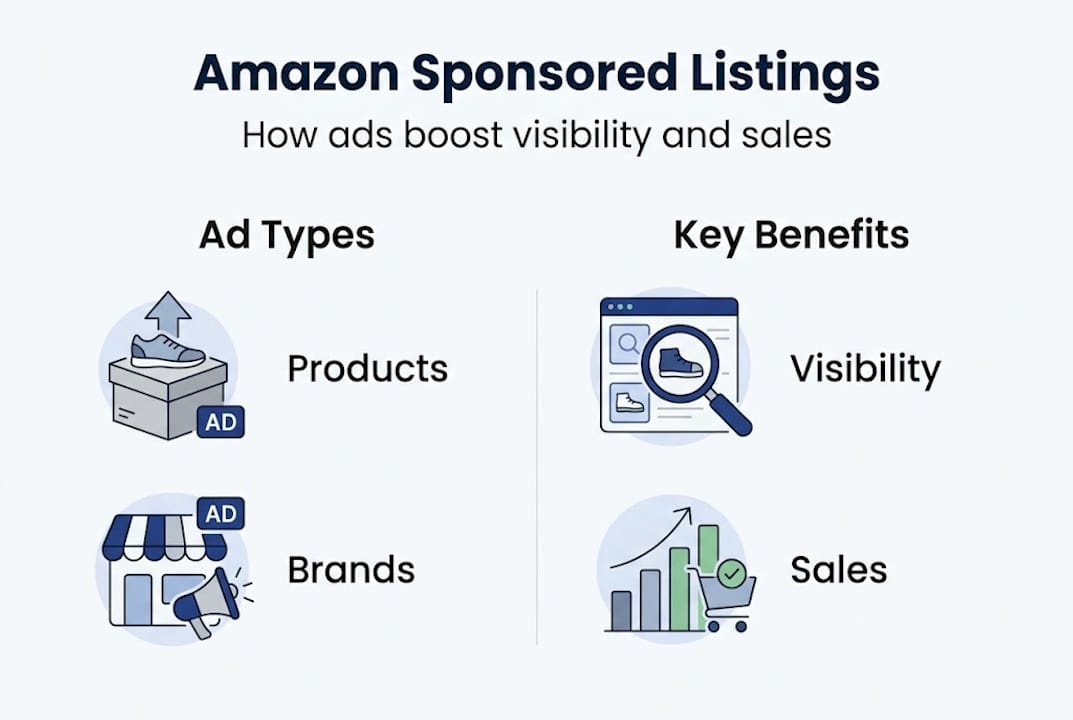
- Amazon offers three main sponsored ad formats: Sponsored Products, Sponsored Brands, and Sponsored Display.
- Success relies on active campaign management, listing optimization, and strategic targeting.
Think only massive brands with million-dollar budgets land at the top of Amazon search results? That’s one of the most persistent myths in e-commerce, and it costs everyday sellers real money. The truth is, Amazon’s sponsored listing system was built to level the playing field. Any seller with an active account can pay for prime visibility, right alongside the biggest names in any category. This guide breaks down exactly what “Sponsored” means on Amazon, explains the different ad formats available, and gives you a clear roadmap for turning paid placements into measurable revenue growth.
Table of Contents
- What does ‘Sponsored’ mean on Amazon?
- Types of sponsored ads available on Amazon
- How do sponsored listings increase sales and visibility?
- How to get started with Amazon Sponsored Listings
- Why most sellers miss out on the full value of sponsored listings
- Boost your Amazon success with expert tools and guides
- Frequently asked questions
Key Takeaways
| Point | Details |
|---|---|
| Sponsored means paid placement | Sponsored listings are ads that appear in search results for a fee, giving products prime visibility. |
| Multiple ad types available | Amazon offers Sponsored Products, Sponsored Brands, and Sponsored Display, each with unique benefits. |
| Boosted visibility drives sales | Sponsored ads help sellers reach more potential buyers and outpace organic competitors. |
| Strategic use is key | Effective campaigns require continual monitoring, optimization, and alignment with listing quality. |
What does ‘Sponsored’ mean on Amazon?
When you search for a product on Amazon and see a small gray label that says “Sponsored” next to a listing, you’re looking at a paid placement. That label tells shoppers and sellers alike that the brand or seller paid to appear in that position, rather than earning it purely through Amazon’s organic ranking algorithm. It’s essentially a pay-per-click (PPC) advertising slot, meaning sellers only pay when a shopper actually clicks the ad.
Understanding how these placements differ from organic results is essential before you invest a single dollar in ads. Organic listings earn their position through a combination of keyword relevance, sales history, customer reviews, and listing quality. Sponsored listings, on the other hand, skip the queue. A brand-new product with zero reviews can appear on page one of search results the moment a sponsored campaign goes live.
Here’s what makes sponsored listings stand apart from organic results at a glance:
- Visibility speed: Organic ranking takes weeks or months. Sponsored placements are instant.
- Label: Sponsored listings carry a visible “Sponsored” tag, but shoppers click them at nearly the same rate as organic results.
- Cost model: You pay per click (PPC), not per impression, so budget only decreases when someone engages.
- Placement locations: Sponsored listings appear at the top, middle, and bottom of search pages, as well as on competitor product pages.
- Eligibility: Open to individual sellers, small businesses, and large brands alike, not just enterprise accounts.
One of the biggest misconceptions about sponsored listings is that they’re only worthwhile for established sellers with recognized brands. That’s simply not accurate. As the Amazon sponsored product guide explains, any active seller can use Amazon’s advertising tools to compete for premium placements, regardless of business size or catalog depth.
“Sponsored ads are not a luxury for big brands. They’re a growth engine for any seller who wants to compete on page one from day one.”
Another common myth is that sponsored placements automatically mean lower credibility with shoppers. Research consistently shows that most Amazon shoppers don’t distinguish between sponsored and organic results when evaluating product relevance. They click what looks most relevant to their search, period. That’s a critical insight for any seller hesitant to invest in paid placements.
Types of sponsored ads available on Amazon
Amazon’s advertising platform gives sellers three core ad formats to work with. Each format serves a different goal, appears in different locations, and targets shoppers at different stages of the buying journey. Choosing the wrong format for your goal is one of the fastest ways to burn through ad budget without meaningful results.
As multiple Amazon ad formats exist across the platform, understanding each one before you spend is critical. Here’s a breakdown of the three main types:
Sponsored Products are the most widely used format. These are individual product ads that appear directly in search results and on product detail pages. They blend almost seamlessly with organic listings, showing up at the top, middle, and bottom of search pages. Sponsored Products use keyword targeting or automatic targeting (where Amazon decides which searches your ad matches). They’re ideal for new product launches, clearing slow-moving inventory, or simply maintaining visibility for your best sellers.
Sponsored Brands allow sellers to showcase their brand logo, a custom headline, and up to three products in a banner-style ad at the top of search results. These ads are best for brand awareness campaigns and driving shoppers to a branded storefront. Note that Sponsored Brands require sellers to be enrolled in Amazon Brand Registry.
Sponsored Display is Amazon’s retargeting format. These ads follow shoppers across Amazon and even off-platform, re-engaging people who viewed your product but didn’t purchase. They’re powerful for converting warm audiences and protecting your product pages from competitor ads.
| Ad format | Where it appears | Targeting options | Best use case | Eligibility |
|---|---|---|---|---|
| Sponsored Products | Search results, product pages | Keywords, ASINs, auto | New launches, volume sales | All sellers |
| Sponsored Brands | Top of search, product pages | Keywords, categories | Brand awareness, storefronts | Brand Registry required |
| Sponsored Display | Amazon + third-party sites | Audiences, ASINs | Retargeting, competitor defense | Brand Registry required |
Pro Tip: If you’re just starting out, focus entirely on Sponsored Products essentials before experimenting with Sponsored Brands or Sponsored Display. Sponsored Products deliver the fastest feedback loop and the clearest ROI data, which you’ll need to optimize any future campaigns.
A few additional benefits worth noting for all three formats:
- You control your daily and lifetime budget, preventing overspend.
- Campaigns can be paused, adjusted, or scaled instantly based on performance.
- Amazon’s ad dashboard provides detailed data on impressions, clicks, and conversion rates.
- Sponsored ads generate sales history, which can indirectly boost your organic ranking over time.
How do sponsored listings increase sales and visibility?
Here’s the core value proposition of sponsored listings: Amazon’s algorithm prioritizes products with strong sales velocity. But how do you generate sales velocity for a new product that nobody has seen yet? That’s the circular challenge most new sellers face, and sponsored ads are the most direct way to break that cycle.

When you activate a Sponsored Products campaign, your listing appears on page one immediately. More page-one visibility means more clicks, and more clicks mean more potential purchases. Those purchases feed into Amazon’s algorithm as positive signals, which over time can improve your organic ranking even after you reduce or pause ad spend.
To make this concrete, consider a straightforward before and after scenario:
| Metric | Before sponsored ads | After 30 days of sponsored ads |
|---|---|---|
| Average daily page views | 12 | 87 |
| Daily units sold | 1 | 9 |
| Organic ranking (target keyword) | Page 5 | Page 2 |
| Monthly revenue | $340 | $2,800 |
These numbers aren’t hypothetical outliers. According to sales data from strategic ad users, sponsored ads can significantly boost product visibility and drive higher sales when campaigns are actively managed rather than left on autopilot.
Research on retail sales impact consistently demonstrates that premium placement, whether physical or digital, dramatically increases purchase likelihood. On Amazon, page-one placement is the digital equivalent of a shelf at eye level in a physical store. Shoppers rarely scroll past it.
Here’s a numbered process for measuring the return on investment (ROI) of your sponsored campaigns:
- Set a baseline: Record your organic sales, page views, and keyword rankings before launching any paid campaigns.
- Activate a campaign: Start with automatic targeting so Amazon identifies which search terms trigger your ad.
- Track Advertising Cost of Sales (ACoS): This is your ad spend divided by your ad-attributed revenue. Lower is better, but acceptable ACoS varies by product margin.
- Identify top-converting keywords: After two weeks, pull your search term report to find which keywords drove purchases, not just clicks.
- Move winners to manual campaigns: Shift high-converting keywords into a manual campaign where you can bid more precisely and control spend more tightly.
- Compare organic lift: After 60 to 90 days, check whether your organic ranking for key terms improved. That’s your sponsored ads paying a second dividend.
A useful benchmark: many active Amazon sellers report a 30% to 50% increase in monthly revenue within the first 60 days of running optimized sponsored campaigns. The key word is optimized. A poorly managed campaign can spend heavily with minimal return, which leads directly to the next section.
How to get started with Amazon Sponsored Listings
Before you log into Seller Central and start building campaigns, make sure your foundation is solid. Running sponsored ads on a weak listing is like pouring water into a leaking bucket. The traffic arrives and immediately leaves without converting.
Start with this eligibility and readiness checklist:
- Active product listings: Your ASINs must be active, buyable, and in stock. Amazon won’t serve ads for suppressed or out-of-stock listings.
- Account health: Your seller account must be in good standing, with no major policy violations. As the listing optimization checklist confirms, sellers must comply with Amazon’s ad policies and maintain active listings to participate in sponsored placements.
- Competitive pricing: If your price is significantly higher than comparable products, even perfectly placed ads won’t convert. Check the Buy Box eligibility.
- Optimized listing content: Your title, bullet points, images, and description must be clear and persuasive. This is non-negotiable.
- Minimum reviews: While not a hard requirement for ad eligibility, having at least a few reviews dramatically improves your click-to-purchase conversion rate.
Once your account and listings are ready, follow these steps to launch your first campaign:
- Go to Seller Central > Advertising > Campaign Manager. Select “Create Campaign” and choose Sponsored Products.
- Choose automatic targeting first. Let Amazon match your ad to relevant searches for the first two weeks. This generates data you can’t get any other way.
- Set a realistic daily budget. Start with $15 to $30 per day. This gives you enough data to make decisions without major financial risk.
- Select your product. Choose one product per campaign when starting out. Testing one product at a time gives you cleaner data.
- Set your default bid. Amazon will suggest a bid range. Start in the middle of that range, then adjust based on performance after the first week.
- Monitor and optimize weekly. Check your ACoS, click-through rate, and conversion rate every seven days. Pause keywords that spend without converting.
Pro Tip: Pair your sponsored ad launch with a Sponsored Products setup guide review and run a full listing quality audit at the same time. Sellers who combine optimized listings with sponsored ads consistently outperform those running ads on unoptimized content. The ad brings the shopper to your door. The listing is what closes the sale.
One cautionary note: avoid the trap of bidding on broad, high-volume keywords with no relevance to your specific product. That’s the number one way sellers burn budget without results. Precision targeting, especially in the early weeks, protects your spend and generates more useful conversion data.
Why most sellers miss out on the full value of sponsored listings
Here’s the honest truth from working closely with Amazon sellers across dozens of categories: most of them treat sponsored ads like a light switch. They turn it on, leave the settings untouched for weeks, and then wonder why their ACoS keeps climbing or their sales plateau.
The sellers who genuinely win with sponsored products strategies treat every campaign as a living experiment. They look at their search term reports every single week. They pause under-performing keywords ruthlessly. They increase bids on terms that convert at a profitable rate. They test new match types, new ad copy for Sponsored Brands, and new audience segments for Sponsored Display. That’s a fundamentally different mindset than “set and forget.”
The real power of paid visibility isn’t just the sales it generates directly. It’s the keyword intelligence it produces. Every search term that converts in your ad campaigns tells you something your listing content should probably include. That data feeds directly into better titles, stronger bullet points, and more relevant backend keywords, which then compounds into better organic ranking over time.
The sellers who struggle with sponsored ads are usually treating them purely as a cost center, a necessary expense to stay competitive. The sellers who thrive are treating every dollar spent as tuition in a masterclass on what their customers actually search for and buy. That reframe changes everything about how you manage campaigns.
Boost your Amazon success with expert tools and guides
Understanding sponsored listings is a powerful first step, but the sellers who consistently outperform the competition combine smart ad spend with listing content that actually converts the traffic those ads bring in.

If you want to go deeper, Searchoneers offers a full listing enhancement guide that walks through every element of high-converting Amazon content. Pair that with our listing optimization workflow to build a systematic improvement process, and use our Amazon SEO guide to make sure your organic rankings grow alongside your paid performance. Great ads deserve great listings to land on.
Frequently asked questions
Can any seller use sponsored ads on Amazon?
Yes, any Amazon seller with active, compliant product listings can use sponsored ads to boost visibility and drive sales, though Sponsored Brands and Sponsored Display require Amazon Brand Registry enrollment.
How do sponsored listings differ from organic results?
Sponsored listings are paid placements marked with a “Sponsored” tag, while organic results are ranked by Amazon’s algorithm based on relevance, sales history, and listing quality.
Does using sponsored ads guarantee sales on Amazon?
No, while sponsored ads increase visibility, actual sales depend on product appeal, competitive pricing, and listing quality. Traffic without a strong listing rarely converts.
Which type of Amazon sponsored ad is best for new products?
Sponsored Products are the best starting point for new product launches because they offer immediate visibility across search and product pages without requiring Brand Registry enrollment.

Comments
One response to “Amazon Sponsored Listings: Boost Visibility and Sales”
[…] Brands build the brand halo, and Sponsored Display recaptures lost shoppers. You can review a full Sponsored Listings overview to see how these formats work together in a cohesive […]