

TL;DR:
- Impressions indicate how often your listing appears in search results, driving potential sales.
- Optimizing titles, keywords, and reviews boosts impressions and listing visibility on Amazon.
- Ongoing measurement and systematized updates are essential for sustaining and increasing impressions.
You’ve put real effort into your Amazon listings. The photos look sharp, the price is competitive, and the product is genuinely good. Yet the sales dashboard stays quiet. The problem is almost always the same: your listing isn’t getting seen. Impressions, the number of times your product appears in search results, are the engine behind every click and every sale. Without them, even the best product sits invisible. This guide walks you through the exact steps to fix that, from understanding what impressions actually measure to executing SEO strategies and data-driven optimizations that move the needle.
Table of Contents
- Understanding Amazon impressions
- Essential prep: Tools, research, and requirements
- Optimize titles and backend keywords for maximum reach
- Boost trust and CTR: Quality, reviews, and returns
- Verify, iterate, and win the ‘honeymoon period’
- Why most sellers get Amazon impressions wrong
- Turn insights into action: Get expert Amazon optimization help
- Frequently asked questions
Key Takeaways
| Point | Details |
|---|---|
| Impressions drive sales | Higher impressions mean more opportunities for your product to be seen and purchased. |
| Title and keyword optimization | Front-end titles and backend search terms together maximize your product’s discoverability. |
| Data-first, not guesswork | Leverage Amazon analytics to test, measure, and improve rather than assuming what works. |
| Trust boosts visibility | Strong reviews and low return rates help increase your click-throughs and overall impressions. |
Understanding Amazon impressions
An impression happens every time your product listing appears in a shopper’s search results, whether they click it or not. Think of it like a billboard on a highway. The billboard exists whether or not a driver looks at it, but the more traffic passes by, the higher the chance someone stops. On Amazon, impressions are your traffic.
Impressions sit at the very top of the sales funnel. Before a shopper can click your listing, Amazon’s algorithm has to surface it. Before they can buy, they have to click. This sequence makes impressions a leading indicator, meaning they predict future sales before the sales actually happen. If your impressions drop, your sales will follow within days.
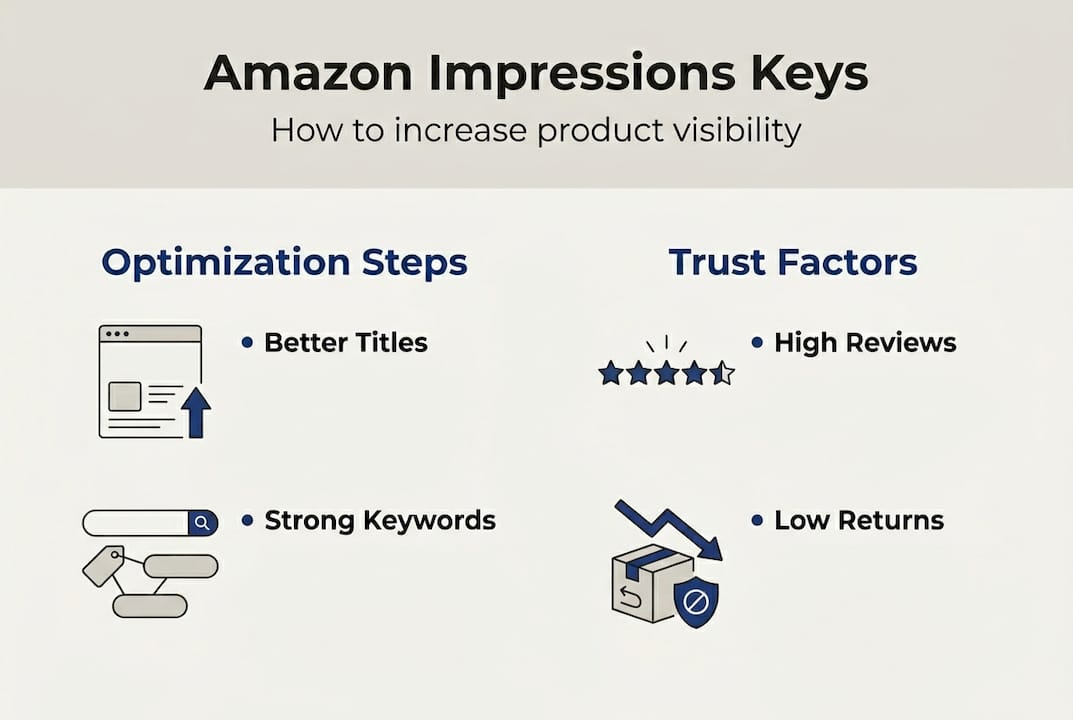
Here’s what makes impressions especially powerful: they’re directly tied to how well Amazon’s A9 algorithm judges your listing’s relevance and quality. The algorithm asks, “Does this listing match what the shopper typed?” If your title, keywords, and content answer that question well, you earn more placements.
| Metric | What it measures | Why it matters |
|---|---|---|
| Impressions | Times your listing appeared | Signals search visibility |
| Clicks | Times shoppers clicked | Measures appeal and CTR |
| Conversions | Times clicks became sales | Measures listing quality |
These three metrics work together. A high impression count with low clicks means your title or image needs work. High clicks with low conversions mean the listing body or price is the issue. But without impressions, nothing else matters.
The data is clear: optimized listings get 3-5x more organic impressions than unoptimized ones, according to Amazon Brand Analytics Search Query Performance (SQP) data. That gap is enormous. It means a competitor with a better-structured listing can outrank you even with an inferior product.
Key things impressions depend on:
- Keyword relevance: Does your listing contain the words shoppers actually use?
- Sales velocity: Are you converting at a rate Amazon rewards?
- Review quality: Do your ratings signal trustworthiness?
- Listing completeness: Have you filled every available field?
Now that you know how critical impressions are, it’s time to lay the groundwork to boost them.
Essential prep: Tools, research, and requirements
Before you touch a single word of your listing, you need data. Jumping into edits without research is like rearranging furniture in the dark. You might improve something, but you’re just as likely to break it.
The three tools every serious seller should use are Brand Analytics, Search Query Performance (SQP), and Product Opportunity Explorer. Brand Analytics shows you which keywords drive the most impressions in your category. SQP breaks down exactly how shoppers find your products. Product Opportunity Explorer reveals high-volume, low-competition niches where your product could dominate.
For Amazon keyword tools that go beyond the native dashboard, third-party platforms like Helium 10 or Jungle Scout can layer on competitor data and search volume trends.
Before you start optimizing, have these ready:
- A master keyword list sorted by search volume
- Your top 5 competitor ASINs and their titles
- Your current Order Defect Rate (ODR) from Seller Central
- Your average star rating and recent review themes
- A screenshot of your current SQP data as a baseline
The keyword research process should pull from Amazon’s auto-suggest, Brand Analytics SQP, and Product Opportunity Explorer to find high-volume, lower-competition terms. Auto-suggest is especially underrated. Type your main keyword into Amazon’s search bar and watch what populates. Those suggestions are real queries from real shoppers, updated in near real-time.
Pro Tip: Type your product’s main keyword followed by each letter of the alphabet into Amazon’s search bar. You’ll uncover long-tail variations that most sellers miss entirely.
Here’s a quick comparison of research tools available to you:
| Tool | Cost | Best for |
|---|---|---|
| Brand Analytics / SQP | Free (Brand Registry) | Impression and click data |
| Product Opportunity Explorer | Free | Niche and demand discovery |
| Helium 10 | Paid | Competitor keyword gaps |
| Jungle Scout | Paid | Sales volume estimates |
Study optimized listing examples from top performers in your category before writing a single word. Pattern recognition beats guesswork every time.
With your tools and data ready, start executing proven optimization steps. Titles and backend keywords deliver the fastest impact.
Optimize titles and backend keywords for maximum reach
Your product title is the single most important field in your listing. Amazon’s algorithm reads it first, and so do shoppers. A well-built title does two jobs at once: it tells the algorithm what your product is, and it convinces the shopper to click.
Follow these steps to build a high-performing title:
- Lead with your primary keyword. Place your most important search term within the first 5 words. Amazon weights early placement more heavily.
- Add secondary keywords naturally. Weave in 2-3 supporting terms without making the title sound robotic.
- Include brand, core feature, and primary benefit. Shoppers scan fast. Give them the essentials immediately.
- Keep it under 200 characters. Longer titles get truncated on mobile, which hurts CTR. Titles under 200 characters perform better for mobile visibility and relevance.
- Avoid punctuation clutter. Pipes and commas are fine; symbols and ALL CAPS look spammy.
Pro Tip: Write your title for the mobile screen first. If it reads clearly on a 5-inch display, it works everywhere.
For guidance on structure, review Amazon title requirements and study how to optimize Amazon titles for both rankings and clicks.
Once your title is locked in, turn to backend search terms. This is where most sellers leave impressions on the table. Backend keywords are hidden from shoppers but fully indexed by Amazon’s algorithm. You get up to 249 characters, and you should use every single one.
Critical note: Never repeat keywords already in your title or bullets. Amazon already indexes those. Use this space for long-tail variations, common misspellings, and alternate phrasings shoppers might use.
Backend search terms up to 249 characters should include long-tail phrases, misspellings, and non-duplicate terms to expand indexing without cluttering your front-end copy. Think about how different shoppers describe the same product. A “stainless steel water bottle” might also be searched as “metal drinking flask” or “insulated tumbler.” All of those belong in your backend.
Use the Amazon listing checklist to make sure every field is filled before you publish.
Once your listings are technically optimized, boosting real-world trust further multiplies your results.
Boost trust and CTR: Quality, reviews, and returns
Amazon’s algorithm doesn’t just reward keyword-stuffed listings. It rewards listings that convert. And shoppers convert when they trust what they see. Trust signals like star ratings, review count, and return rates directly influence both your click-through rate (CTR) and how often Amazon chooses to show your listing.

Here’s the threshold that matters: 4.5 stars or higher with a low ODR below 1% signals to Amazon that your product delivers on its promise, which boosts trust and CTR. Drop below 4 stars and you’ll notice impressions quietly declining as the algorithm deprioritizes you.
Targeting an 8-15% conversion rate is the benchmark for healthy listing performance. Listings hitting this range consistently earn more placement because Amazon’s algorithm interprets high conversion as proof of relevance.
Tactics to build reviews and reduce returns:
- Enroll in Amazon’s Request a Review program to automatically prompt verified buyers
- Use Vine for new products to seed initial reviews from trusted voices
- Write bullet points that set accurate expectations, reducing “not as described” returns
- Include clear size, material, and compatibility details to prevent mismatched purchases
- Respond to negative reviews professionally and quickly to show buyer care
- Monitor your Voice of the Customer dashboard in Seller Central for early return signals
Every review you earn and every return you prevent compounds over time. A listing with 200 honest reviews and a 4.6-star rating will consistently outperform a listing with 20 reviews at 4.8 stars, simply because shoppers trust volume.
For a deeper look at building high-converting listing tips, the fundamentals of trust and quality go hand in hand with visibility.
Maximizing impressions is not a set-it-and-forget-it process. Now, ensure sustained success through ongoing iteration.
Verify, iterate, and win the ‘honeymoon period’
Optimization without measurement is just editing. The sellers who consistently grow impressions are the ones who build a feedback loop: optimize, measure, adjust, repeat.
Amazon’s Brand Analytics dashboard is your primary tool here. Check it weekly, not monthly. Look at your SQP data to see which keywords are driving impressions and which ones are underperforming. If a keyword generates impressions but no clicks, your title or image may not match shopper intent. If clicks aren’t converting, the listing body needs work.
One of the most underused advantages in Amazon selling is the honeymoon period. New listings receive 2-4 weeks of elevated algorithmic attention, and stockouts during this window reset all momentum. Amazon gives new products a temporary boost to gather performance data. If you waste that window with out-of-stock inventory or an unoptimized listing, you lose the advantage and have to rebuild from scratch.
Signals to monitor every week:
- Impressions trend: Are they growing, flat, or declining?
- Click-through rate: Are shoppers choosing your listing over competitors?
- Conversion rate: Are clicks turning into sales?
- ODR and return rate: Are quality signals staying healthy?
- Keyword rank changes: Are your primary terms moving up or down?
Pro Tip: Never let a new listing go out of stock in the first 30 days. Pre-position inventory before launch and set reorder alerts aggressively. The honeymoon period is a one-time gift.
Use the full listing optimization checklist to build a repeatable review process you run every two weeks.
Why most sellers get Amazon impressions wrong
Here’s the uncomfortable truth we’ve seen repeatedly: most sellers treat listing optimization like a one-time task. They update the title, feel good about it, and move on. Then they wonder why impressions plateau after a few weeks.
The real mistake isn’t bad keywords. It’s the absence of a feedback loop. Sellers who rely on intuition, tweaking titles every few days based on gut feeling, actually hurt their rankings. Frequent edits signal inconsistency to Amazon’s algorithm, which can suppress your listing while it re-indexes.
The sellers who win long-term do something different. They treat Amazon SEO strategies like a discipline, not a one-off project. They set a review cadence, pull SQP data on a fixed schedule, and make changes based on patterns rather than panic. They know that a keyword underperforming for two weeks might just need more time, while one underperforming for eight weeks needs to be replaced.
Data beats intuition almost every time in this game. The sellers we’ve seen grow impressions by 300% or more didn’t have better instincts. They had better systems.
Turn insights into action: Get expert Amazon optimization help
Knowing what to do and executing it consistently are two very different things. If you’ve read this far, you have a clear picture of what drives impressions and how to build the systems that sustain them.

At Searchoneers, we’ve built our entire practice around helping Amazon sellers close the gap between knowing and doing. From our Amazon listing enhancement guide to a step-by-step optimization workflow for Amazon sellers, our resources are designed to turn strategy into measurable results. Whether you’re launching your first product or scaling an established catalog, we have the tools and expertise to accelerate your impressions growth.
Frequently asked questions
What are Amazon backend keywords and why do they matter?
Backend keywords are hidden search terms entered in Seller Central that help your listing appear for more queries, maximizing impressions without cluttering the title or bullets. Up to 249 characters of long-tail terms, misspellings, and non-duplicate phrases expand your indexing reach significantly.
How long does it take to see more impressions after optimizing a listing?
Most listings show a clear uptick within the first 2-4 weeks, especially new listings taking advantage of the honeymoon period. New listings get elevated visibility during this window, making early optimization critical.
What is the recommended product rating and return rate to maximize impressions?
Aim for a 4.5-star rating or higher and keep your order defect rate below 1% to boost buyer trust and click-through rates consistently.
Should I change my Amazon title often to get more impressions?
No. Frequent title changes disrupt search consistency and can suppress your listing during re-indexing. Optimize once based on solid research, then iterate using analytics data rather than guesswork.
Recommended
- How to Drive Amazon Traffic for Maximum Sales Growth – Searchoneers
- Increase Amazon Product Conversions with Proven Strategies – Searchoneers
- How to Increase Amazon Visibility for Higher Sales – Searchoneers
- 7 Amazon Selling Tips to Maximize Listing Performance – Searchoneers
- 6 etape esențiale pentru optimizare Amazon | Agile Consultancy
